专业激光文件准备

把图像变成可生产的激光文件。

Vextrify 将照片准备、3D 浮雕、画板、配置文件和导出连接成浏览器与桌面端的一套流程。

面向生产、工坊、工作室和高要求创作者
可在浏览器使用,也可作为本地桌面应用
支持 LightBurn、EZCAD 和工坊流程导出
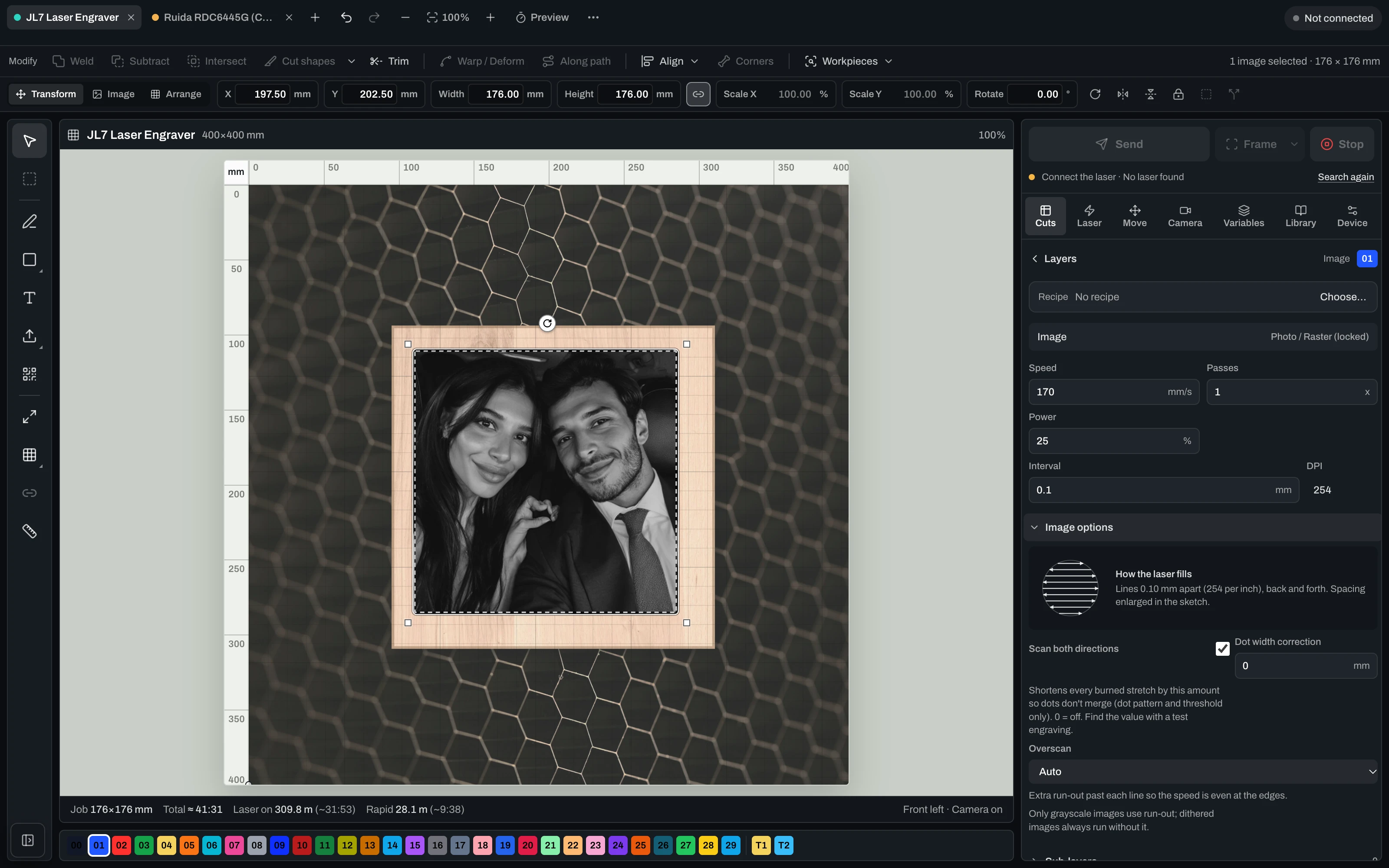
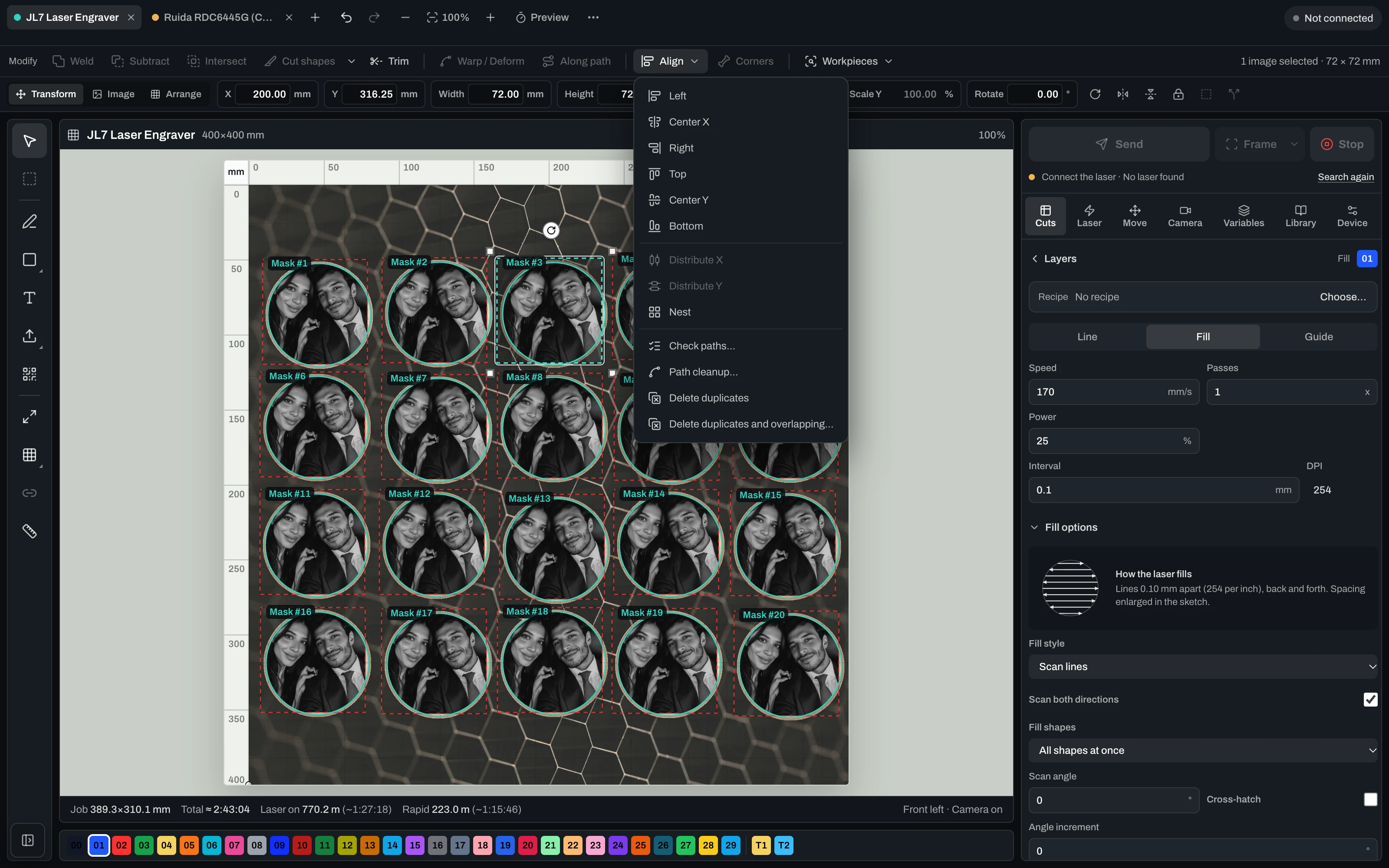
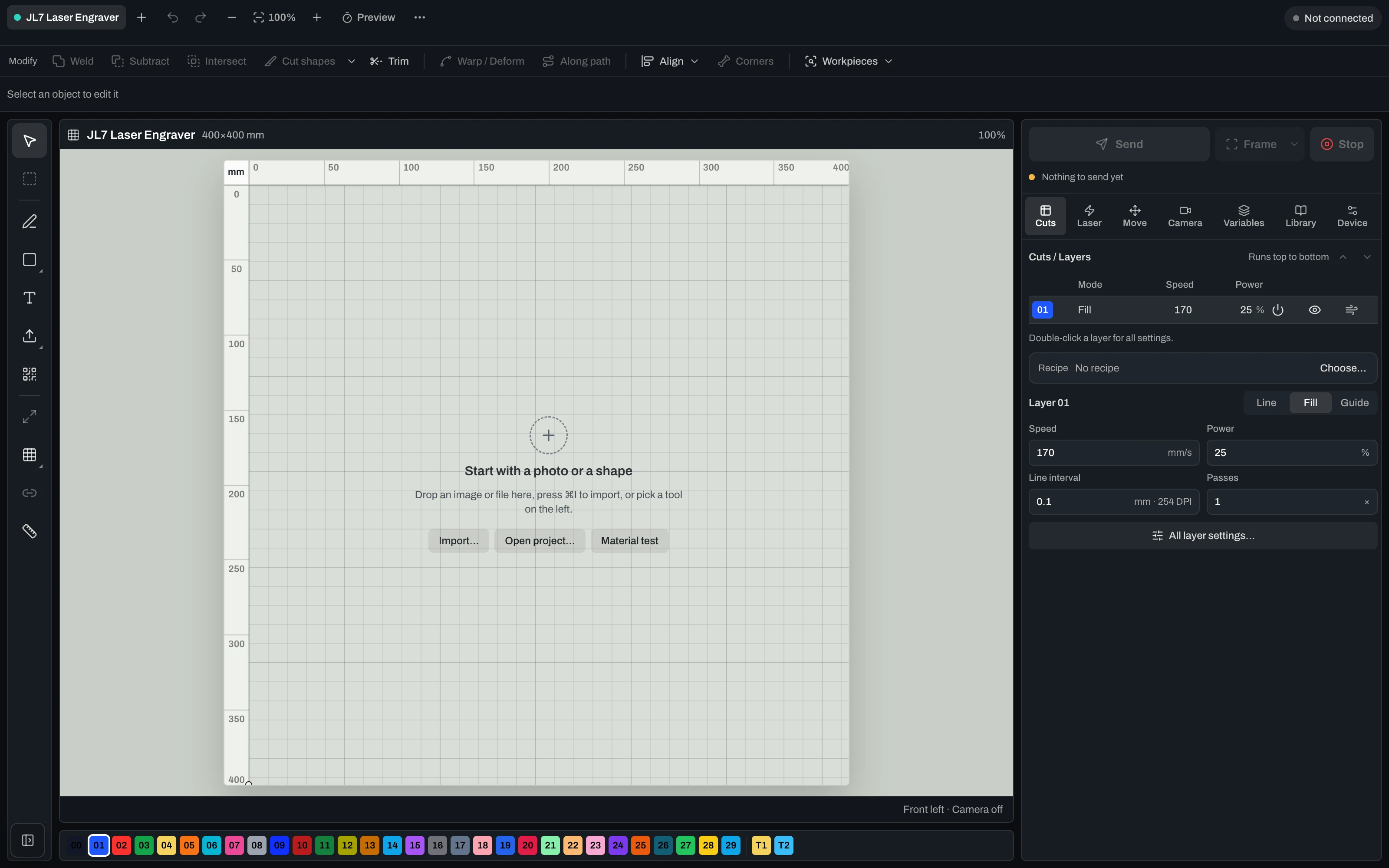
Vextrify Laser Control — the real machine control interface

“Finally, I only need one piece of software for everything.” — Ralf, Profit GmbH

The daily tool shuffle

Four programs for one engraved part. You know the drill.

Prep the photo in one tool, export it, import into the next, align it there, hand it to your laser software — and start over for every motif. Vextrify turns those steps into a single flow.

Your stack today
Photo for engravingImagR · PhotoGrav
Vectors & layoutIllustrator · Inkscape
Machine controlLightBurn
3D reliefspecialised CAM
Camera alignmentmanual / add-on
Multiple licenses · export/re-import · no shared project
Vextrify
All in one

One project, one license, in the browser and on the desktop (Mac & Windows). Control, image optimization and planning work as one — no export, no re-import.

Image & artwork
Photo Studio · AI Studio · Photo Upgrade · Background · 3D Relief · Product Studio
File & layout
Artboard · Vectorize · Contour · QR · Batch · Profiles
Laser & control
Diode & CO2 · camera alignment · multiple lasers · material recipes

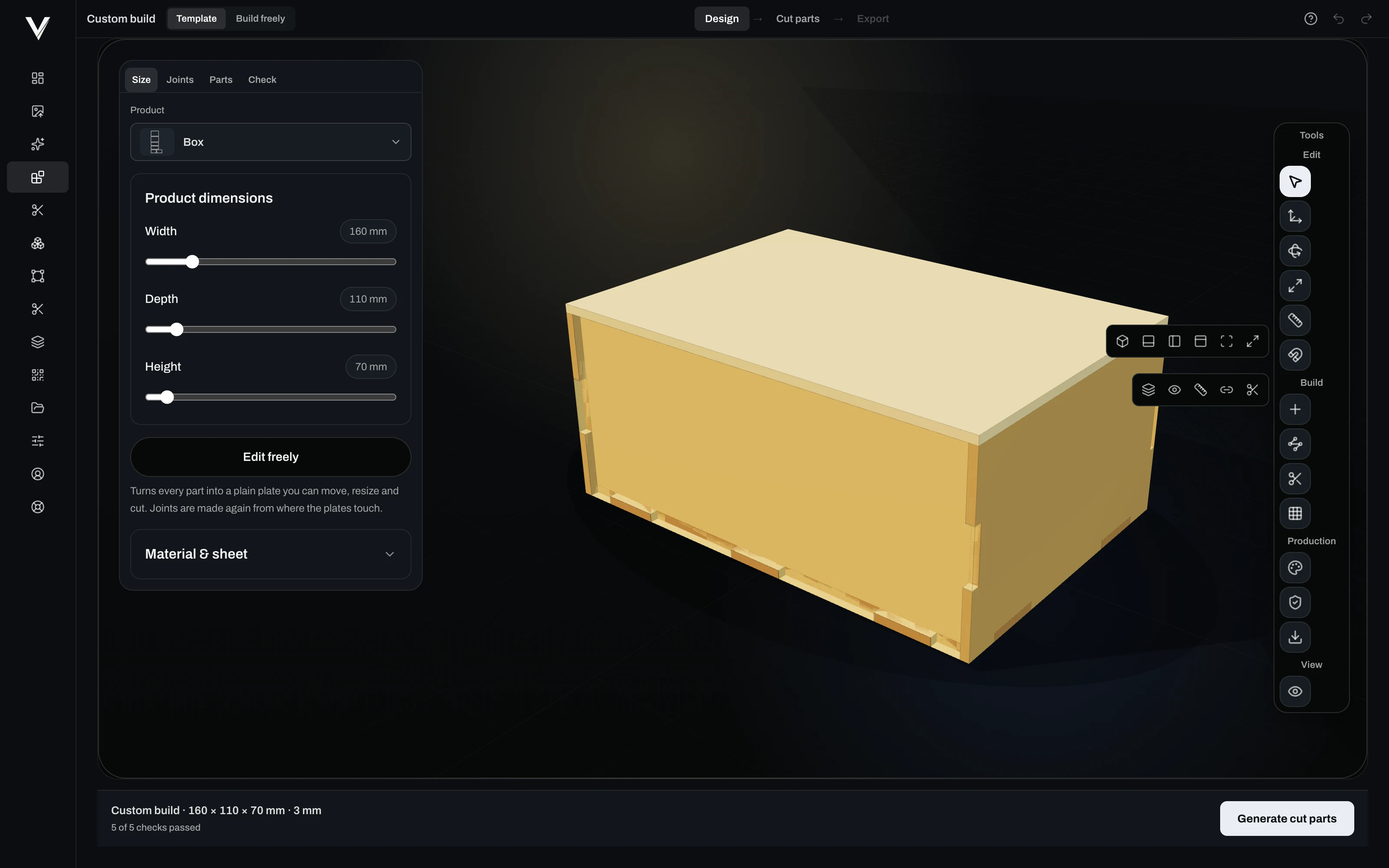
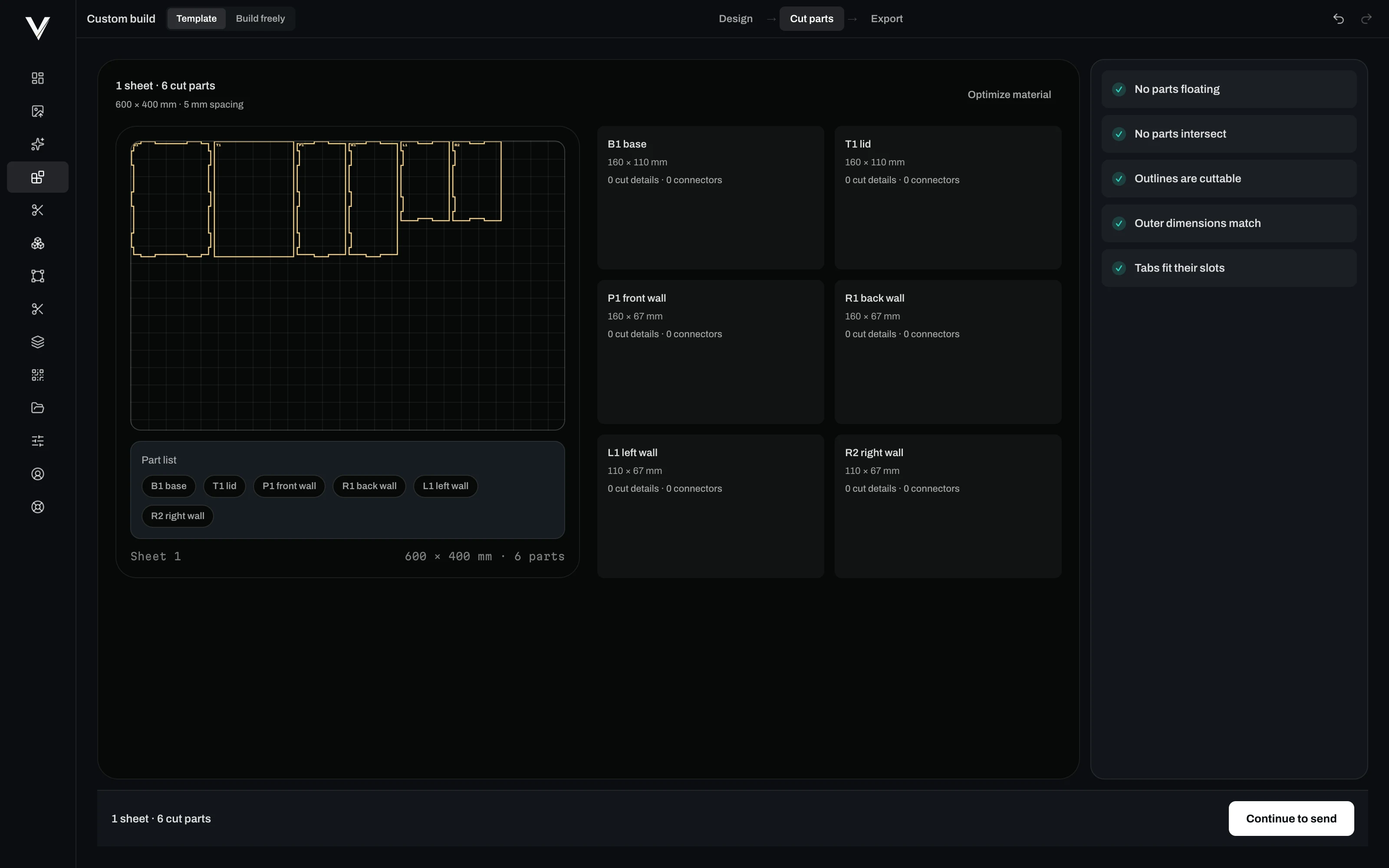
从想法到完成刻印零件 — 三步完成。

Step 1

准备设计

照片、矢量图、文字或 AI 图案 — 通过点结构、浮雕和配置文件使其适合刻印。

Step 2

在工件上对齐

使用已校准的摄像头将其精确放置在真实材料上,进行取景并执行空运行确认。

Step 3

开始刻印

在二极管或 CO2 激光器上实时执行任务 — 开始、暂停、继续、停止。甚至可同时使用多台激光器。

Laser Control

驱动您的激光机——摄像头、校准、Ruida 与 GRBL。

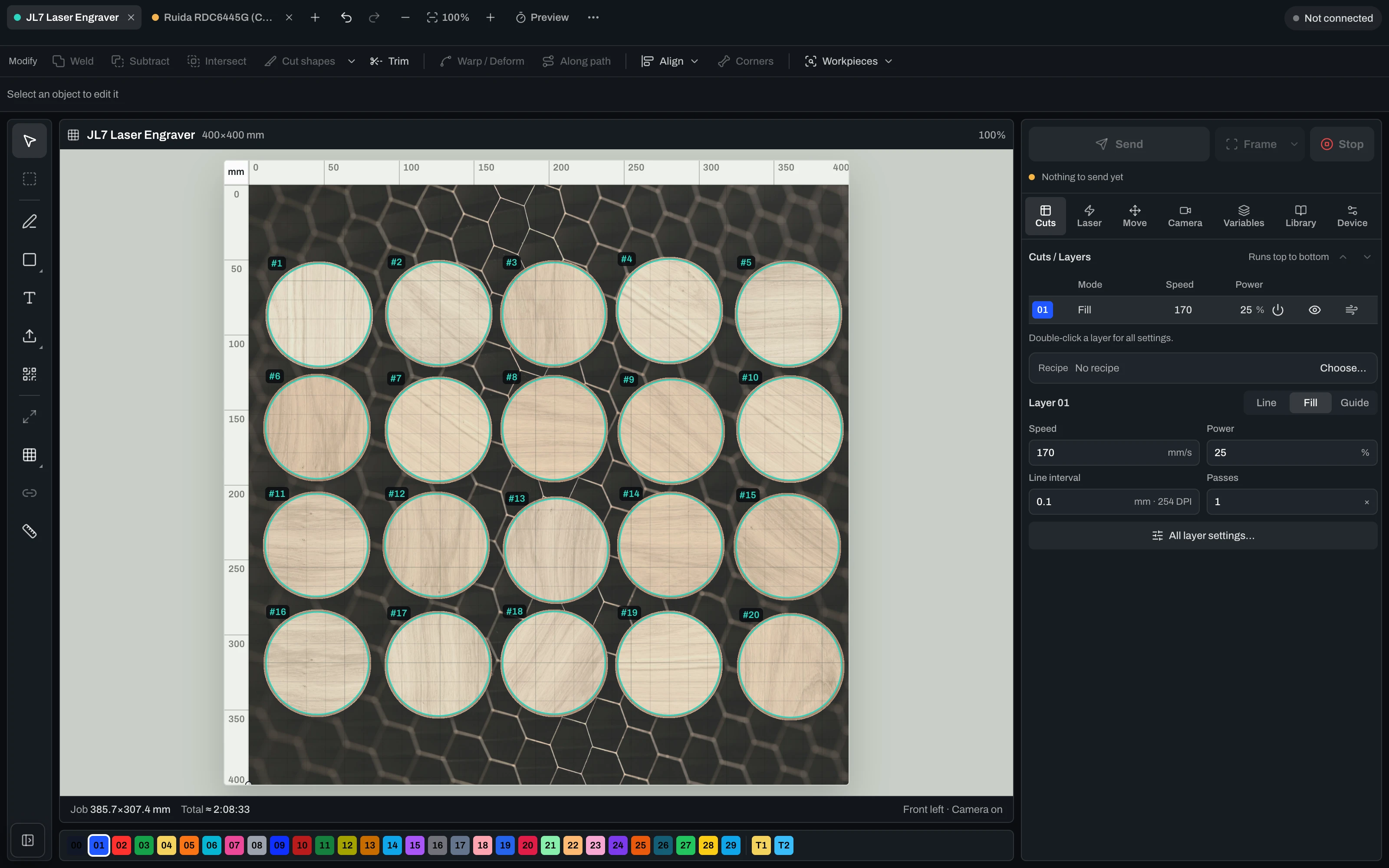
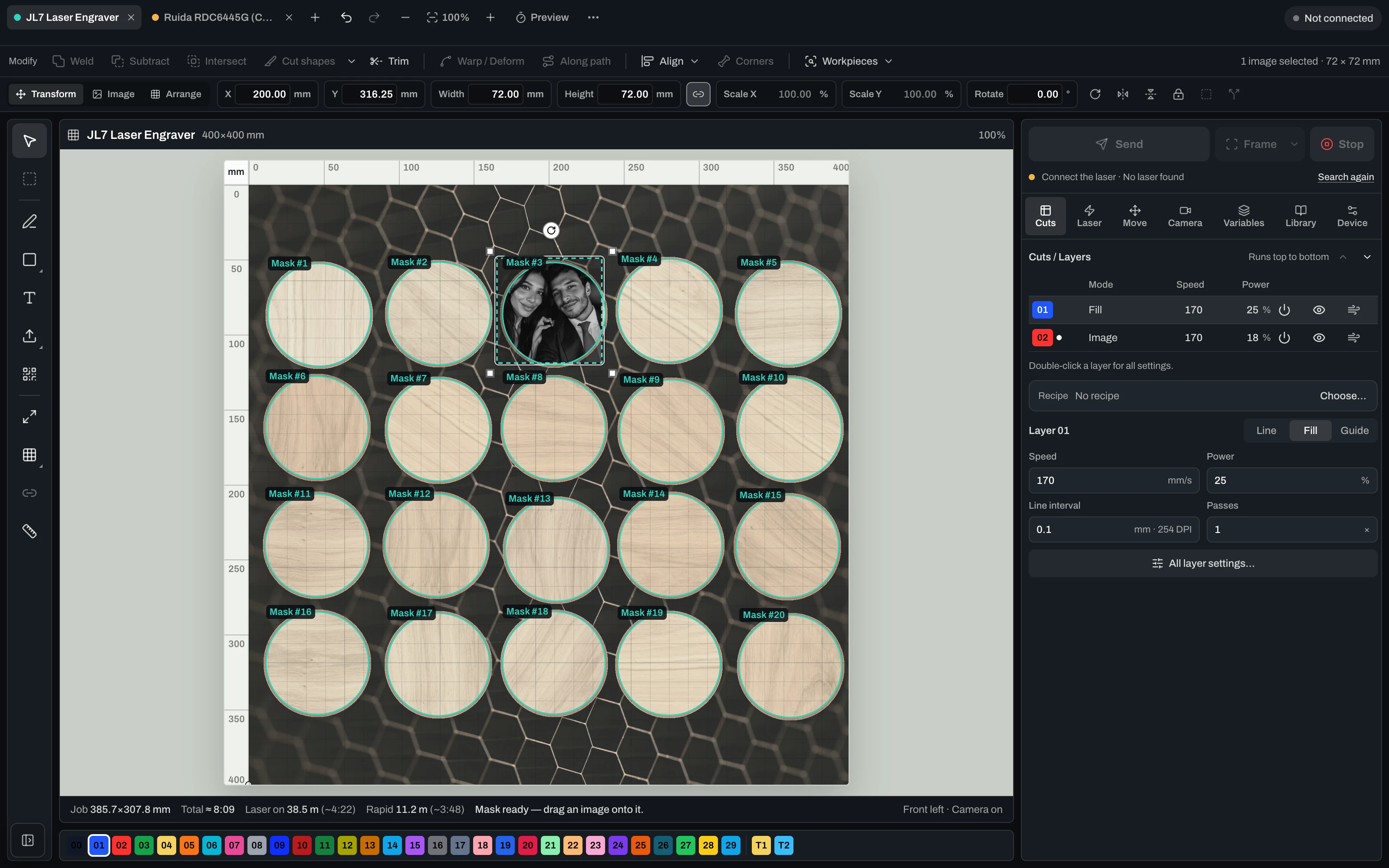
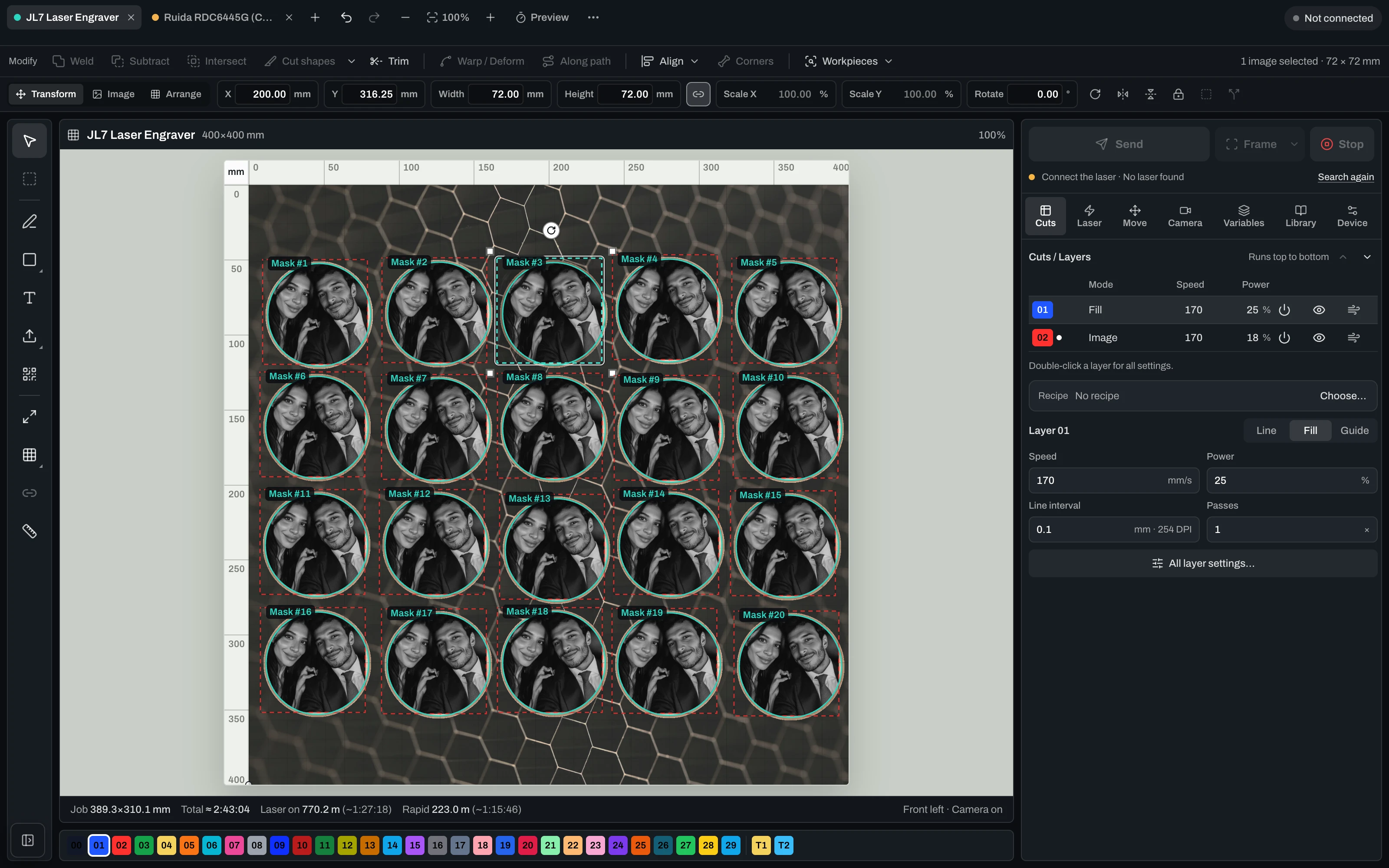
真实控制界面:USB 连接、摄像头对齐与镜头校准、床位定位,以及针对 Ruida(CO2)和 GRBL 机器的直接输出。

Align
  • Camera alignment on the real workpiece
  • Lens-corrected overlay preview
  • Framing & dry-run before the laser fires
  • Free choice of origin & start position
Run
  • Diode & CO2 (GRBL & Ruida) directly
  • Live job: start, pause, resume, stop
  • Speed, power, passes, frequency & air assist per layer
  • Speed/power limits from the device profile + runtime estimate
Scale
  • Several lasers at once from one PC
  • Every job keeps running on its own
  • Reuse material recipes & profiles
  • Photo engraving with dithering & grayscale
Machine control runs in the desktop app for Mac & Windows.

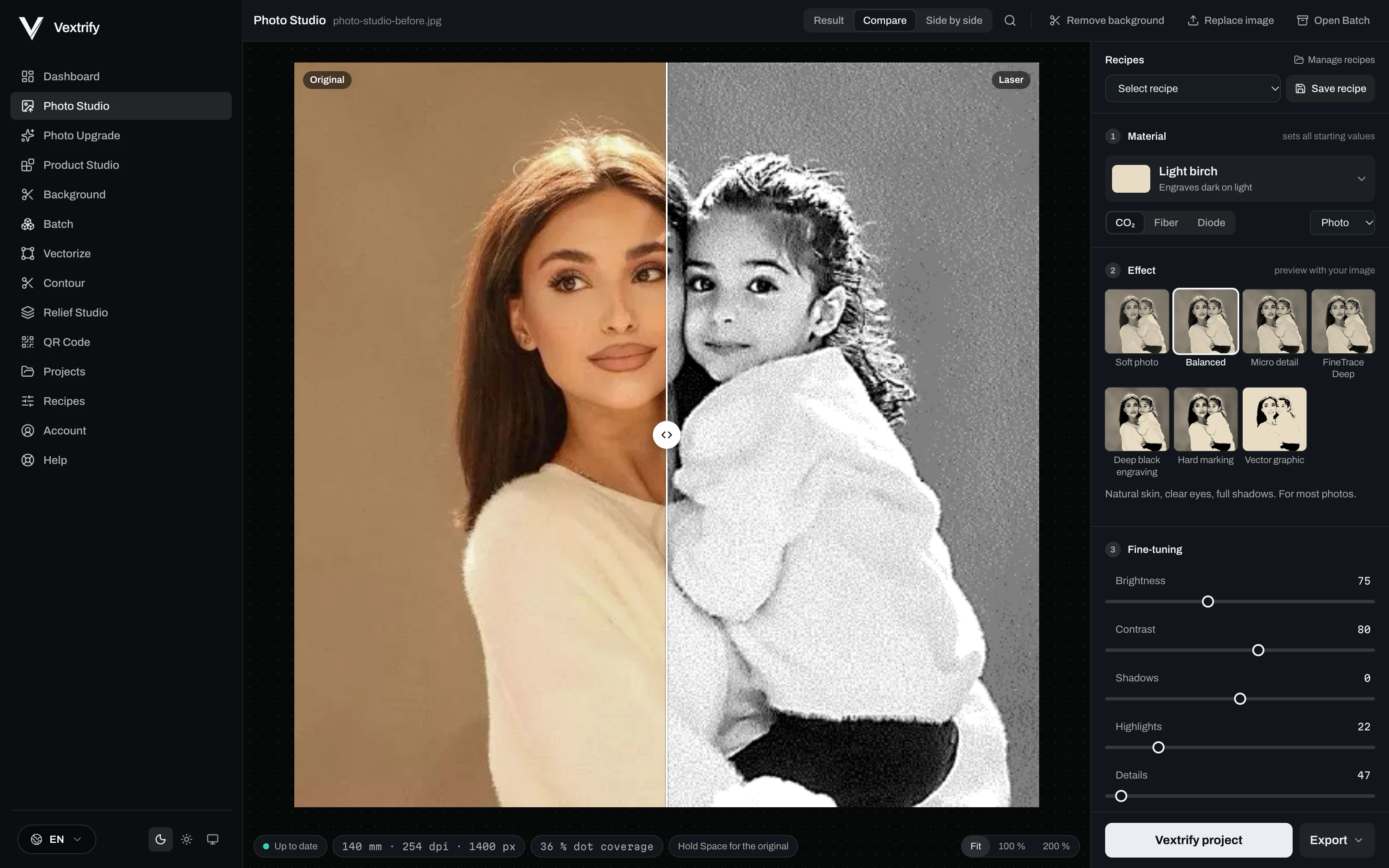
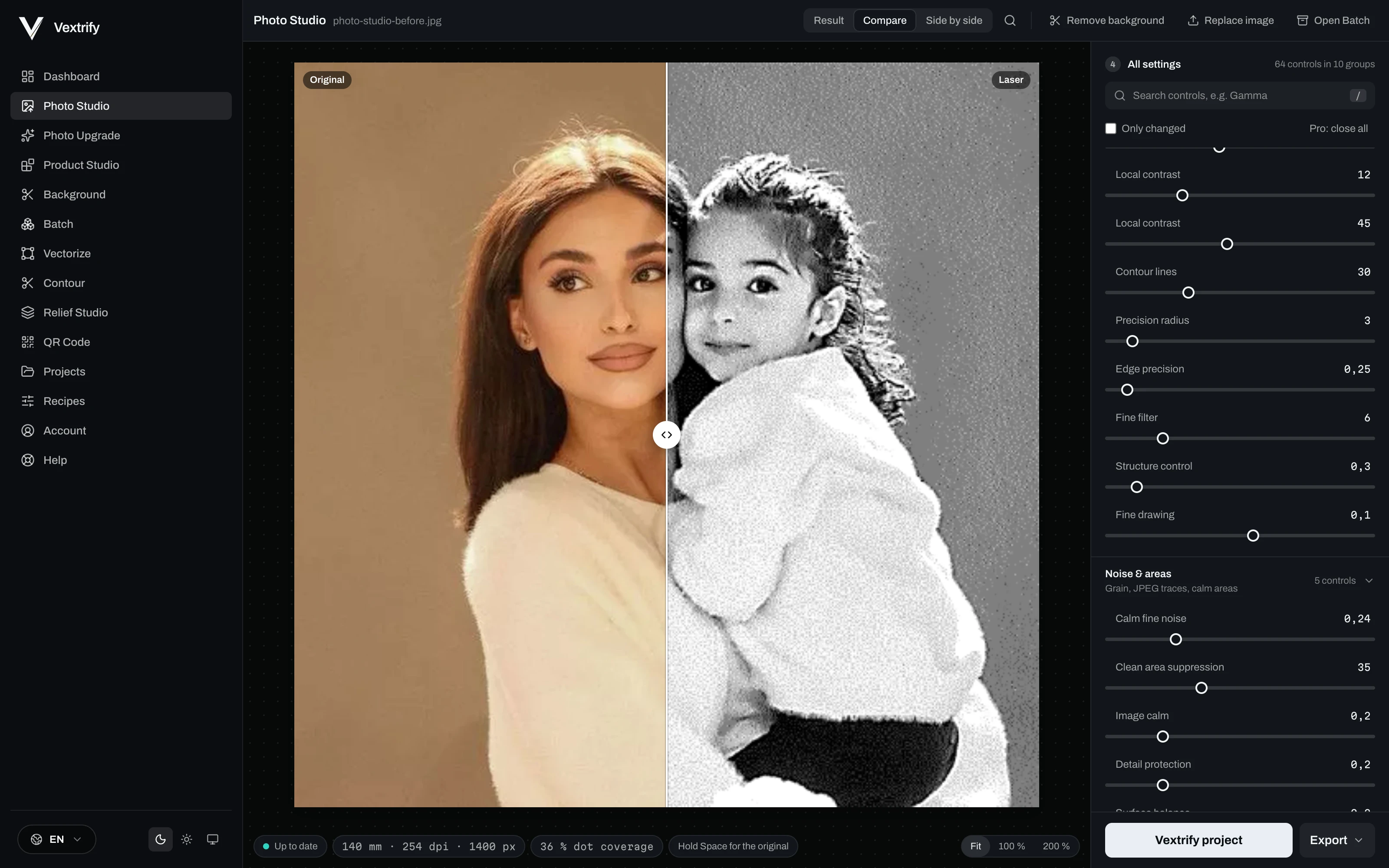
用于雕刻、打标和材料响应的精确图像准备。

选择材料、图像类型和目标,然后可视化微调输出。

Original image in Photo Studio
Original
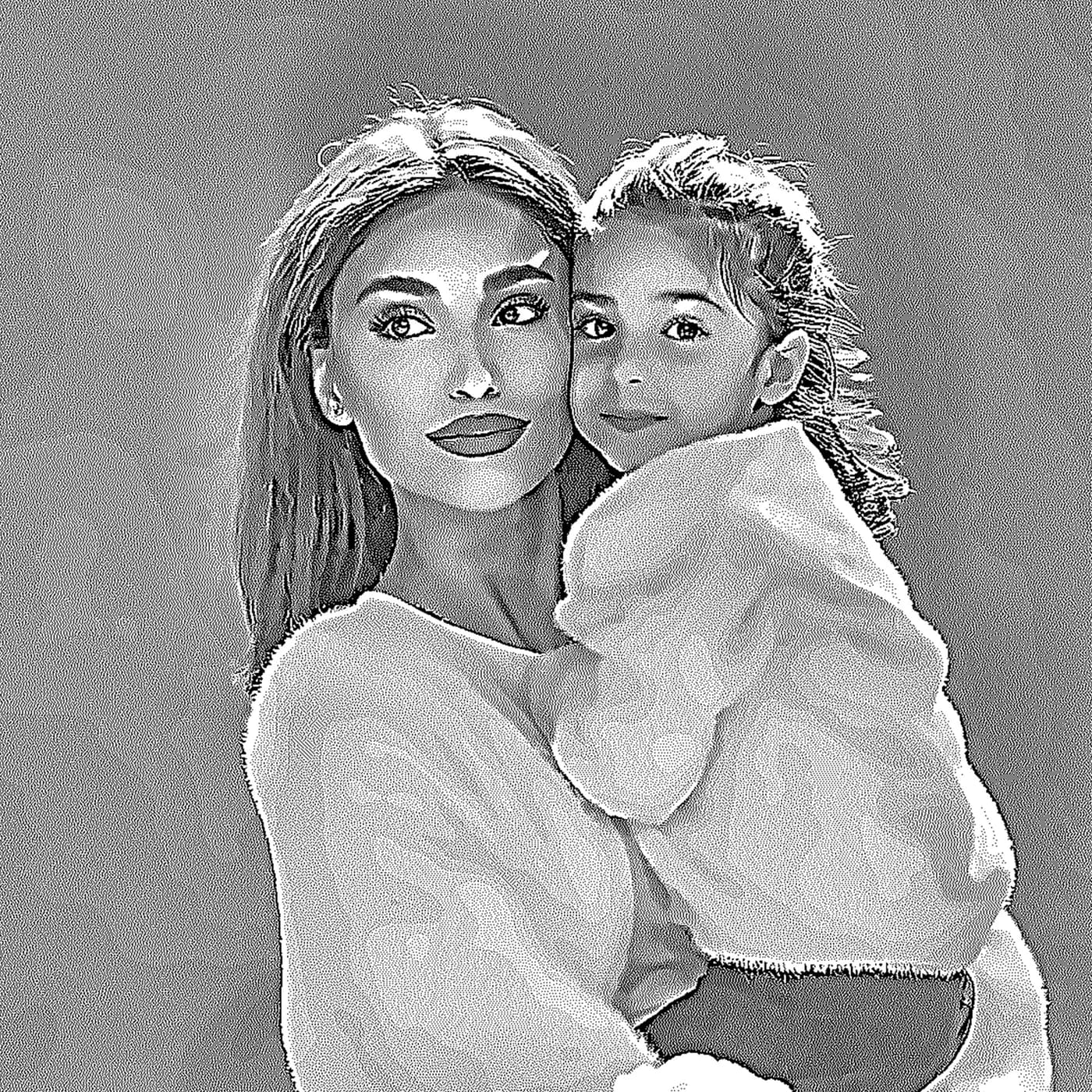
Engraving preview in Photo Studio
Laser output
Dot density

专业控制

这些值会保存到配置,并写入LightBurn/EZCAD包。

用于雕刻、打标和材料响应的精确图像准备。

选择材料、图像类型和目标,然后可视化微调输出。

保存处理,而不是每次重新猜。

配方包含材料、目标、DPI、色调、抖动、前处理和调试。

放大

比较 · 就绪

输入深度图,输出深度策略。

本地准备浮雕和深雕作业。

Learn more
输入深度图,输出深度策略。
Relief Studio
专业控制
3D preview · drag to tilt
Production Artboard

完整作业的生产空间。

图片、文字、QR、SVG和精确尺寸放在一个可导出的画板上。

完整作业的生产空间。

图片、文字、QR、SVG和精确尺寸放在一个可导出的画板上。

生产内容保持在一起。

作业保存原图、输出、Artboard、素材和导出。

生产与导出

这些值会保存到配置,并写入LightBurn/EZCAD包。

资源

面向浏览器、桌面端和机器可用导出的专业激光准备。

VX
Artboard
Production Canvas
320 × 220 mm
Artboard
Image
Text
Export
Prepared engraving image inside the Vextrify Artboard
Bella
Tune image
Contrast+18
Dot density
Sharpness+12
Objects
2
Image
Photo · 254 DPI
Stucki
Text
Fill · outline on
being added
Text parameters
ModeFill
Outlineactive
ColorBlack
Parameters on active image
Speed420 mm/s
Max Power28%
Min Power0%
Passes2
Layers
ImageBlue
TextBlack
Guideoff
LightBurn PaketSVGDXFPNG

Photo, relief, artboard, vectorize, QR, background removal, AI image and more.

Every tool has its own page with examples and an explanation — see everything Vextrify prepares before the burn.

Browse all tools

在线使用,本地满功率生产。

Vextrify 不把你锁在一种工作方式里。浏览器和桌面端并行使用:日常灵活,生产现场强大,核心流程无需强制云端。

本地车间中运行的 Vextrify 桌面应用
View desktop app
本地生产模式
1不强制上云核心功能可在本地运行,无需上传生产文件。
2不受地点限制可在浏览器工作,也可在车间电脑本地生产,甚至离线。
3本地完整工作室Photo Studio、配置文件、Artboard、Batch 和导出都可在生产现场使用。
4市场独特Vextrify 将 Web 的便利与真正的本地生产环境结合。

一个工具替代多个订阅 — 而且功能更多。

现在:分别购买
Imag-R仅图像准备119 €/
LightBurn Pro仅机器控制210 € 一次性购买
合计,第1年329 €
两个独立工具,无共享项目。
使用 Vextrify Studio Pro
  • 图像准备、3D 浮雕、矢量、AI
  • 直接机器控制(二极管和 CO2)
  • 同时控制多台激光器
  • 一个项目,无需导出/重新导入
一站式解决149,99 €/
功能更多,价格不到一半。

从第一单开始就有价值的专业激光准备。

Studio 包含浏览器中完整的创作套件 — 照片、3D 浮雕、矢量、画板等。Studio Pro 增加桌面应用、直接激光控制(二极管和 CO2,支持多台同时操作)以及 AI 图像生成。

Annual is the best default price. Studio includes the complete creation suite; Studio Pro adds the desktop app, laser control (incl. multiple lasers) and AI image generation.
Plan

Studio

8,33 €per month
jährlich 99,99 € abgerechnet
VAT incl. where applicable

Komplette Erstell-Suite im Browser — vorbereiten und bearbeiten, alles außer der Maschinensteuerung.

Complete creation suite in the browser
Photo Studio, 3D Relief, Artboard
Vectorize, Contour, QR, Batch
Background removal & photo upgrade
AI Studio visible, usage by upgrade
No machine control
创建账户
Best Value

Studio Pro

12,50 €per month
jährlich 149,99 € abgerechnet
VAT incl. where applicable

Alles aus Studio plus Desktop-App, Lasersteuerung (Diode & CO2, auch mehrere Laser gleichzeitig) und 2.000 KI-Credits pro Monat.

Everything in Studio
Desktop app included
Laser control: diode & CO2, camera-aligned
Multiple lasers at once from one PC
AI image generation · 2,000 credits/mo
Live job: start, pause, resume, stop
创建账户
Plan

Lifetime Pro

One-timeno subscription
249,00 €one-time
einmalige Zahlung · 12 Monate Studio inklusive
VAT incl. where applicable

Einmal kaufen. Die Desktop-App dauerhaft lokal nutzen. Studio Online, KI-Tools und Updates sind 12 Monate inklusive.

Buy once, keep it locally for good
Desktop app + laser control (Mac & Windows)
Laser control incl. multiple lasers
12 months Studio Online & AI included
Updates included for 12 months
No subscription — one-time payment
创建账户

What you want to know before starting.

Vextrify 能配合 LightBurn 和 EZCAD 吗?+

可以。Vextrify 会生成适合现有激光流程继续使用的导出包。

可以本地使用吗?+

可以。桌面应用可在不强制依赖云端的情况下运行核心功能。

相比普通照片工具强在哪里?+

它提供材料、色调、点结构、配置、画板、导出和浮雕的数百项设置。