One window, every tool.
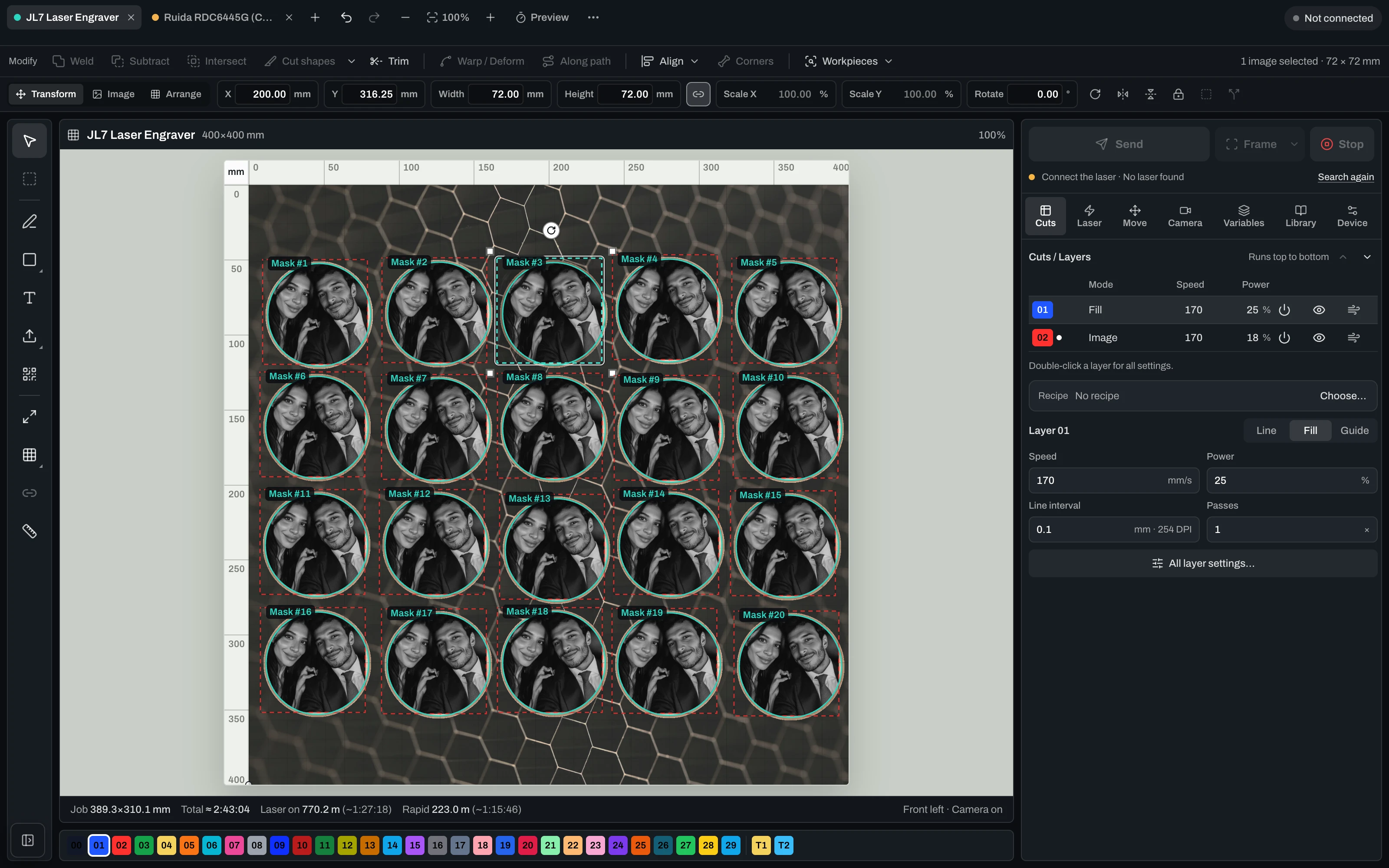
Tools on the left, layers and laser settings on the right, every laser in its own tab at the top. Camera, queue and material library are one click away.
- Day or night. Dark and light appearance, switch it above the picture.
 Vextrify
Design, prepare and run every job in one place. For diode, CO2 and fiber lasers.
No laser at hand? Open the design tools in your browser
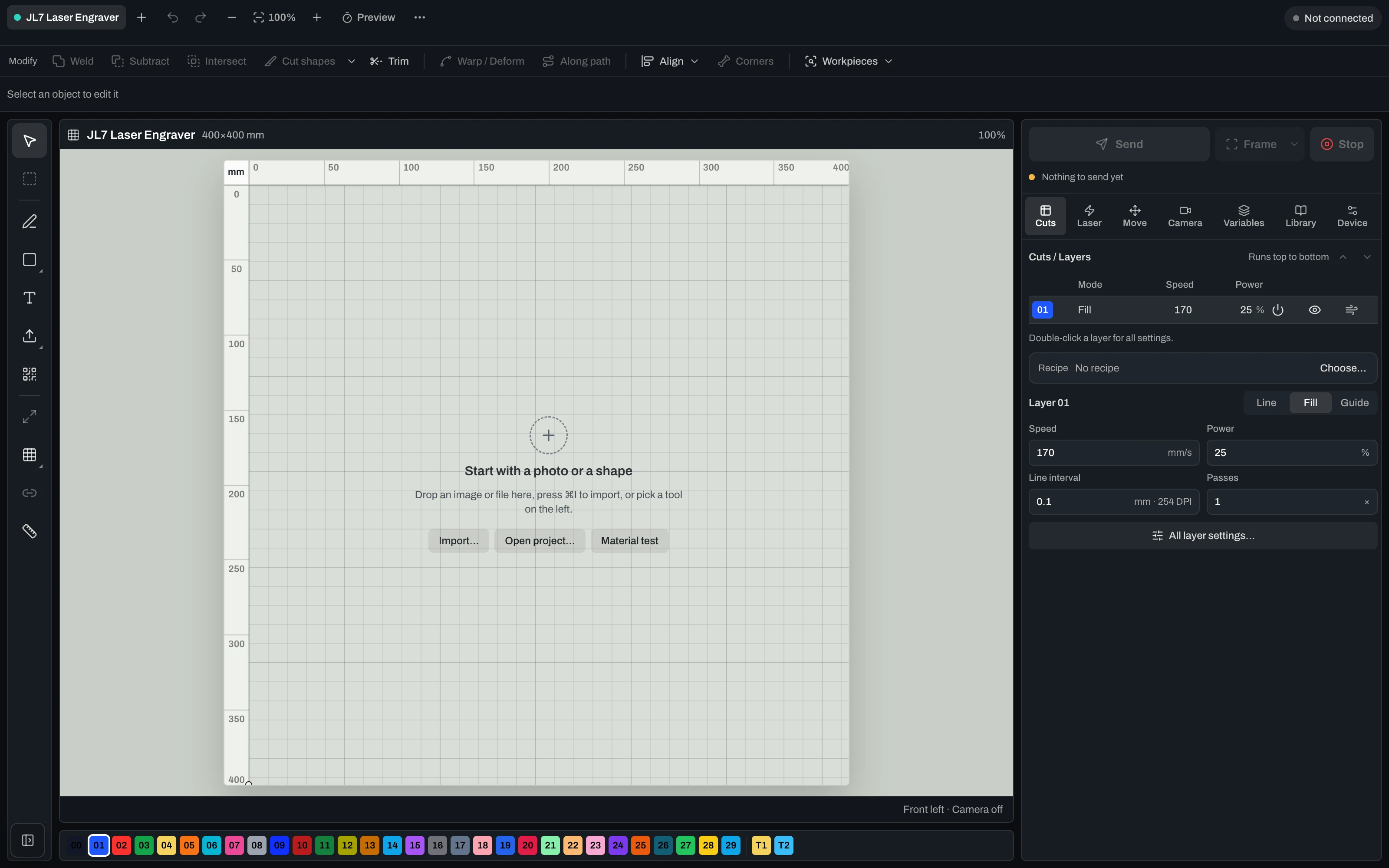
Diode, CO2 and fiber lasers side by side. Switch between dark and light above the picture.
Tools on the left, layers and laser settings on the right, every laser in its own tab at the top. Camera, queue and material library are one click away.
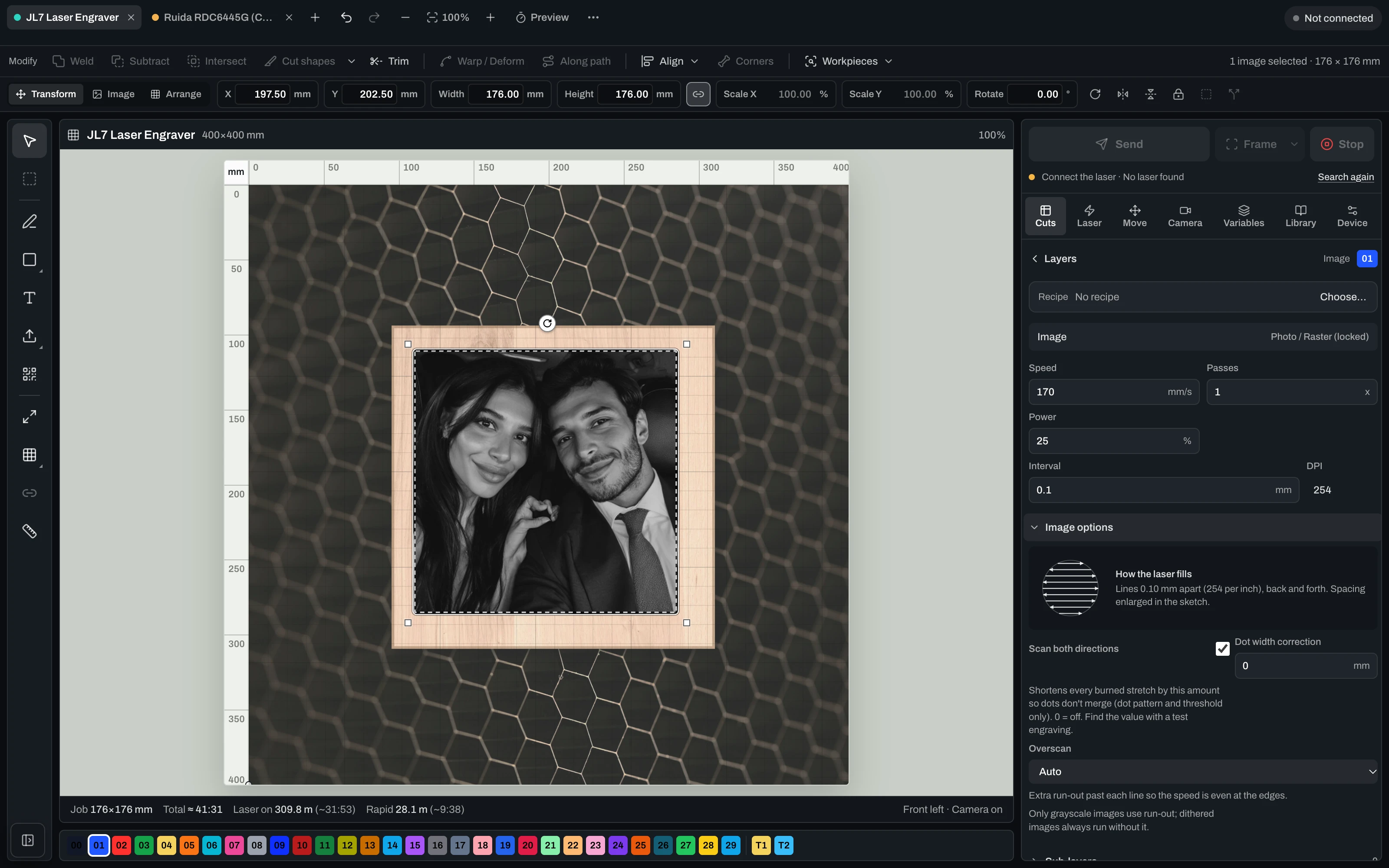
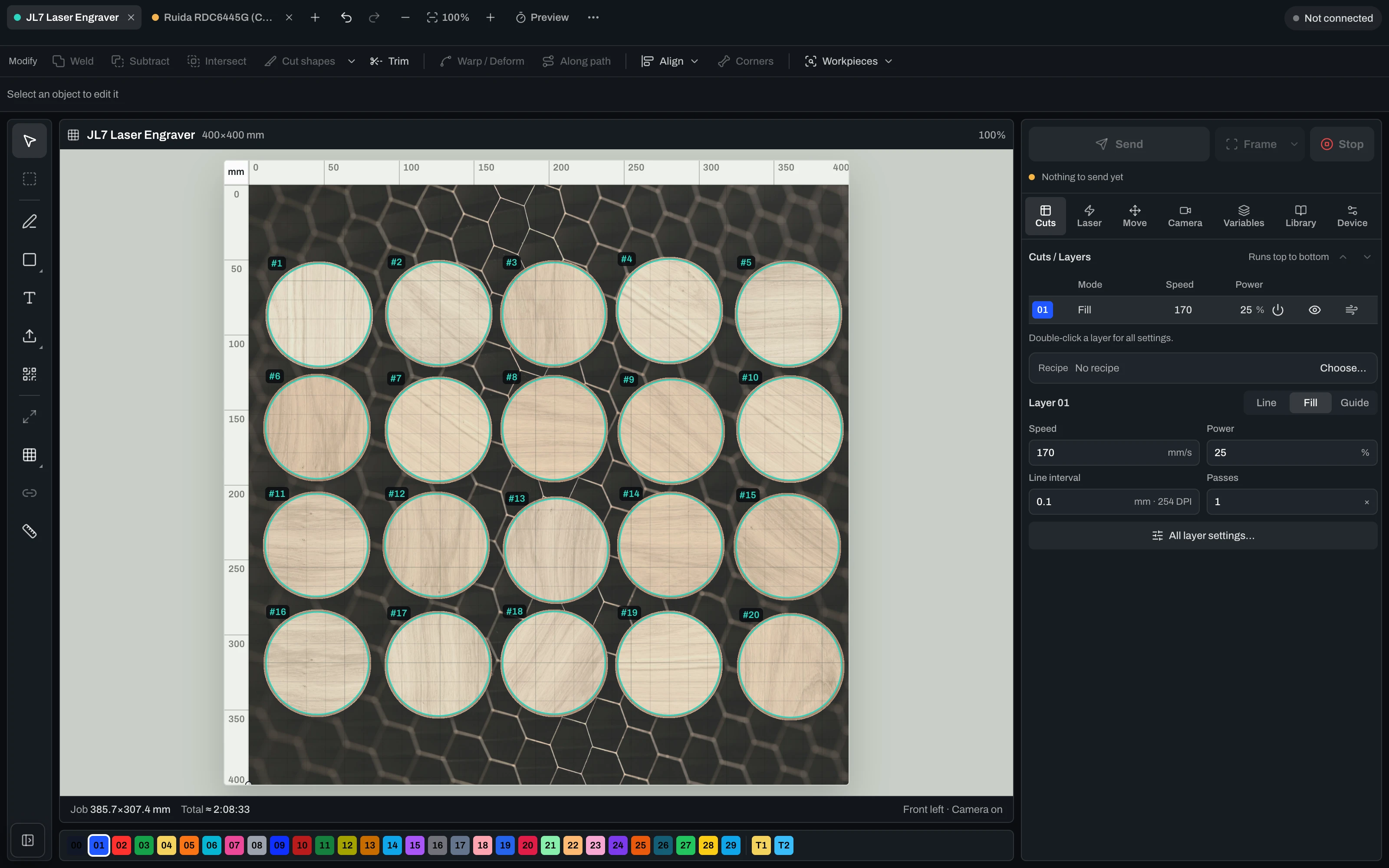
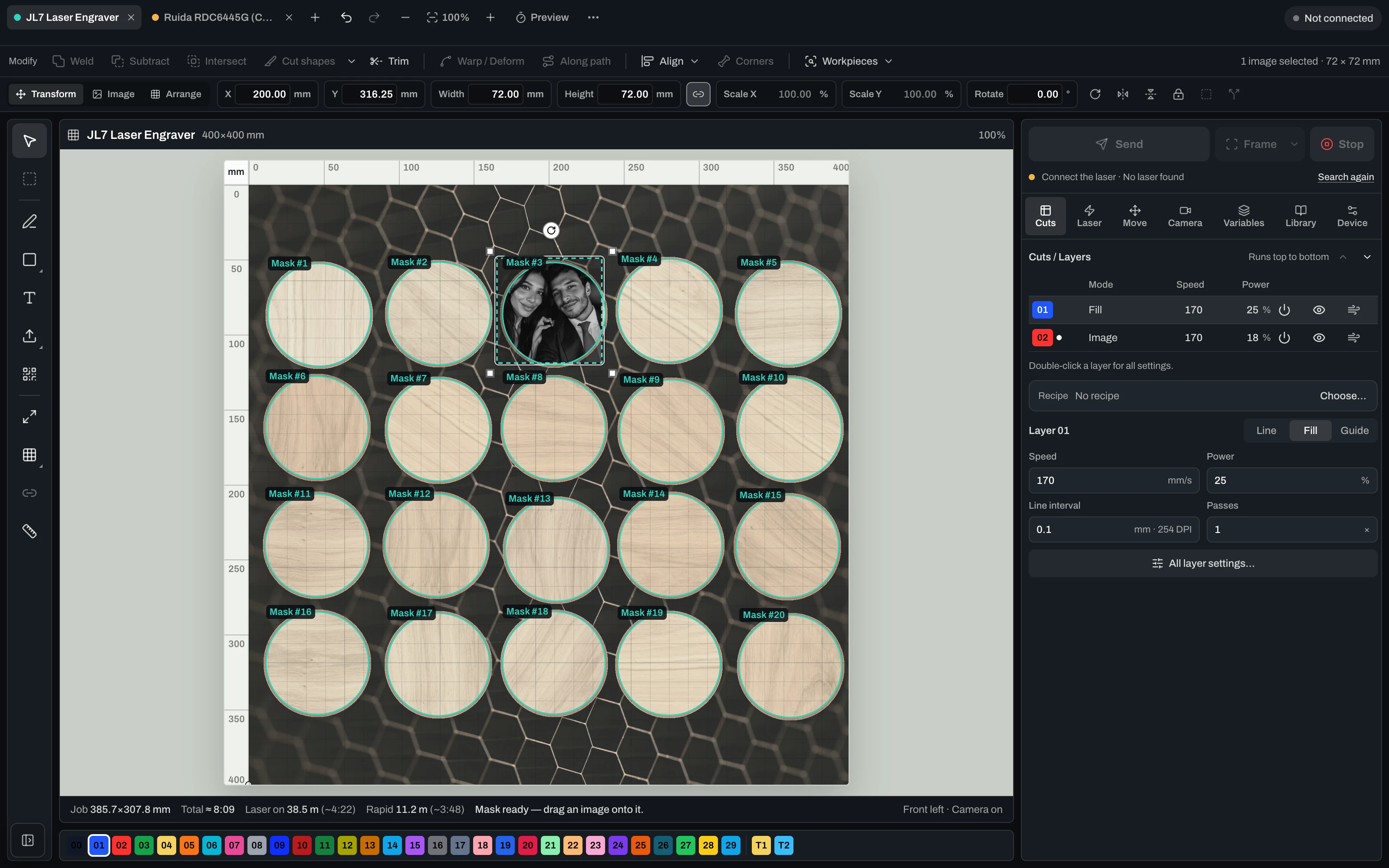
A photo for twenty coasters. Detect workpieces finds every blank, the photo goes into one, and one click fills all twenty.
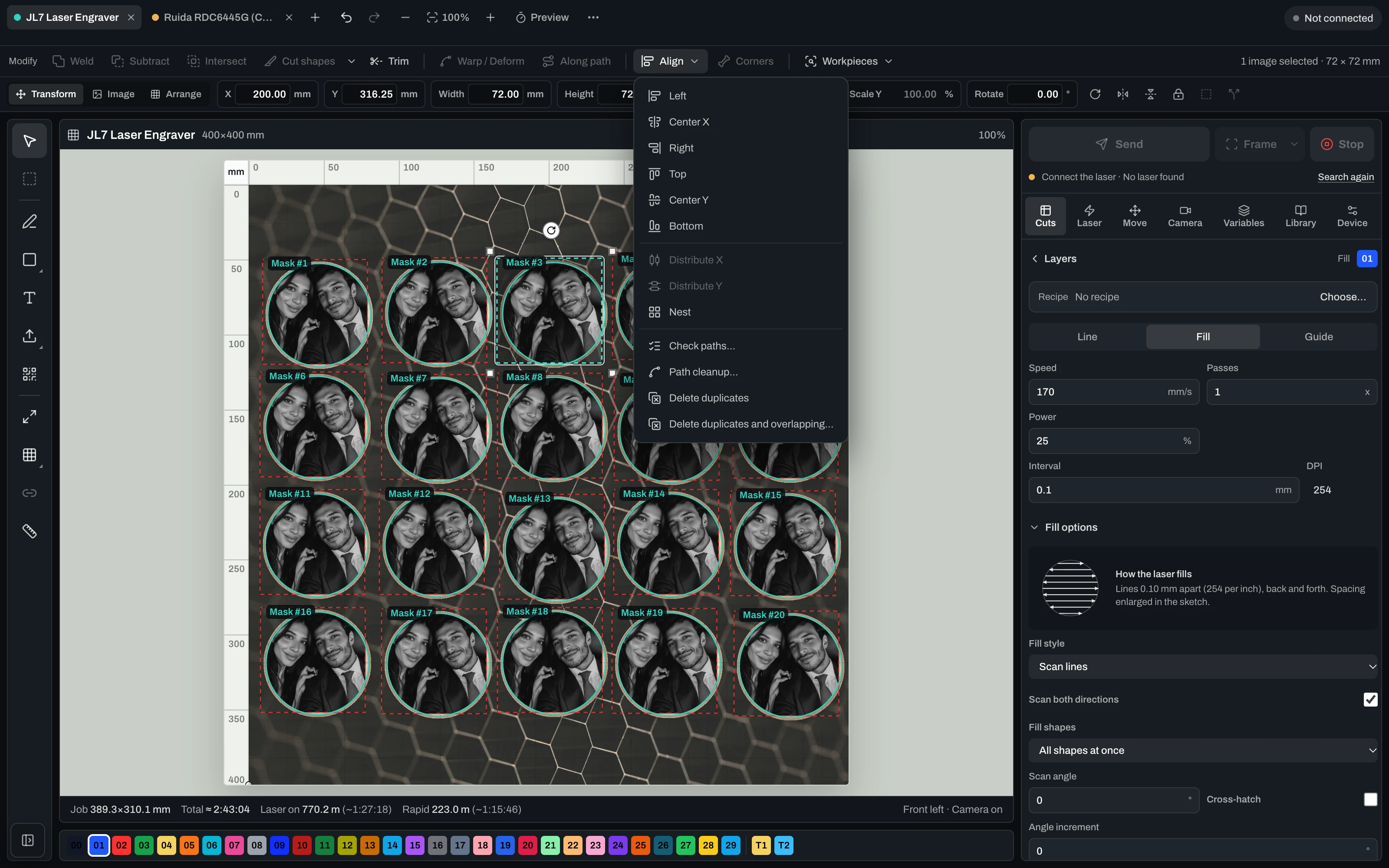
Align, distribute and nest, check paths, clean them up, remove duplicates. Weld, subtract, intersect, trim, warp and text along a path sit right next to it.
Speed, power, passes, interval and DPI per layer, image options with both directions, dot width correction and overscan. Each group stays folded until you open it.
Diode and CO2 side by side, each with its own profile, camera, queue and job. Add a laser in a few steps or bring it over from LightBurn.
The job time is known before any material is spent. Frame it, run it, pause or stop at any moment, and start again from any point.
A photo tool, a vector tool, a box generator and the laser software, each with its own export. In Vextrify every step works on the same project, right up to the running machine. The core runs on the workshop PC, not in the cloud.
Plus the controllers behind Snapmaker, xTool, the K40 and more. Connect over USB or network, import your device from LightBurn, or add your laser in a few steps.
Type your brand, model or controller.
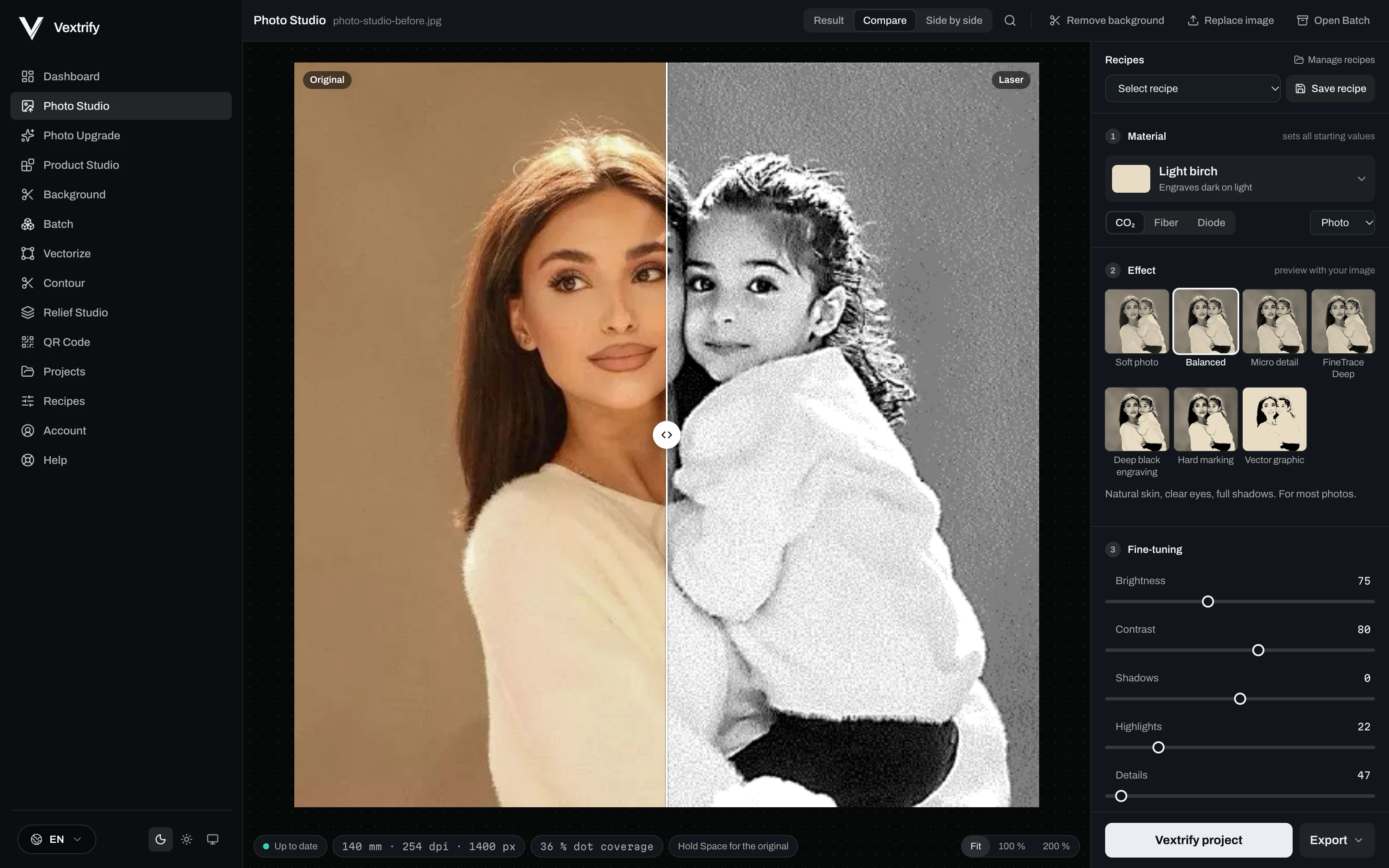
Drag the line in the picture. Left the photo, right what goes to the laser.
Birch, slate, leather, glass, acrylic, anodized aluminium, steel and more, for CO2, fiber or diode. The Smart Engine sets tone and dot structure for that pair.
Drag the line in the picture: left the photo, right what goes to the laser. Zoom to the real dots, hold Space for the original.
Soft photo, Balanced, Micro detail, Deep black, Hard marking and Vector graphic, each previewed on the image you loaded.
When you want everything: light and contrast, details and sharpness, noise and areas, tone levels, dot pattern, face and background, size and resolution, laser values and export.
Save it as a recipe with reference images and use it on the next order.

 OriginalLaser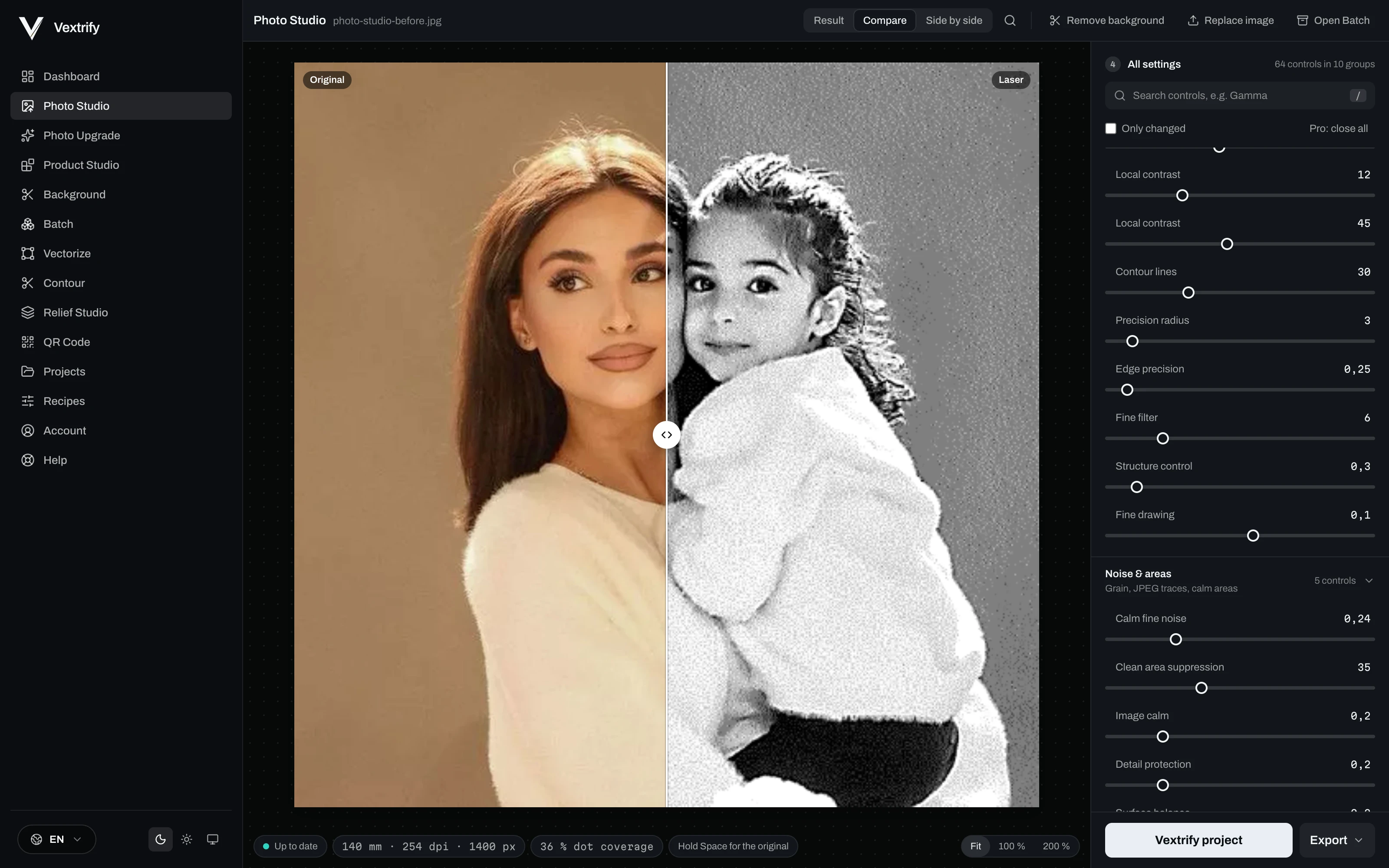
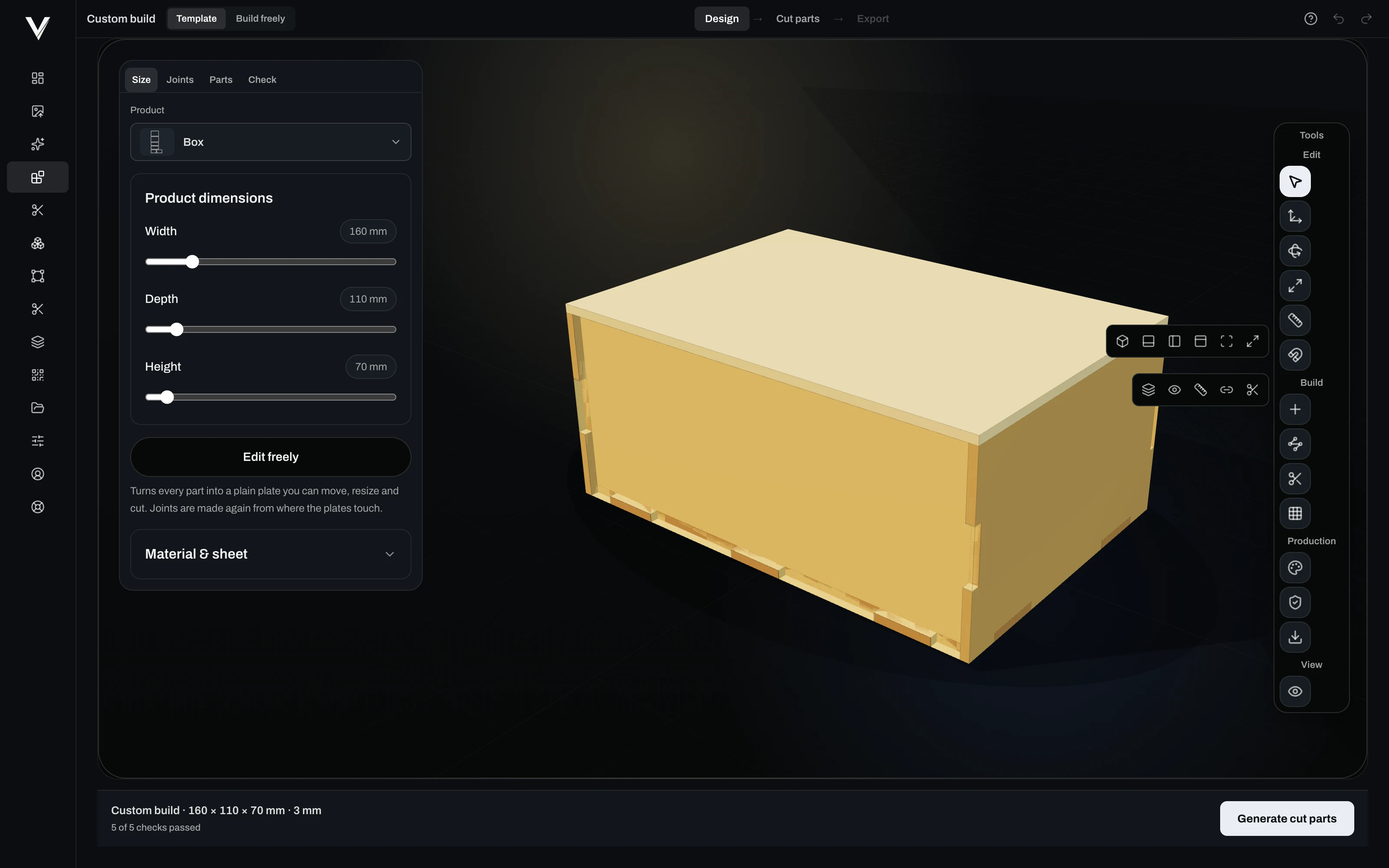
Enter the dimensions. Product Studio builds the parts, joins them, checks them and hands them to the laser.
Width, depth, height, material and sheet thickness. Start from a template or build freely.
Sliders and exact values for size, joints, parts and the final check.
Corner, tenon, cross or glue, chosen per pair of parts and changeable. See it in 3D and as an exploded view.
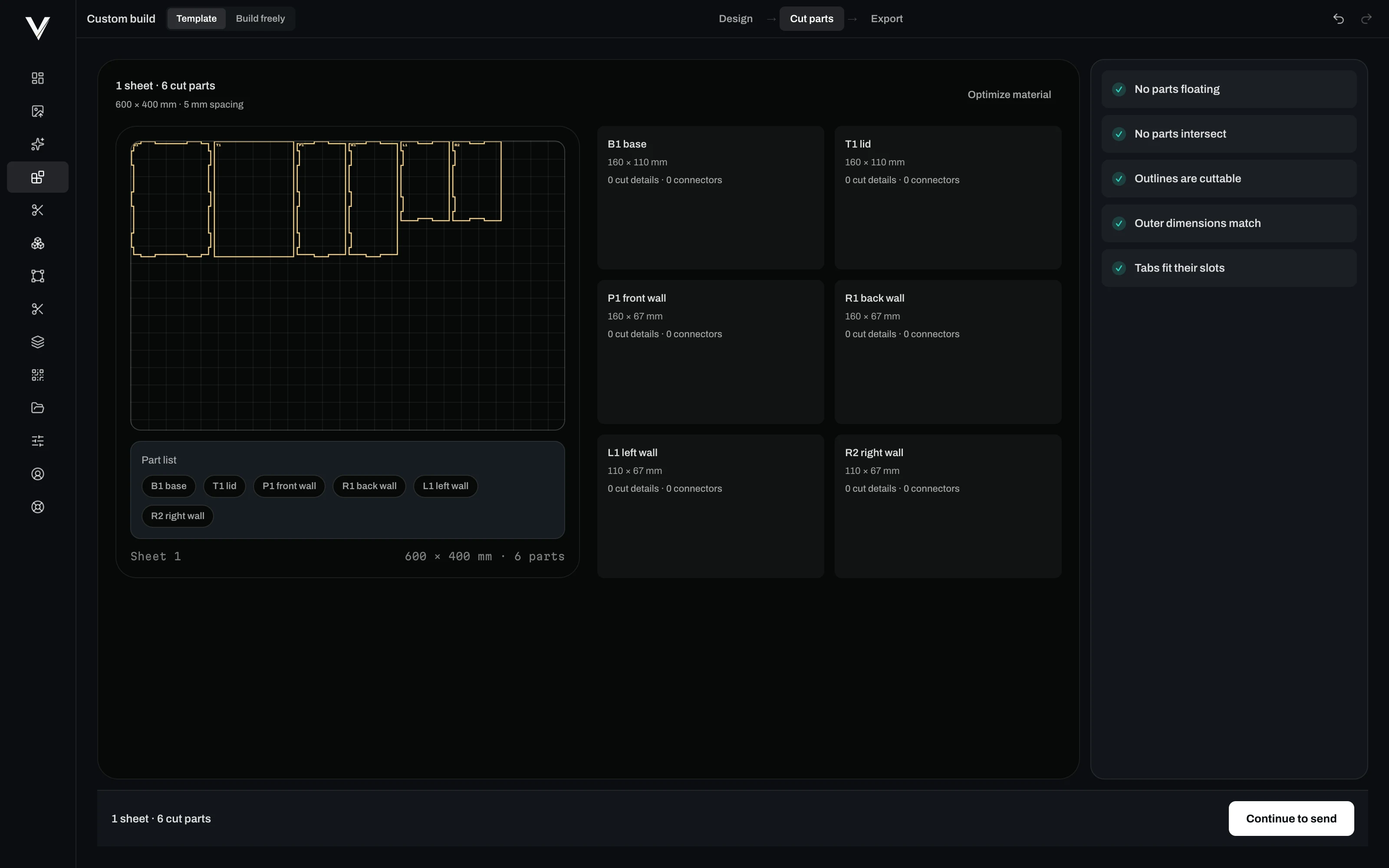
Every part flat on the sheet with spacing, named and measured, ready for the laser at real size.
Nothing floating, nothing intersecting, every outline cuttable, outer dimensions matching, every tab fitting its slot.
An order comes in, the photo is prepared with your material and recipe, and a laser-ready file is waiting. Through a real API with webhooks, not a plug-in for one shop system.
curl -X POST https://vextrify.com/v1/prepare \
  -H "Authorization: Bearer YOUR_KEY" \
  -F "image=@order-1042.jpg" \
  -F "materialId=birch" \
  -F "laserId=co2" \
  -F "goalId=balanced" \
  -F "widthMm=100"
{
  "jobId": "5f2c…",
  "applied": { "materialId": "birch", "laserId": "co2",
               "widthMm": 100, "dpi": 254 }
} // signed: vextrify-signature t=…,v1=…SVG DXF PDF AI, photos, fonts, CSV lists and Vextrify projects.
.lbrn2 .clb .lbdev — Projects, material libraries and devices, so nothing has to be set up twice.
SVG, DXF, EZCAD and LightBurn files, G-code, PNG for engraving, and the portable Vextrify project.
“Finally, I only need one piece of software for everything.”
Ralf, Profit GmbH
Lifetime Pro, €249 once. The desktop app with laser control, 12 months of Studio Online and updates included.
Buy Lifetime ProPrices incl. VAT where applicable. Teams and higher API volume: Business plan.
Something else? Write to support@vextrify.com.
Because it is not either-or, it is far more. LightBurn runs the machine — so does Vextrify, camera-aligned, with a dry run, for diode and CO2. On top of that comes everything you otherwise buy a second and third program for: image preparation with material profiles, ten dot patterns and greyscale, 3D reliefs, vectorizing, contours, workpiece masks, QR, batch processing, and an API for your own workflows. One program, one project, one price.
No. That is what Photo Studio is built for: pick the material, pick the goal, check the result at engraving size. White areas of your source stay untouched — measured across 168 material and goal combinations, zero burned dots, where previously 3.5 to 14 percent of the area burned along.
Image preparation and machine control bought separately come to around 329 € in the first year — and you end up with two programs that know nothing about each other. Studio Pro is 12.50 € a month (150 € over the 12-month minimum term) and includes both, plus relief, vector, contour, QR, batch and the API.
Yes, from the desktop app: diode over GRBL, CO2 over Ruida. Camera alignment on the real workpiece, framing and a dry run before anything burns, live job control with start, pause, resume and stop. Several machines can be managed, each with its own profile, calibration and job; one is actively connected at a time.
Yes. POST /v1/prepare takes an image from your shop or order system and returns the laser-ready file; webhooks report job.completed and job.failed to your endpoint. If you would rather not write code, hang it off Zapier, Make or n8n.
You keep working. Preparation, alignment and engraving run locally on the workshop PC, and customer photos are not uploaded for it. Only licence checks and updates need a connection.
No. You can use Vextrify for the image side alone and export clean files for LightBurn, EZCAD and Ruida controllers. If you later want to drive the machine directly, it is already there.
Yes. There is a one-time licence: Lifetime Pro at 249 € — the same ballpark as LightBurn on its own, except image preparation, 3D relief, vectorizing, contours, QR, workpiece masks, batch processing and the API are already in it. You pay barely more and have everything ready the day a customer does bring a photo. Studio Online and updates are included for 12 months.
Download Vextrify and run laser control free for 24 hours.