Tek pencere, her araç.
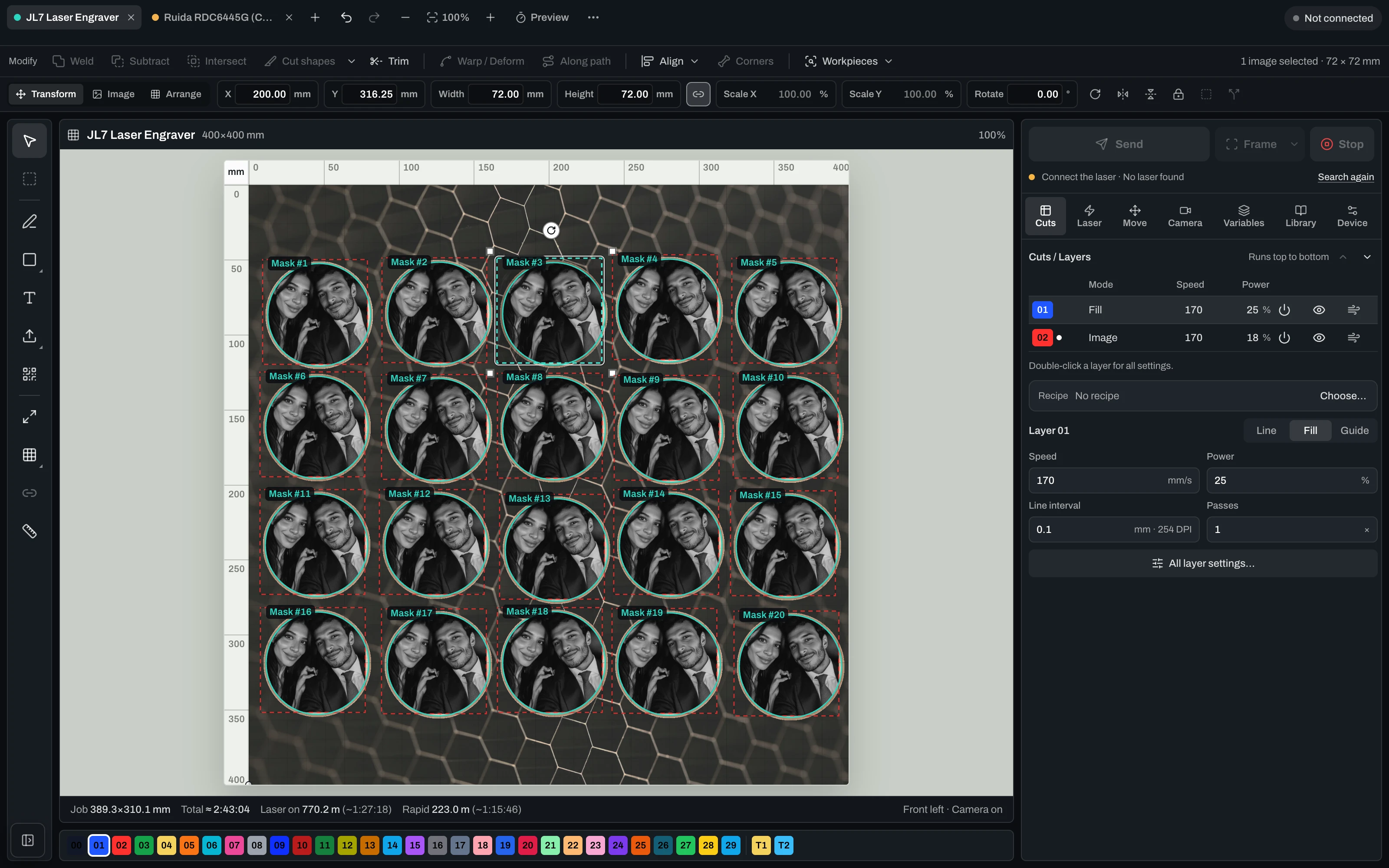
Araçlar solda, katmanlar ve lazer ayarları sağda, her lazer üstte kendi sekmesinde. Kamera, kuyruk ve malzeme kütüphanesi tek tık uzağınızda.
- Gündüz ya da gece. Koyu ve açık görünüm, görselin üstünden geçiş yapın.
 Vextrify
Her işi tek yerde tasarlayın, hazırlayın ve çalıştırın. Diyot, CO2 ve fiber lazerler için.
Lazer elinizin altında değil mi? Tasarım araçlarını tarayıcıda açın
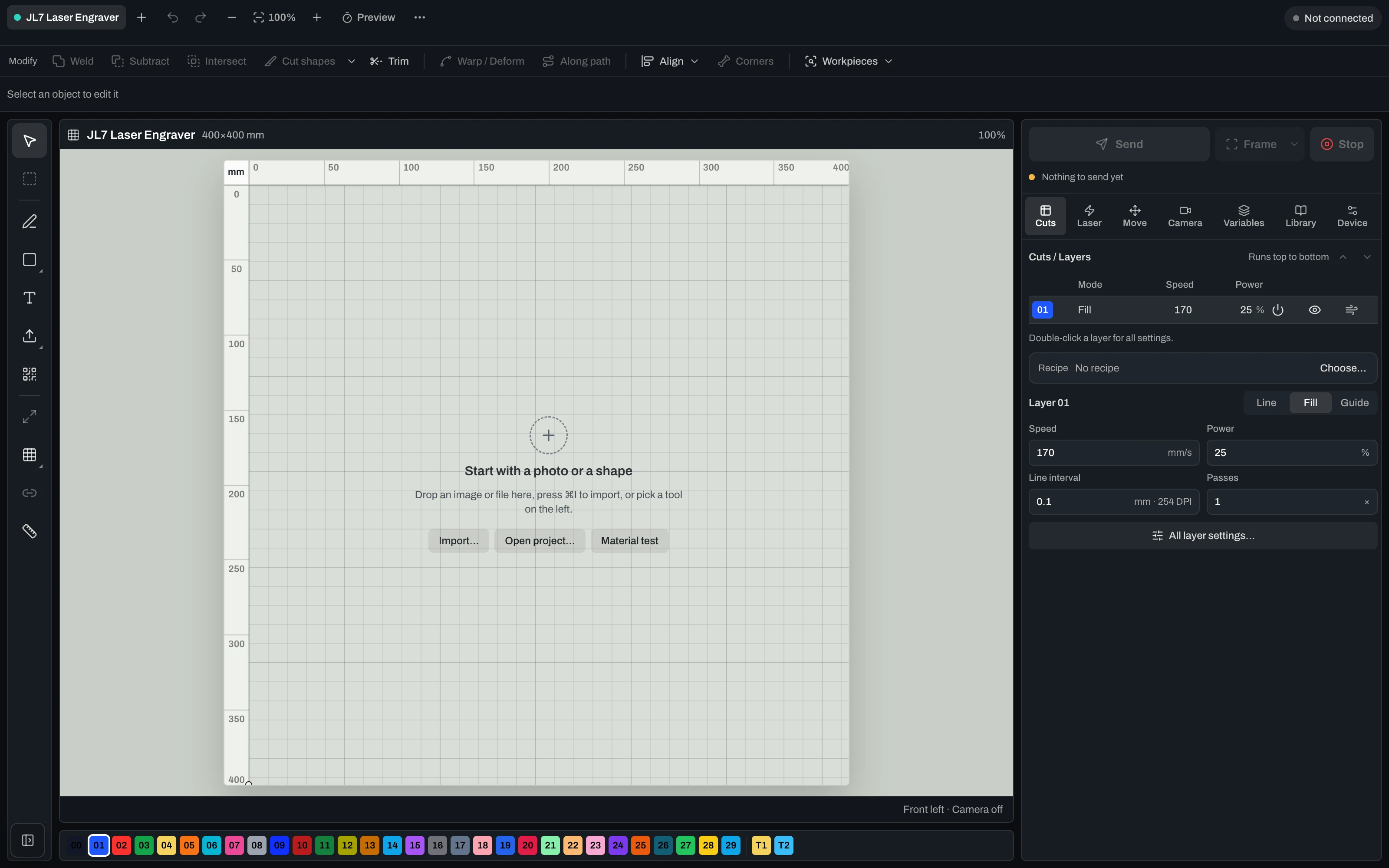
Diyot, CO2 ve fiber lazerler yan yana. Görselin üstünden koyu ve açık görünüm arasında geçiş yapın.
Araçlar solda, katmanlar ve lazer ayarları sağda, her lazer üstte kendi sekmesinde. Kamera, kuyruk ve malzeme kütüphanesi tek tık uzağınızda.
Yirmi bardak altlığı için tek fotoğraf. İş parçası algılama her boş parçayı bulur, fotoğraf birine yerleşir ve tek tık yirmisini de doldurur.
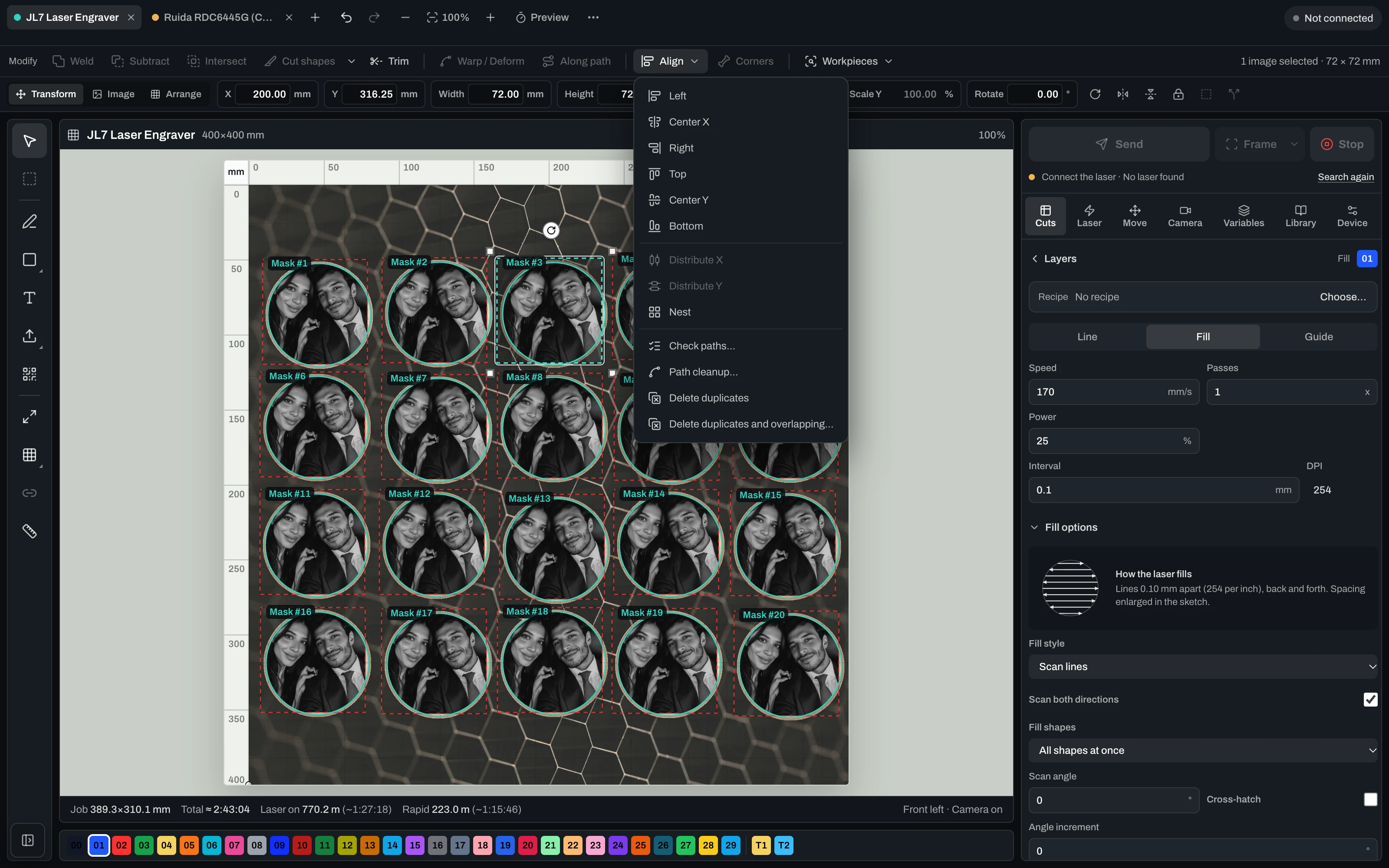
Hizala, dağıt ve yerleştir, yolları kontrol et, temizle, kopyaları kaldır. Birleştirme, çıkarma, kesişim, kırpma, bükme ve yol boyunca metin hemen yanında.
Katman başına hız, güç, geçiş, aralık ve DPI, iki yönlü görüntü seçenekleri, nokta genişliği düzeltmesi ve overscan. Her grup siz açana kadar kapalı kalır.
Diyot ve CO2 yan yana, her biri kendi profili, kamerası, kuyruğu ve işiyle. Birkaç adımda lazer ekleyin ya da LightBurn’den aktarın.
İş süresini malzeme harcamadan önce bilirsiniz. Çerçeveyi çizin, çalıştırın, dilediğiniz an duraklatın veya durdurun ve herhangi bir noktadan yeniden başlayın.
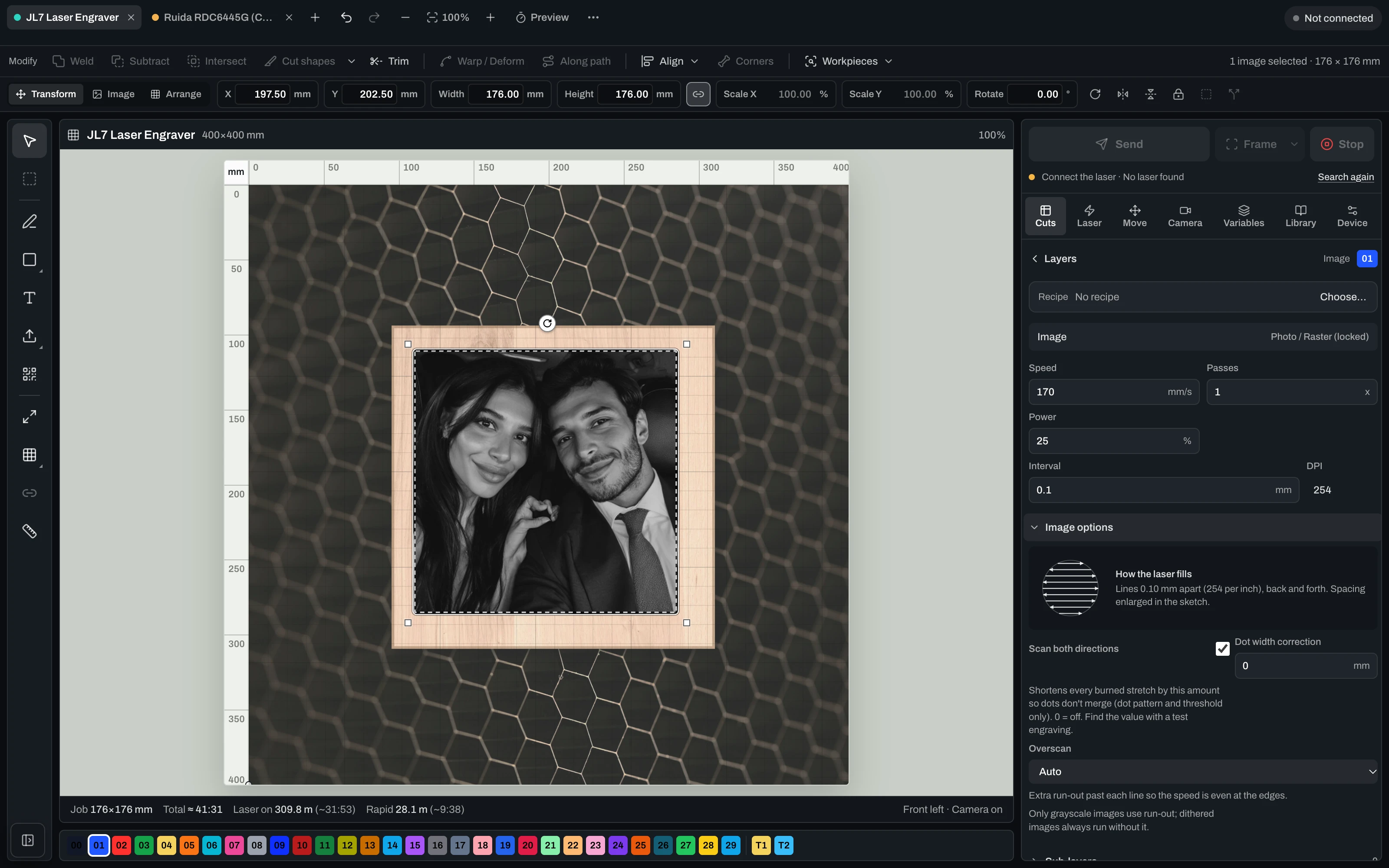
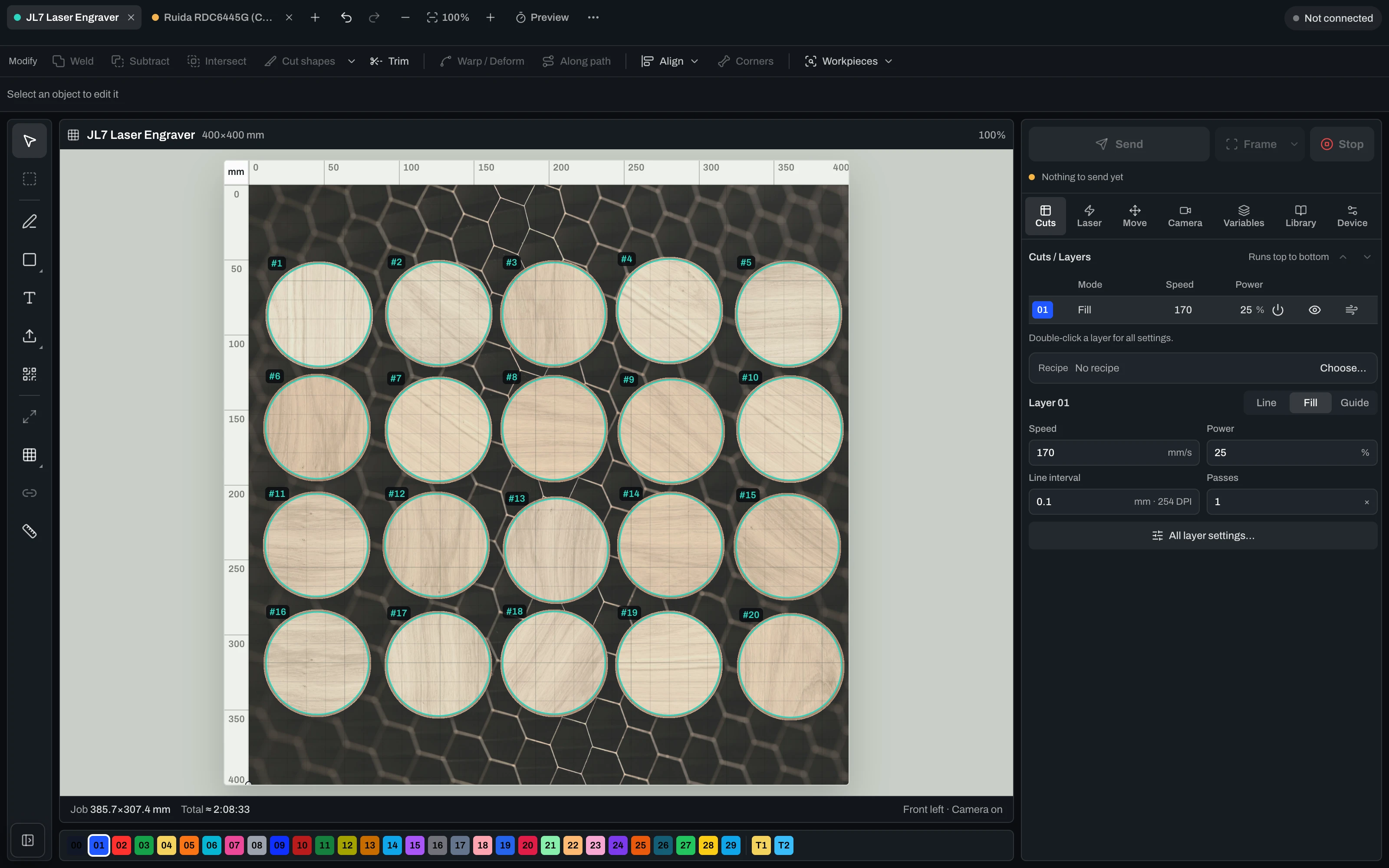
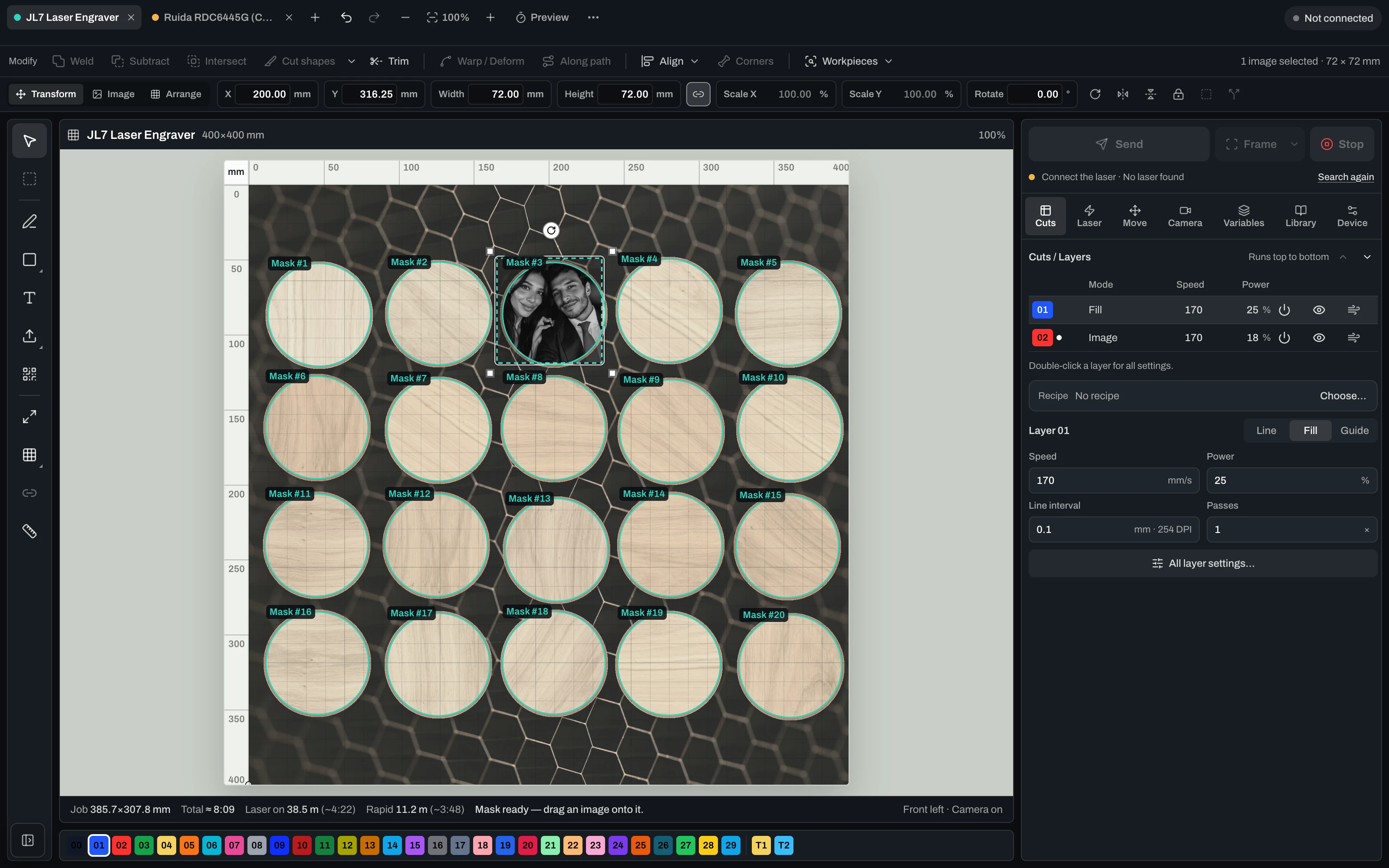
Bir fotoğraf aracı, bir vektör aracı, bir kutu oluşturucu ve lazer yazılımı, her birinin kendi dışa aktarımıyla. Vextrify’da her adım aynı proje üzerinde çalışır, çalışan makineye kadar. Çekirdek bulutta değil, atölyedeki bilgisayarda çalışır.
Ayrıca Snapmaker, xTool, K40 ve daha fazlasının arkasındaki denetleyiciler. USB veya ağ üzerinden bağlanın, cihazınızı LightBurn’den aktarın ya da lazerinizi birkaç adımda ekleyin.
Markanızı, modelinizi veya denetleyicinizi yazın.
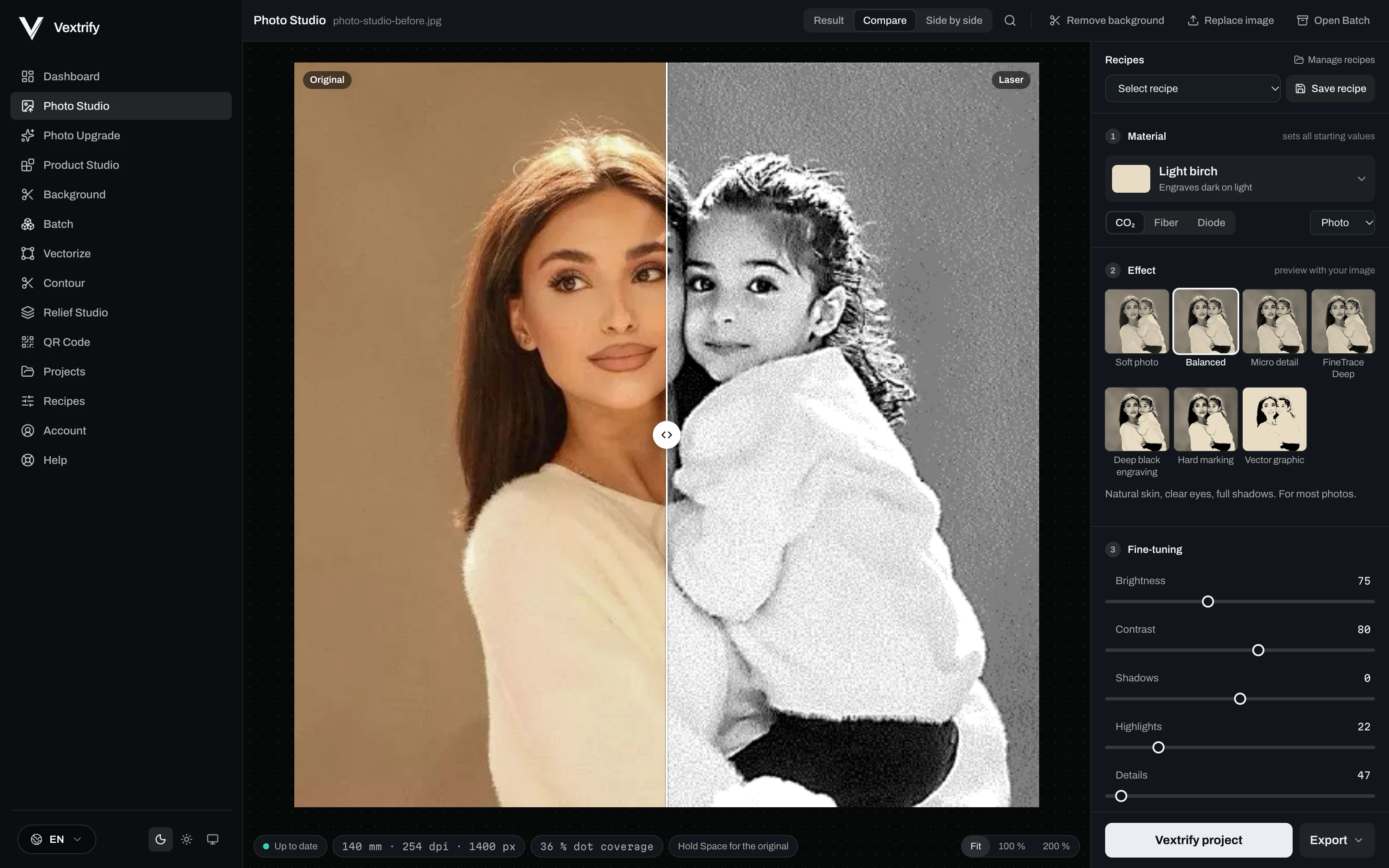
Görseldeki çizgiyi sürükleyin. Solda fotoğraf, sağda lazere giden.
Huş, arduvaz, deri, cam, akrilik, eloksallı alüminyum, çelik ve daha fazlası; CO2, fiber veya diyot için. Smart Engine bu çift için ton ve nokta yapısını ayarlar.
Görseldeki çizgiyi sürükleyin: solda fotoğraf, sağda lazere giden. Gerçek noktalara yakınlaştırın, orijinal için Boşluk tuşunu basılı tutun.
Yumuşak fotoğraf, Dengeli, Mikro detay, Derin siyah, Sert markalama ve Vektör grafik; her biri yüklediğiniz görselde önizlenir.
Her şeyi istediğinizde: ışık ve kontrast, detay ve keskinlik, gürültü ve alanlar, ton seviyeleri, nokta deseni, yüz ve arka plan, boyut ve çözünürlük, lazer değerleri ve dışa aktarma.
Referans görsellerle tarif olarak kaydedin ve bir sonraki siparişte kullanın.

 OrijinalLazer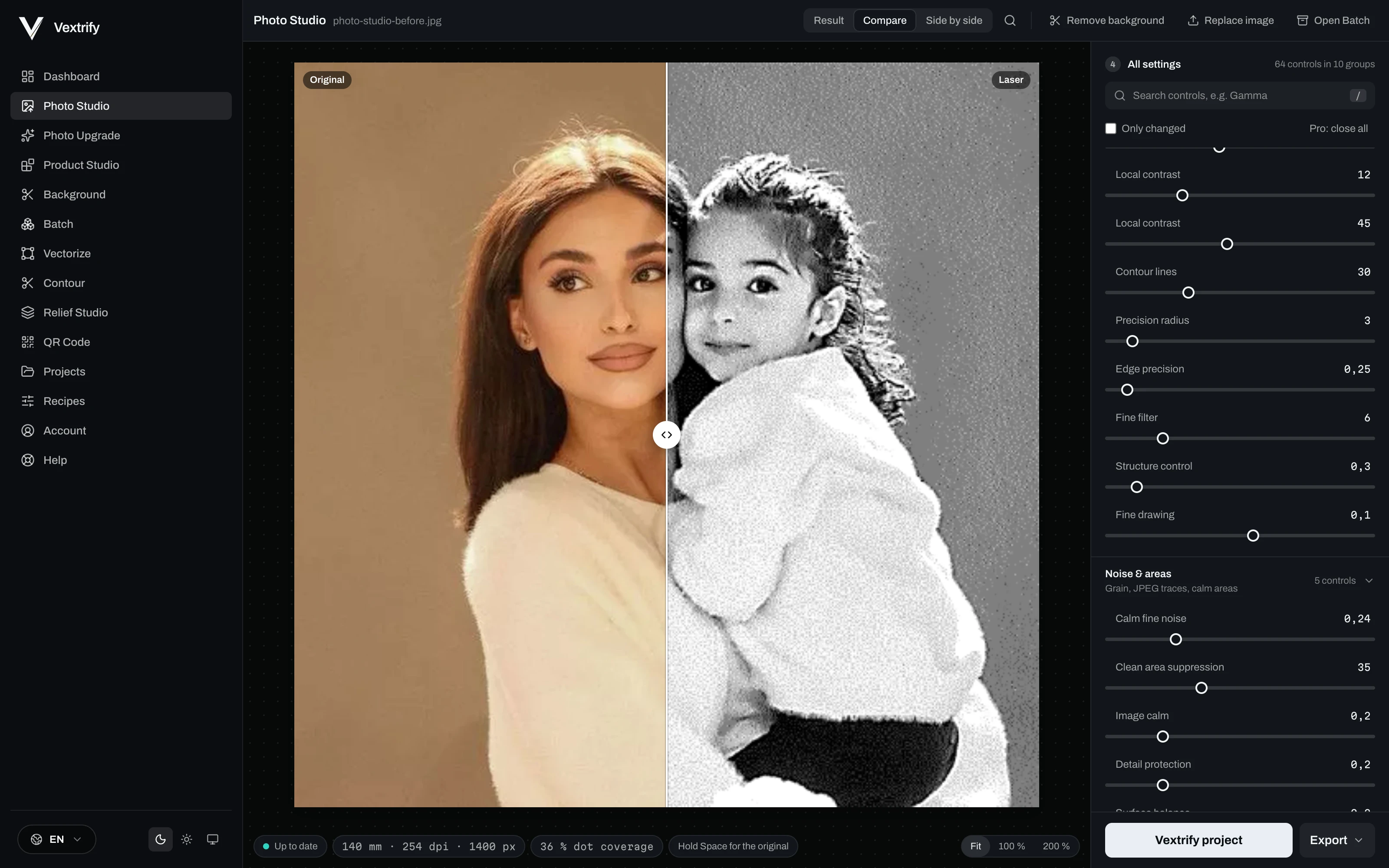
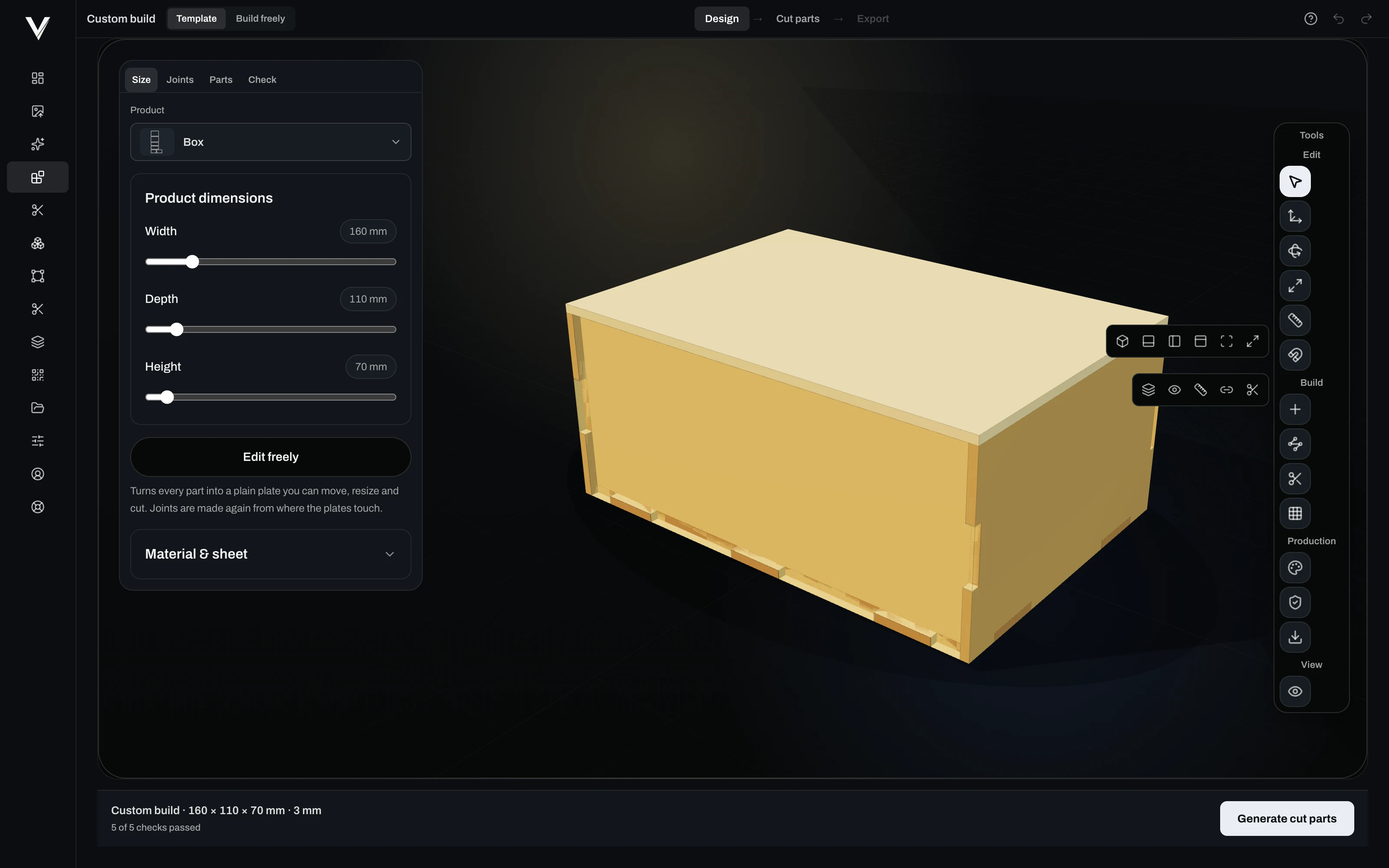
Ölçüleri girin. Product Studio parçaları oluşturur, birleştirir, kontrol eder ve lazere iletir.
Genişlik, derinlik, yükseklik, malzeme ve levha kalınlığı. Bir şablonla başlayın ya da serbestçe kurun.
Boyut, geçmeler, parçalar ve son kontrol için sürgüler ve tam değerler.
Köşe, tenon, çapraz ya da yapıştırma; her parça çifti için seçilir ve değiştirilebilir. 3D’de ve patlatılmış görünümde görün.
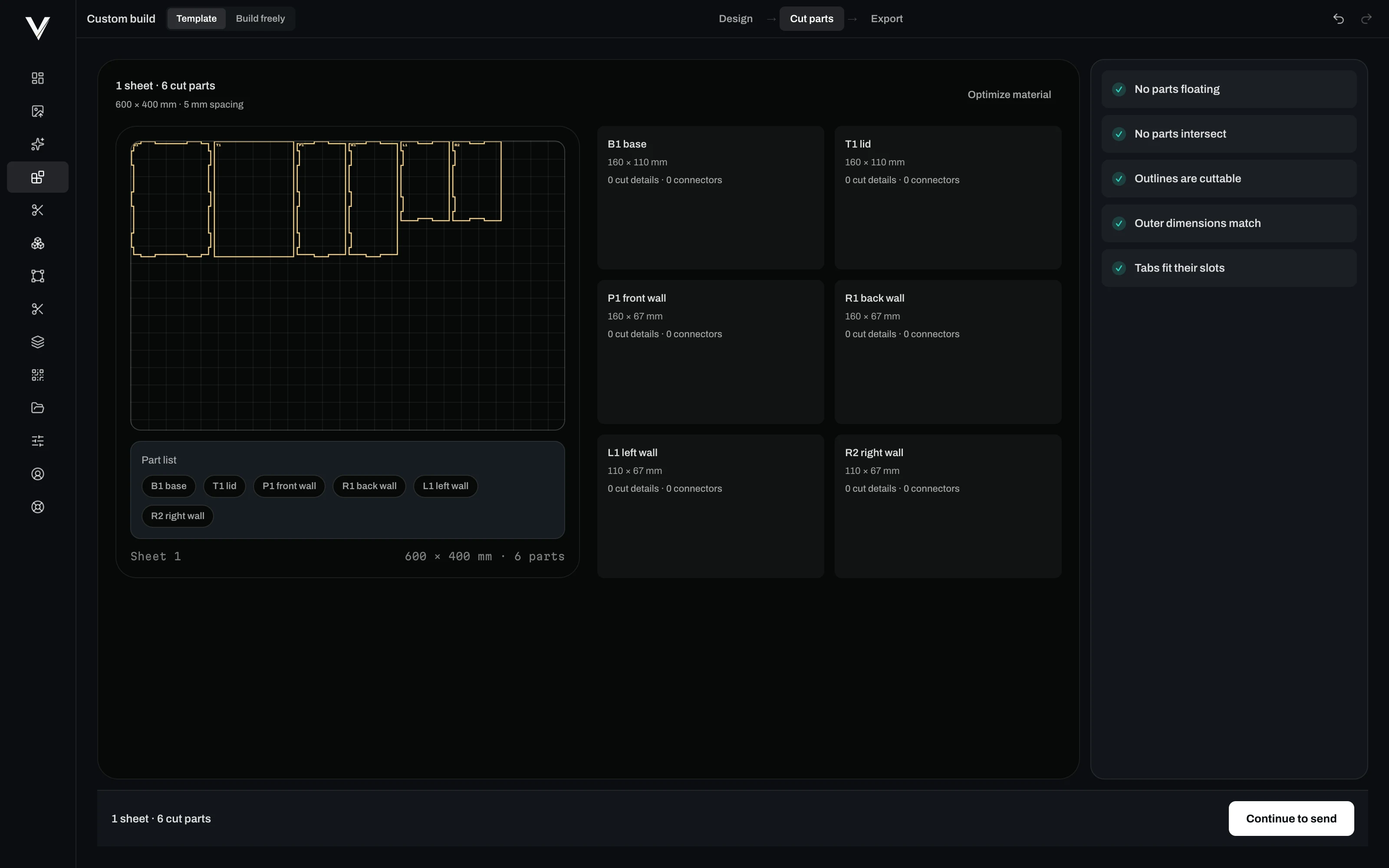
Her parça levhada düz, aralıklı, adlandırılmış ve ölçülü, gerçek boyutta lazere hazır.
Havada asılı bir şey yok, kesişen bir şey yok, her kontur kesilebilir, dış ölçüler tutuyor, her tırnak kendi yuvasına oturuyor.
Sipariş gelir, fotoğraf sizin malzemeniz ve tarifinizle hazırlanır, lazere hazır dosya sizi bekler. Tek bir mağaza sistemi için eklenti değil, webhook’lu gerçek bir API ile.
curl -X POST https://vextrify.com/v1/prepare \
  -H "Authorization: Bearer YOUR_KEY" \
  -F "image=@order-1042.jpg" \
  -F "materialId=birch" \
  -F "laserId=co2" \
  -F "goalId=balanced" \
  -F "widthMm=100"
{
  "jobId": "5f2c…",
  "applied": { "materialId": "birch", "laserId": "co2",
               "widthMm": 100, "dpi": 254 }
} // imzalı: vextrify-signature t=…,v1=…SVG DXF PDF AI, fotoğrafları, yazı tiplerini, CSV listelerini ve Vextrify projelerini.
.lbrn2 .clb .lbdev — Projeler, malzeme kütüphaneleri ve cihazlar; hiçbir şeyi iki kez kurmanız gerekmez.
SVG, DXF, EZCAD ve LightBurn dosyaları, G-code, kazıma için PNG ve taşınabilir Vextrify projesi.
“Sonunda her şey için tek bir yazılım yetiyor.”
Ralf, Profit GmbH
Lifetime Pro, tek sefer €249. Lazer kontrollü masaüstü uygulaması, 12 ay Studio Online ve güncellemeler dahil.
Lifetime Pro satın alFiyatlara, geçerli olduğunda KDV dahildir. Ekipler ve daha yüksek API hacmi: Business planı.
Başka bir sorunuz mu var? support@vextrify.com adresine yazın.
Evet. Mevcut lazer iş akışları için temiz şekilde kullanılabilen export paketleri üretir.
Evet. Masaüstü app temel işlevleri bulut zorunluluğu olmadan yerel çalıştırır.
Malzeme, ton, nokta yapısı, profiller, artboard, export ve rölyefler için yüzlerce ayar sunar.
Vextrify’ı indirin ve lazer kontrolünü 24 saat ücretsiz çalıştırın.