Transforme imagens em arquivos laser prontos para produção.

Vextrify conecta preparação de foto, relevo 3D, artboard, perfis e exportação em um fluxo para navegador e desktop.

Para produção, oficinas, estúdios e makers exigentes
No navegador ou localmente como app desktop
Exportações para LightBurn, EZCAD e fluxos de oficina
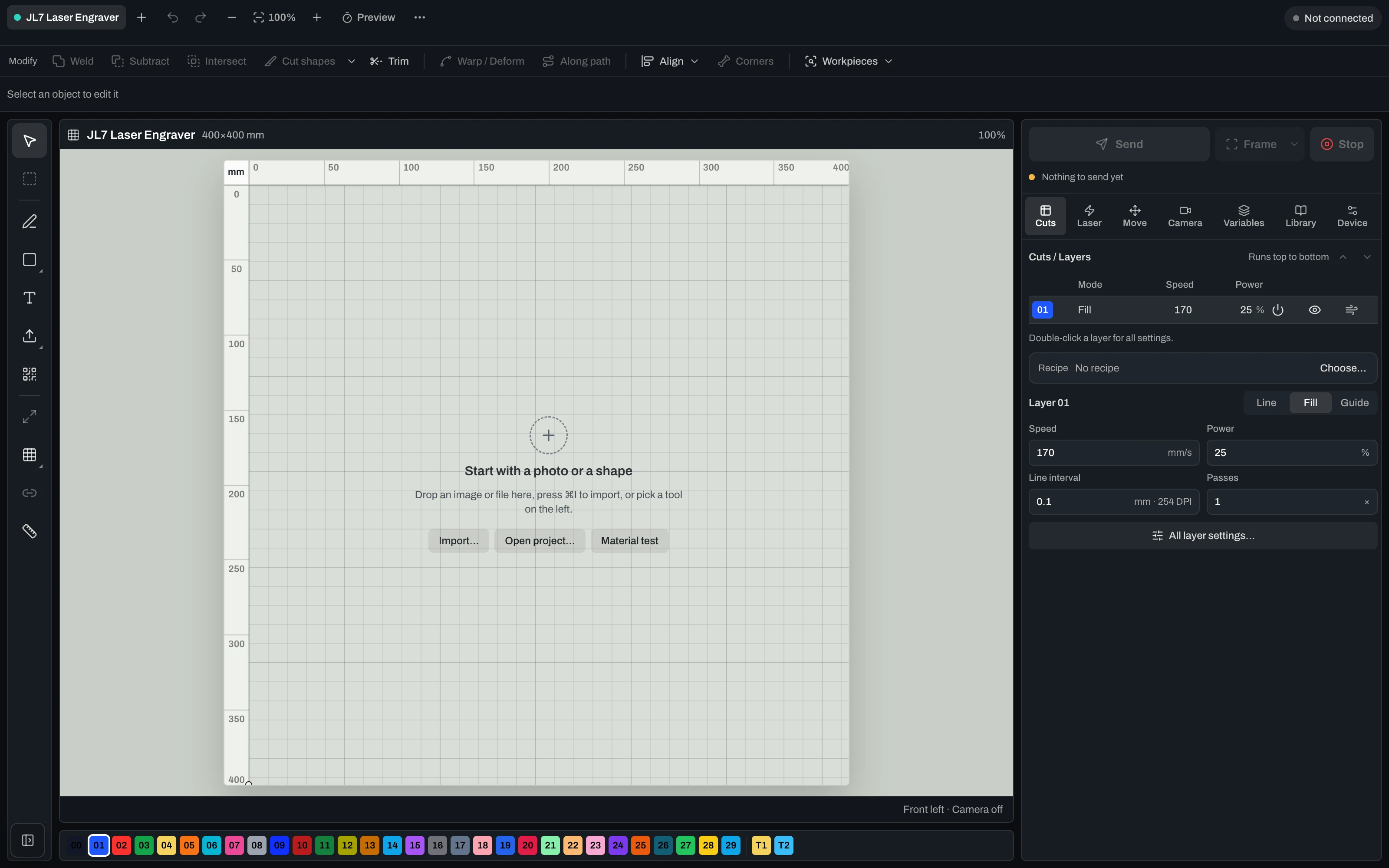
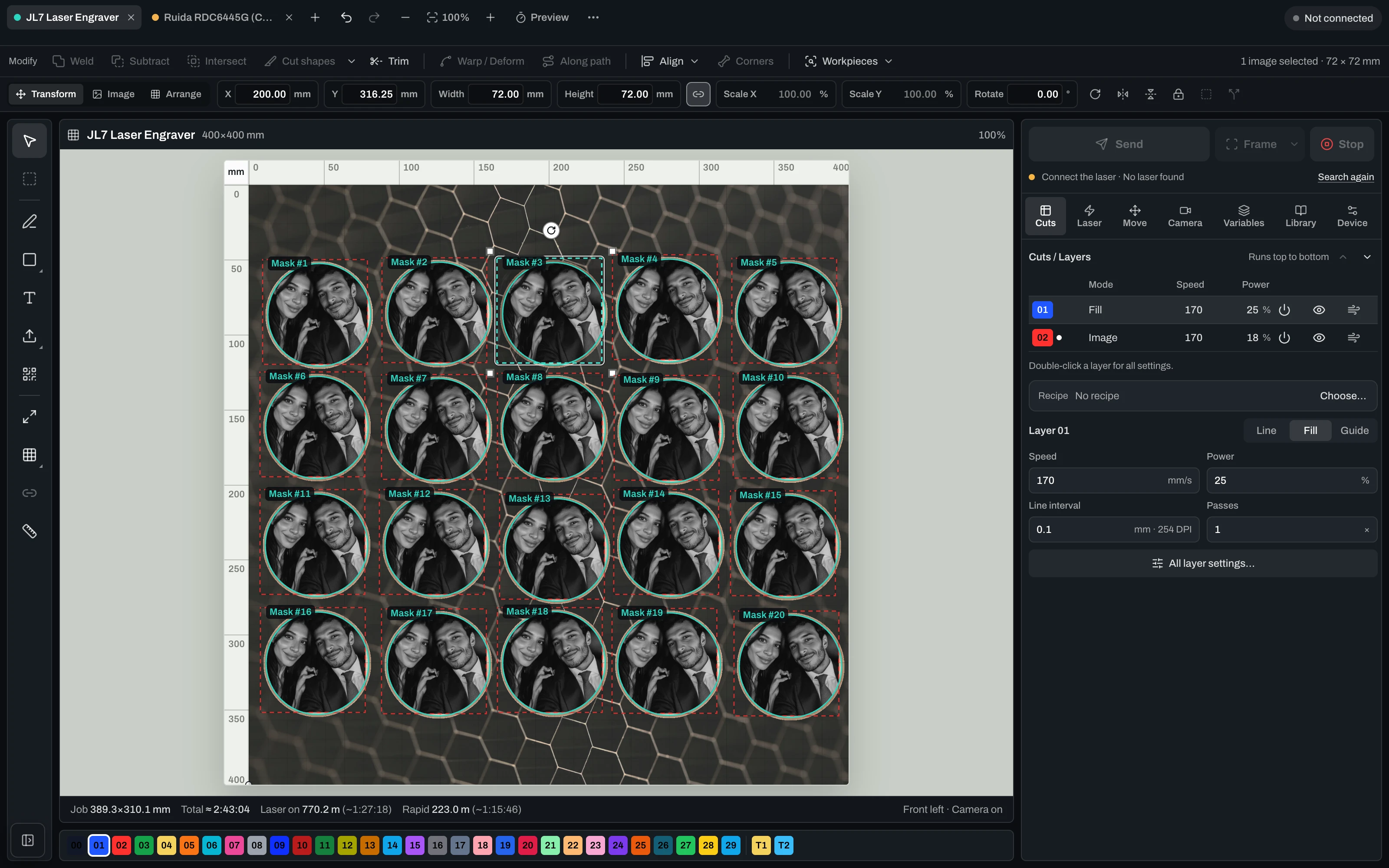
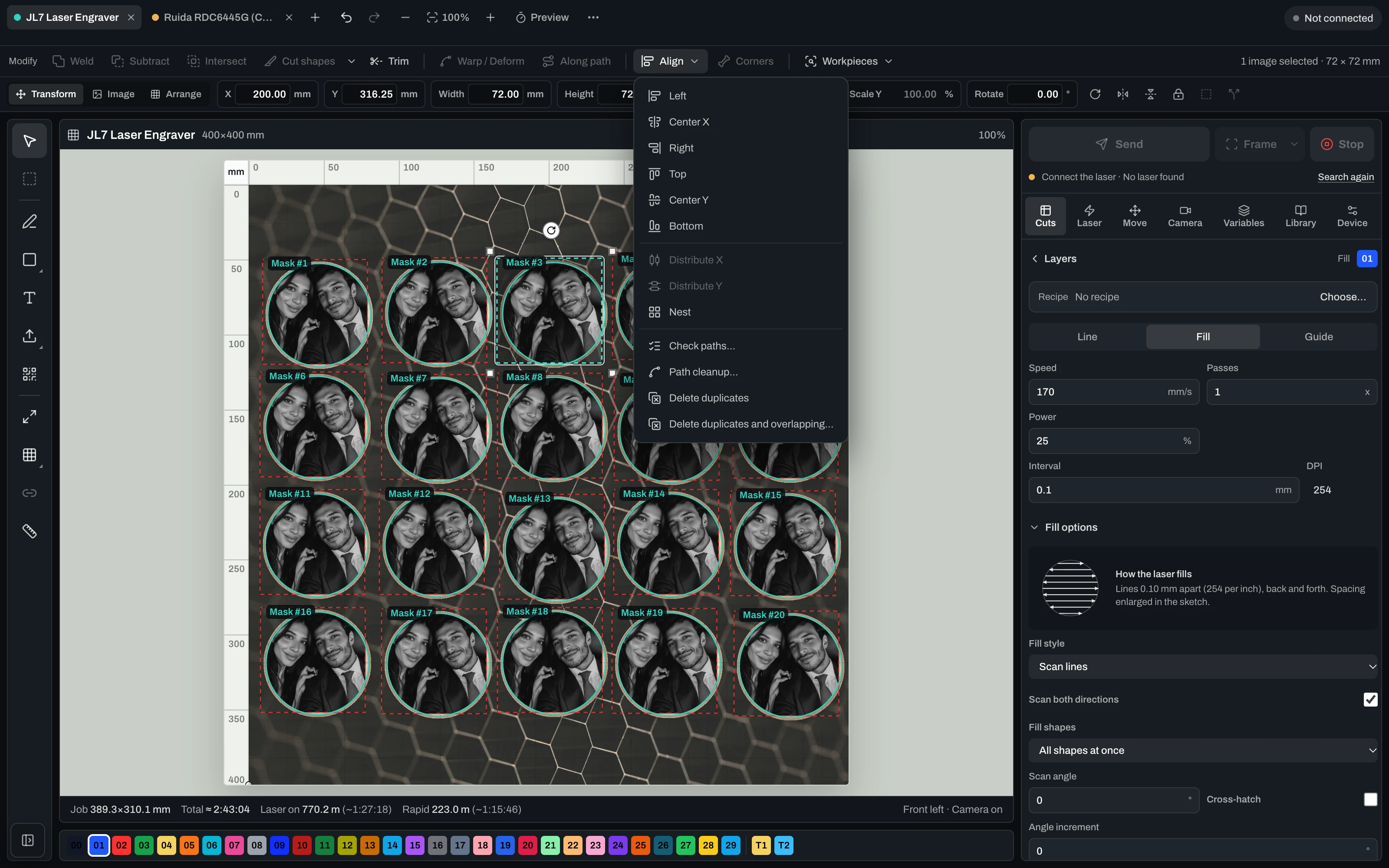
Vextrify Laser Control — the real machine control interface

“Finally, I only need one piece of software for everything.” — Ralf, Profit GmbH

Create, prepare, run — from one project. Nobody else does all three.

Vextrify is not one tool fewer, it is one more: image preparation at specialist depth, layout and vectors, 3D reliefs, contours, batch processing — and the machine runs from the same project, camera-aligned. Putting that together today means two to four programs that know nothing about each other.

Your stack today
Photo for engravingImagR · PhotoGrav
Vectors & layoutIllustrator · Inkscape
Machine controlLightBurn
3D reliefspecialised CAM
Camera alignmentmanual / add-on
Multiple licenses · export/re-import · no shared project
Vextrify
All in one

One project, one license, in the browser and on the desktop (Mac & Windows). Control, image optimization and planning work as one — no export, no re-import.

Image & artwork
Photo Studio · Photo Upgrade · Background · Contours · 3D Relief · Product Studio
File & layout
Artboard · Vectorize · Contour · QR · Batch · Profiles
Laser & control
Diode & CO2 · camera alignment · multiple lasers · material recipes

Others hand you a file. Vextrify hands you an interface.

Image preparation here is not only a window, it is an endpoint. That lets you connect what already runs in your shop — and no other laser software does that.

ZapierMaken8nGoogle SheetsAirtableNotionTrelloClickUpHubSpotStripeGmailGoogle DriveDropboxAsana
POST /v1/prepare

Image in, laser-ready file out

Your shop, your order system or a script sends the customer photo to the endpoint and gets the finished engraving file back — material profile and recipe applied, nobody sitting in front of it.

job.completed · job.failed

Your system hears about it immediately

Every job reports back to your endpoint by webhook. Failures too — an image that will not do has to reach you before your customer asks.

Zapier · Make · n8n

Connect it without a developer

If you would rather not write code, hang the endpoint off Zapier, Make or n8n and reach thousands of applications: spreadsheet, CRM, storage, notification.

Your own keys

Access you can fence in

One API key per purpose, with scope and expiry. One for the shop, one for the workshop, and neither opens more than it needs to.

Batch

200 images, one recipe

What worked once runs across the whole order — same tones, same dot pattern, same material profile.

Export

Also without Vextrify at the machine

If the laser hangs off another program, you get clean files for LightBurn, EZCAD and Ruida controllers.

Controle seu laser — câmera, calibração, Ruida e GRBL.

Uma superfície de controle real: conexão USB, alinhamento de câmera e calibração de lente, posicionamento da cama e saída direta para máquinas Ruida (CO2) e GRBL.

Machines
Diode via GRBL, CO2 via Ruida
Alignment
Camera on the real workpiece, lens-corrected
Before it burns
Frame the job, dry run, free choice of origin
During the job
Start, pause, resume, stop — live
Per layer
Speed, power, passes, frequency, air assist
Limits
Speed and power limits from the device profile, plus a runtime estimate
Several lasers
One tab per machine with its own profile, calibration and job

One active machine connection at a time. Firing several lasers simultaneously is on the roadmap and not shipped.

Laser control with camera alignment, layers and live job

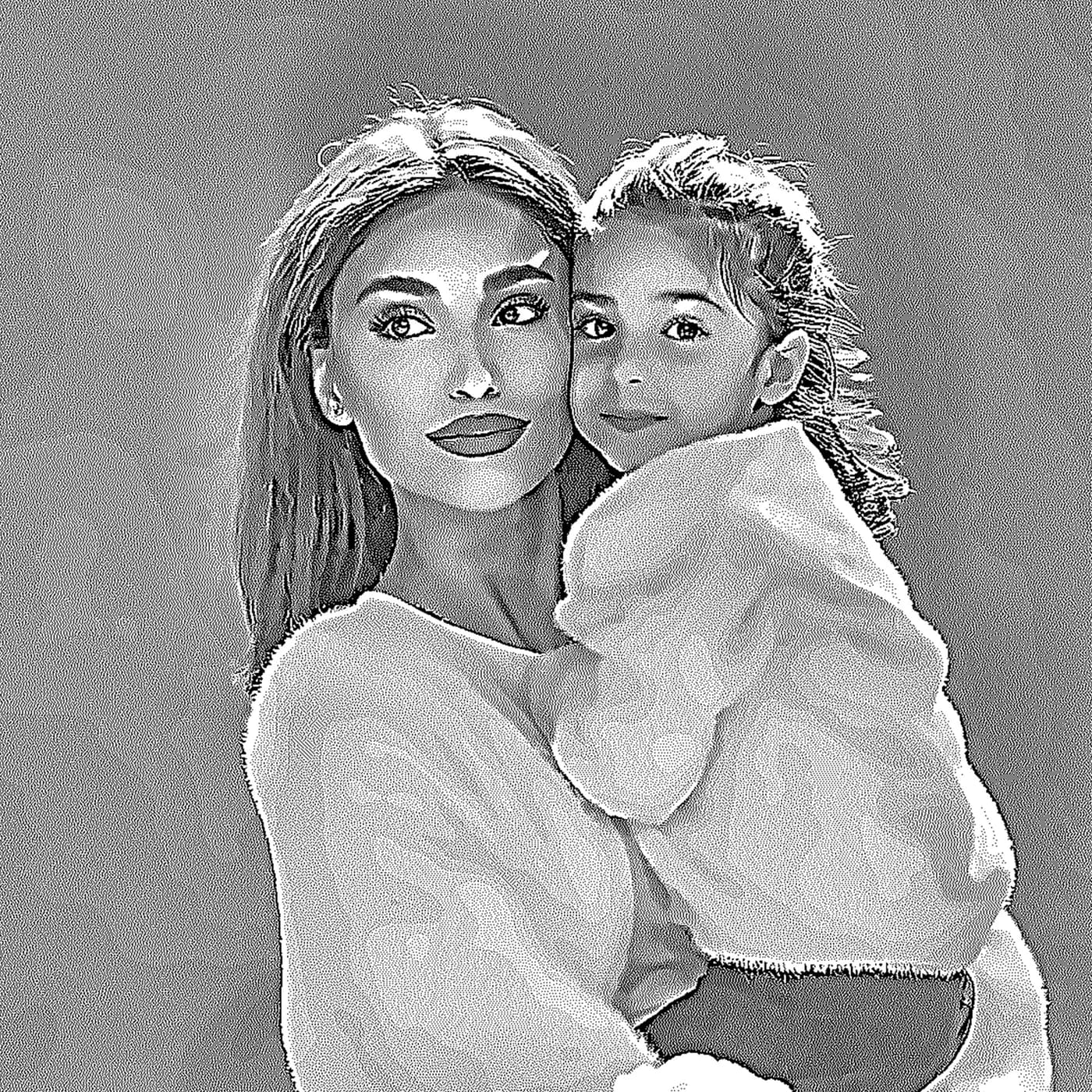
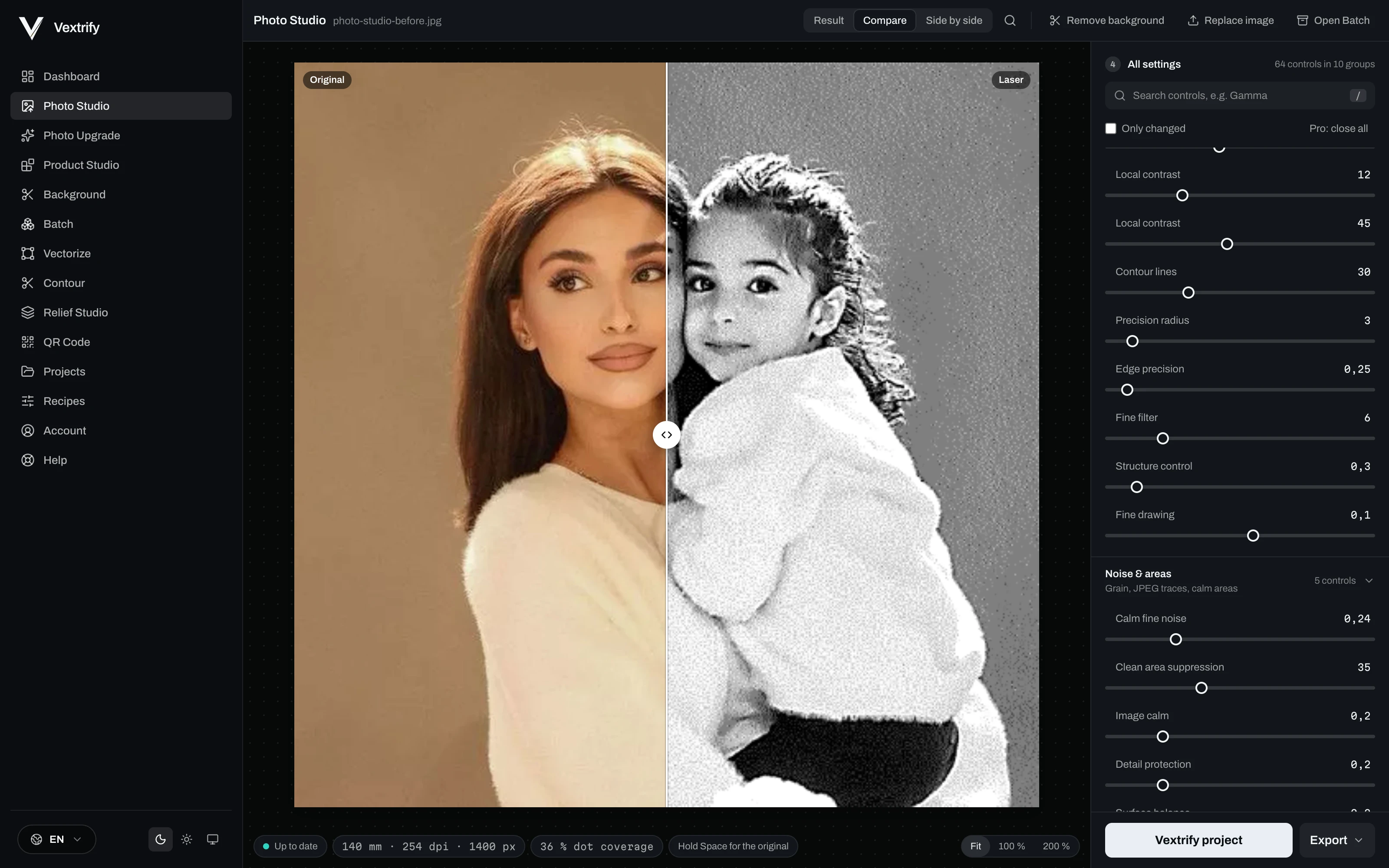
Preparação precisa de imagem para gravação, marcação e resposta do material.

Escolha material, tipo de imagem e objetivo, depois ajuste visualmente.

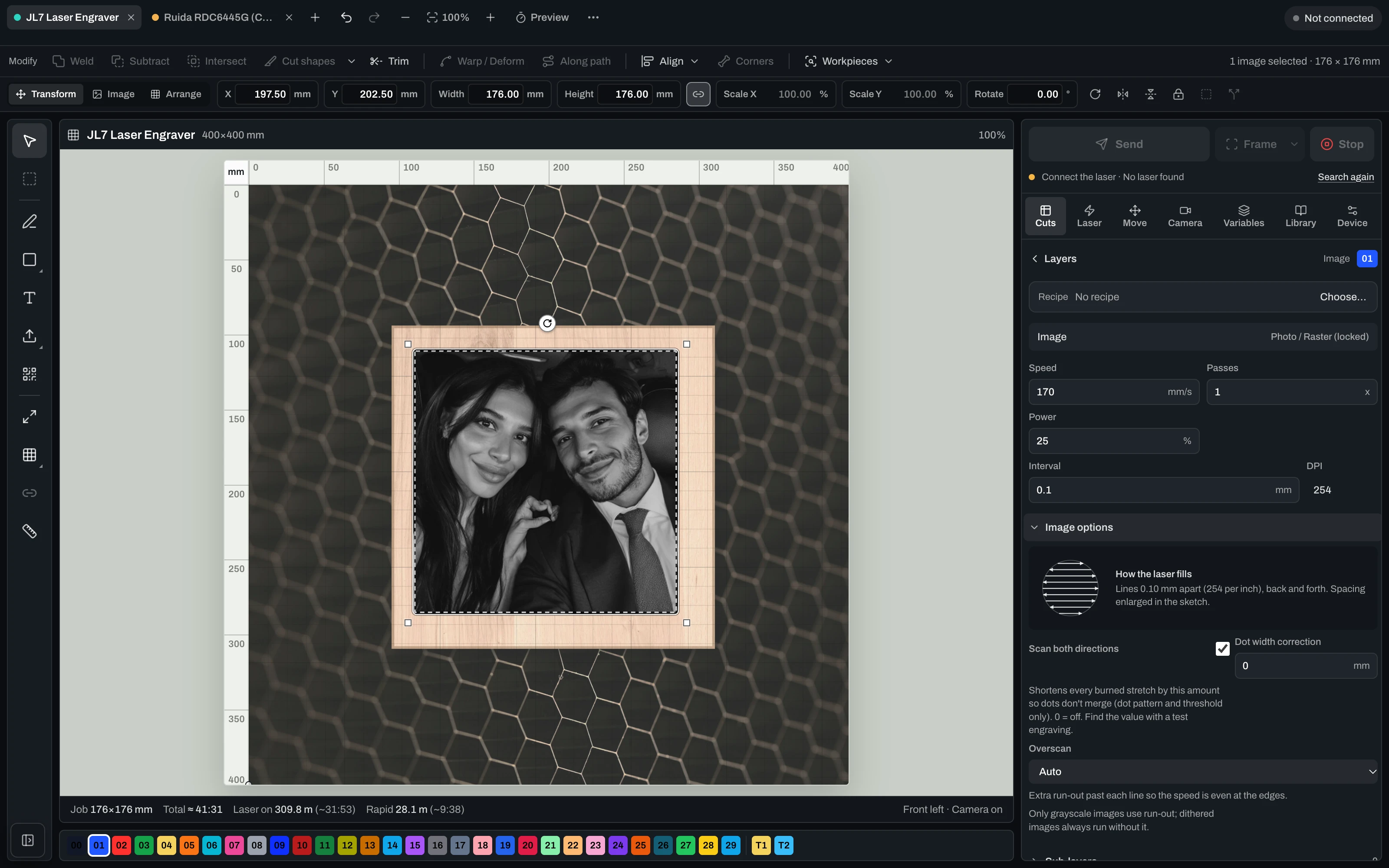
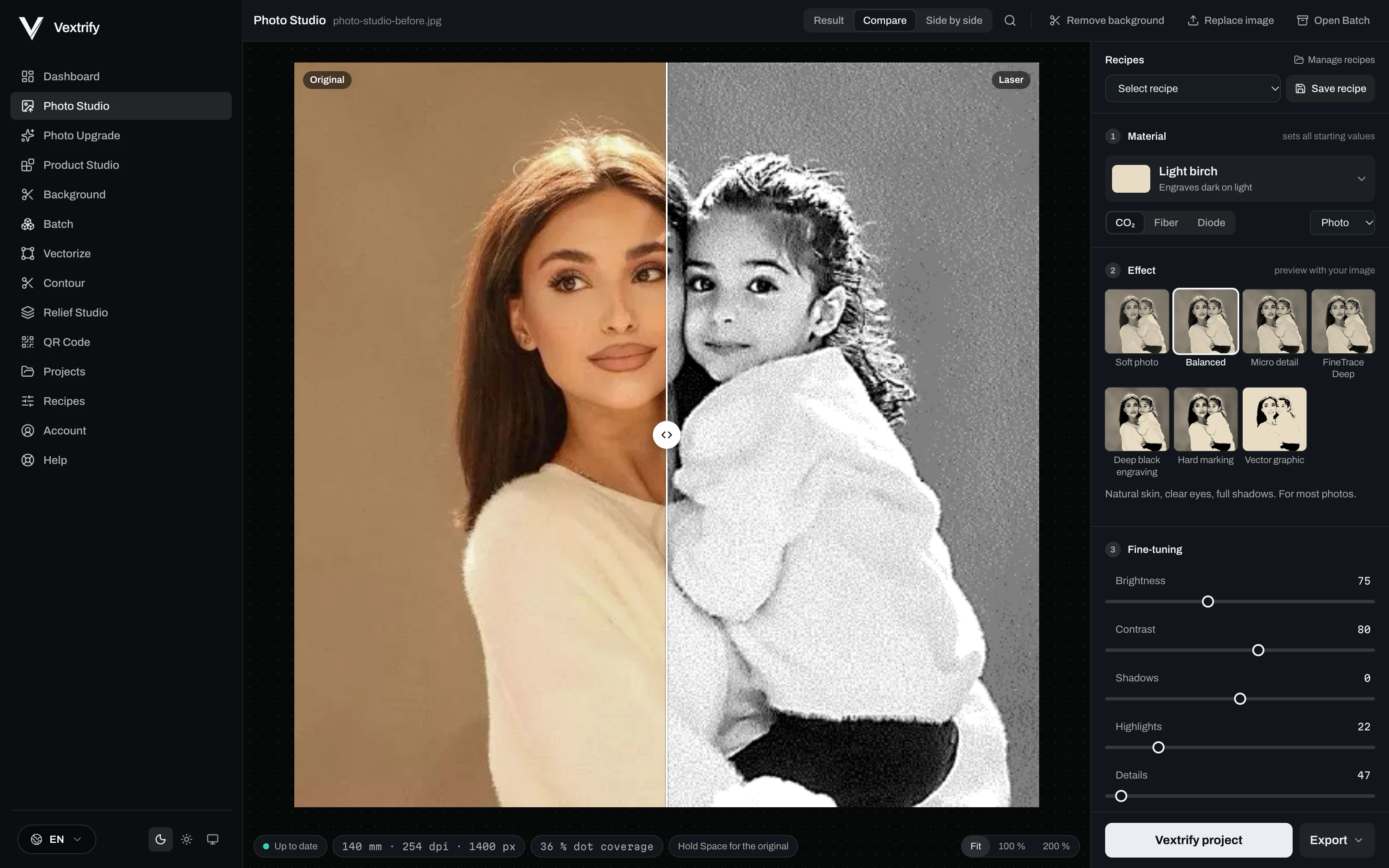
Photo Studio · the same file, before and after52%
Laser output
Original
OriginalLaser output

Controles profissionais

Esses valores são salvos em perfis e gravados em pacotes LightBurn/EZCAD.

Preparação precisa de imagem para gravação, marcação e resposta do material.

Escolha material, tipo de imagem e objetivo, depois ajuste visualmente.

Salve o processamento em vez de adivinhar de novo.

Receitas contêm material, objetivo, DPI, tons, dither, preprocessing e debug.

Ampliar

Comparar · pronto

Depth map entra. Estratégia sai.

Prepare relevo e deep engraving localmente.

Learn more
Depth map entra. Estratégia sai.
Relief Studio
Controles profissionais

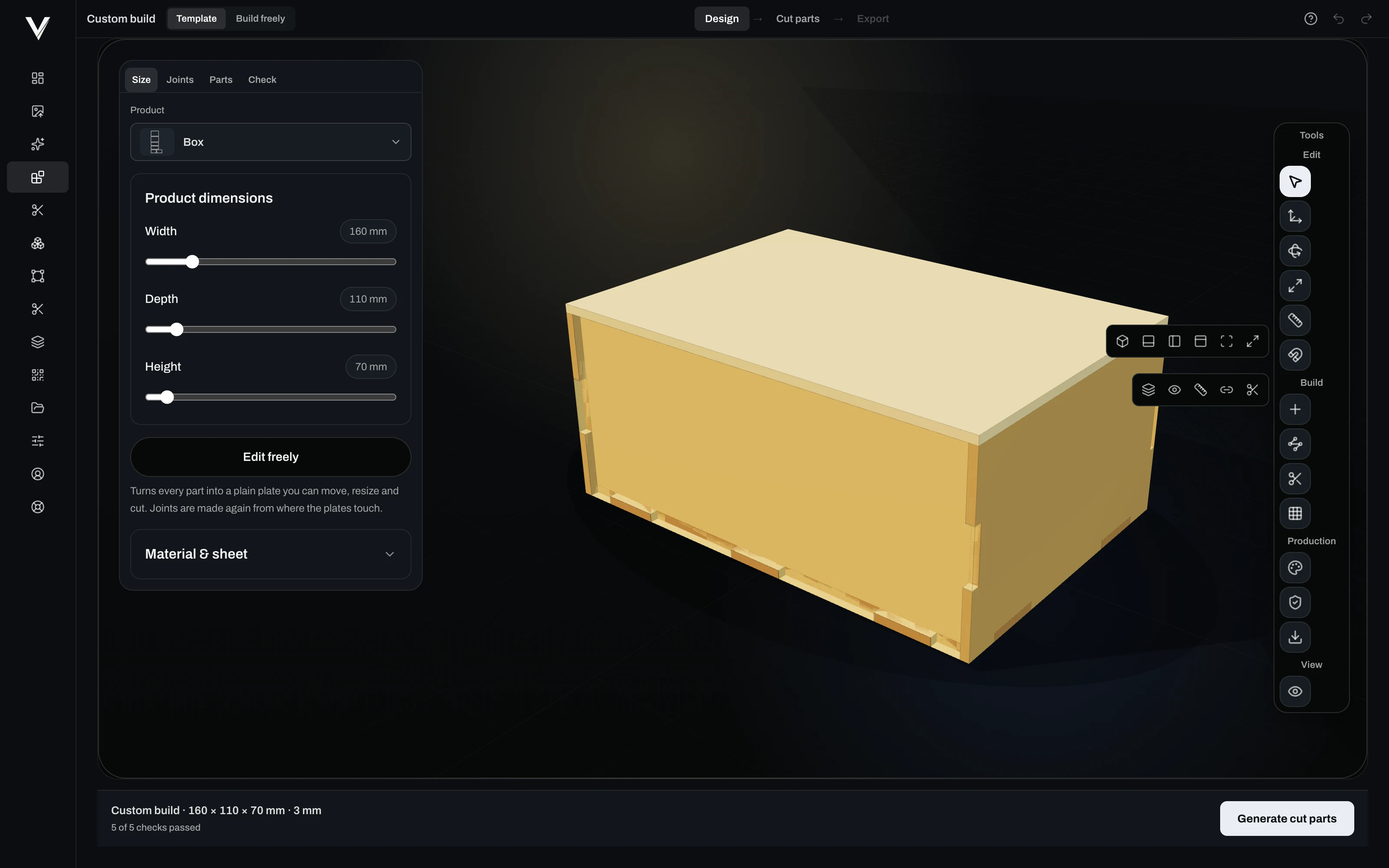
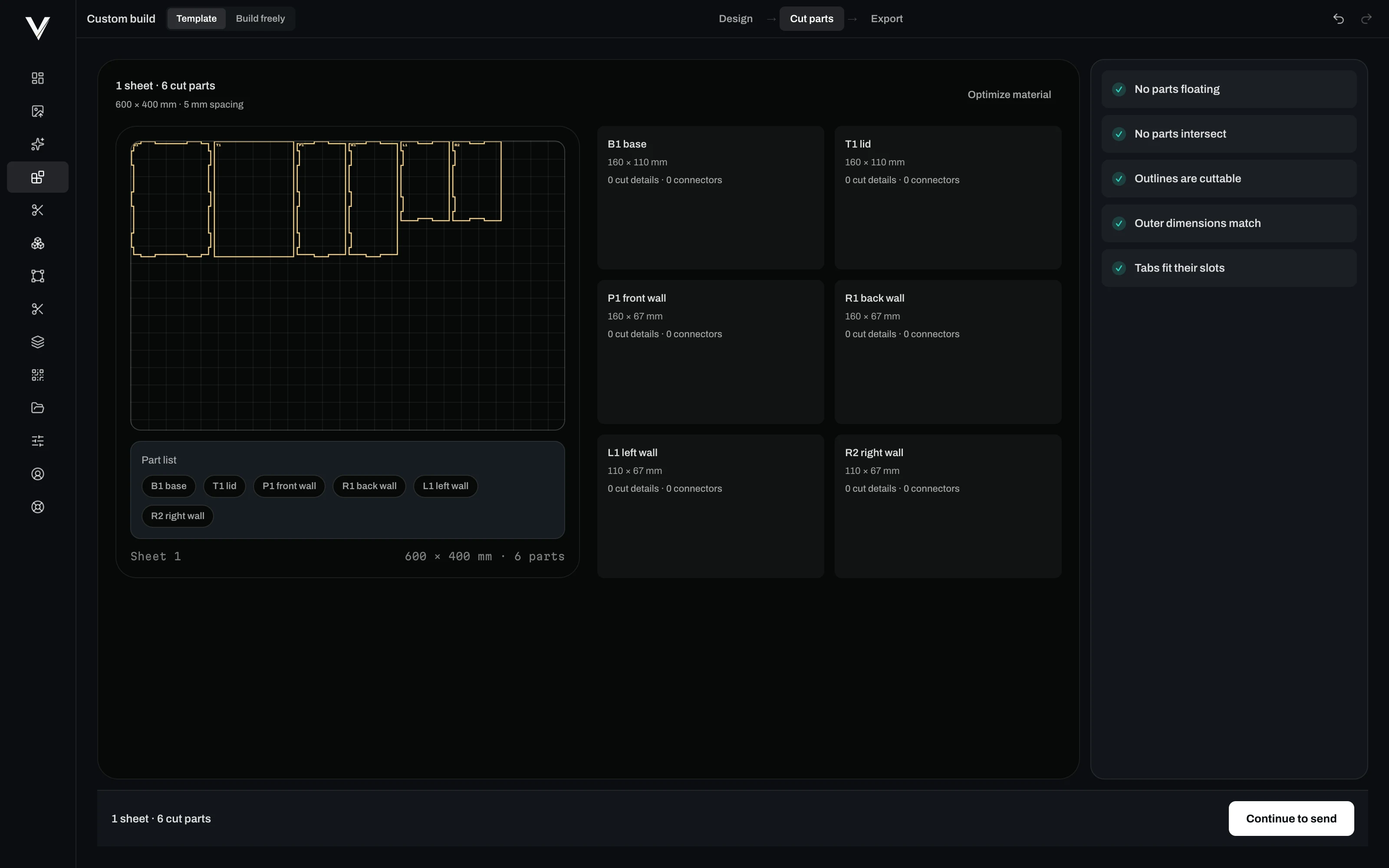
Photo, relief, artboard, vectorize, QR, background removal, contours and more.

Every tool has its own page with examples and an explanation — see everything Vextrify prepares before the burn.

Browse all tools

Use online. Produza localmente com potência total.

Vextrify não prende você a uma única forma de trabalho. Navegador e desktop ficam lado a lado: flexíveis no dia a dia, fortes na produção e sem obrigação de nuvem nos fluxos centrais.

Aplicativo desktop Vextrify em uma oficina local
View desktop app
Customer photos stay in the shop
Portraits and order files are not uploaded for preparation. If you work with pictures of people, you have to be able to explain that to your client.
Internet down, production continues
Prepare, align, engrave — all on the workshop PC. A dead line does not stop the machine.
No per-image billing
No credits, no image packs, no queue on somebody else's server. The computer that is already standing there does the work.
The machine is local anyway
The laser runs over USB. Keeping everything before that in the same place saves the detour through the cloud and back.

Preparação laser profissional que compensa desde o primeiro trabalho.

Studio inclui a suíte completa de criação no navegador — foto, relevo 3D, vetor, artboard e mais. Studio Pro adiciona o app desktop, controle direto do laser (diodo e CO2, até vários lasers ao mesmo tempo) e geração de imagens com IA.

Uma ferramenta em vez de várias assinaturas — e faz mais.

Hoje: comprados separadamente
Imag-Rsomente preparação de imagem119 €/ano
LightBurn Prosomente controle de máquina210 € pagamento único
Juntos, 1º ano329 €
Duas ferramentas separadas, sem projeto compartilhado.
Com Vextrify Studio Pro
  • Preparação de imagem, relevo 3D, vetor, IA
  • Controle direto de máquina (diodo e CO2)
  • Vários lasers ao mesmo tempo
  • Um projeto, sem exportar/reimportar
Tudo em um149,99 €/ano
Mais funcionalidade, menos da metade do preço.
Annual is the best default price. Studio includes the complete creation suite; Studio Pro adds the desktop app and laser control for diode and CO2.
Plan

Studio

8,33 €per month
jährlich 99,99 € abgerechnet
VAT incl. where applicable

Komplette Erstell-Suite im Browser — vorbereiten und bearbeiten, alles außer der Maschinensteuerung.

Complete creation suite in the browser
Photo Studio, 3D Relief, Artboard
Vectorize, Contour, QR, Batch
Background removal & photo upgrade
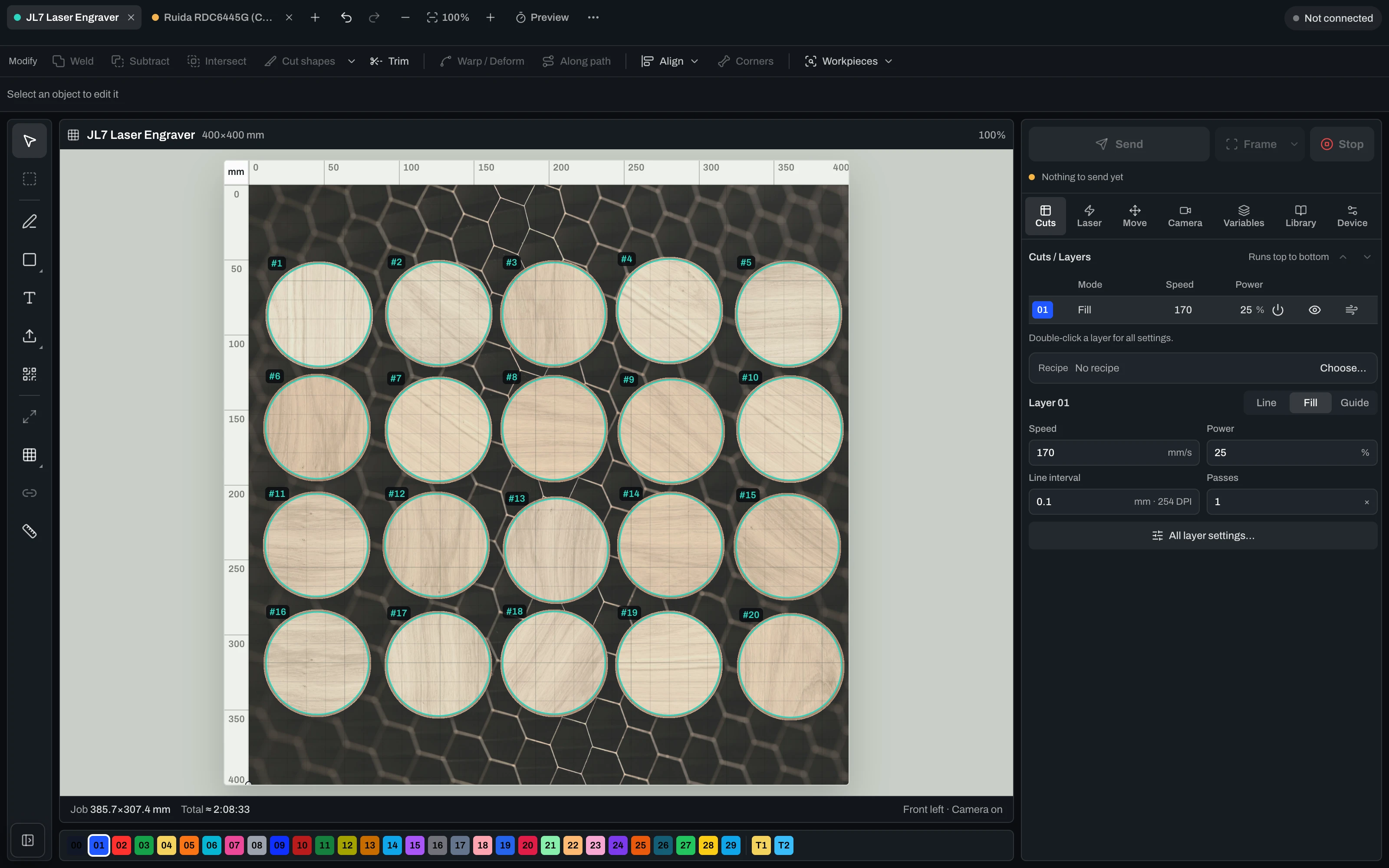
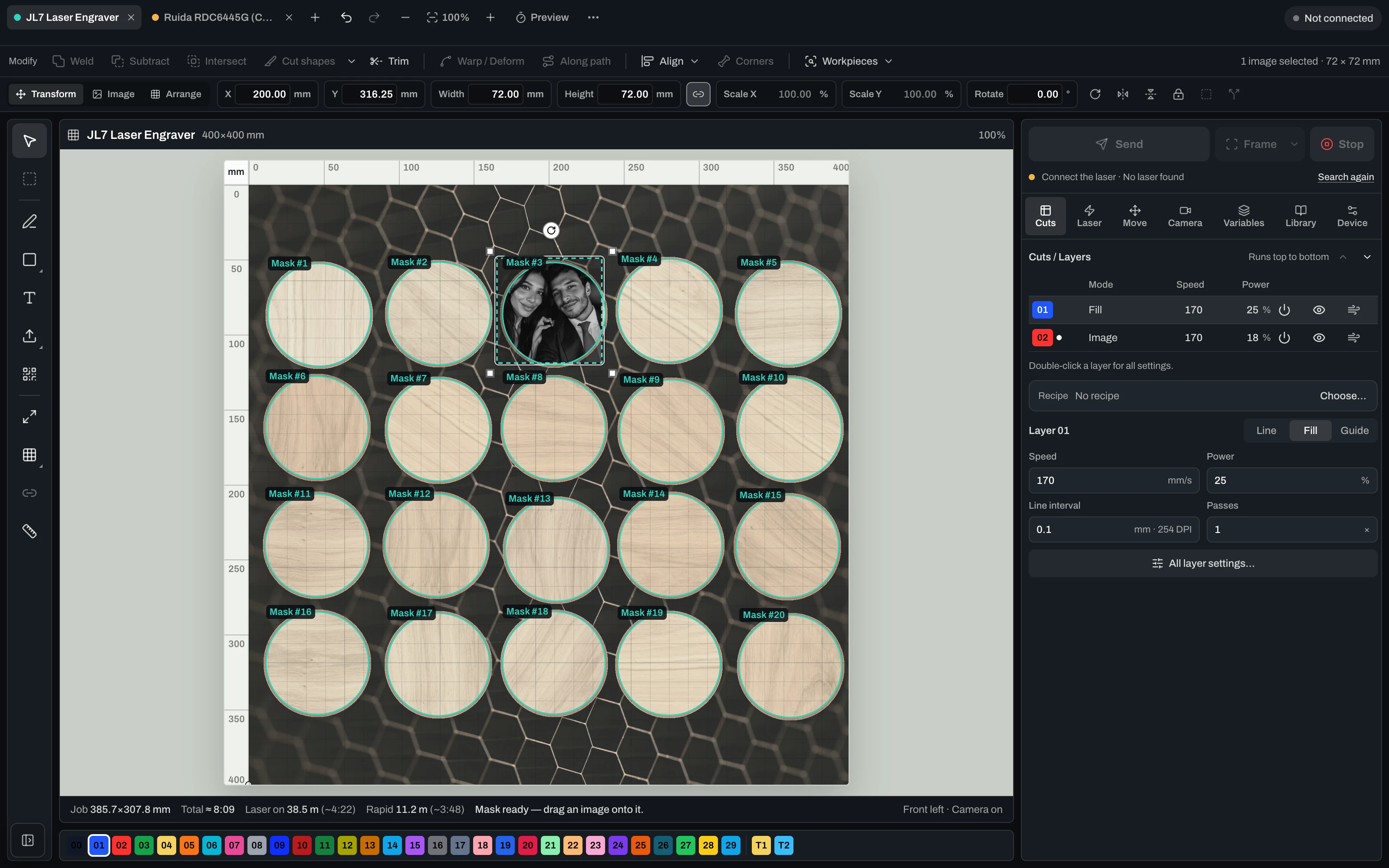
Contours & workpiece masks
No machine control
Criar conta
Best Value

Studio Pro

12,50 €per month
jährlich 149,99 € abgerechnet
VAT incl. where applicable

Alles aus Studio plus Desktop-App und Lasersteuerung fuer Diode und CO2 — mit Kamera-Ausrichtung, Probelauf und Live-Job.

Everything in Studio
Desktop app included
Laser control: diode & CO2, camera-aligned
Manage multiple lasers — each with its own profile, calibration and job
Dry run before you burn
Live job: start, pause, resume, stop
Criar conta
Plan

Lifetime Pro

One-timeno subscription
249,00 €one-time
einmalige Zahlung · 12 Monate Studio inklusive
VAT incl. where applicable

Einmal kaufen. Die Desktop-App dauerhaft lokal nutzen. Studio Online und Updates sind 12 Monate inklusive.

Buy once, keep it locally for good
Desktop app + laser control (Mac & Windows)
Laser control incl. multiple lasers
12 months Studio Online & AI included
Updates included for 12 months
No subscription — one-time payment
Criar conta

The questions that matter before you buy.

Vextrify funciona com LightBurn e EZCAD?+

Sim. Vextrify prepara arquivos para workflows laser existentes e gera pacotes reutilizáveis.

Posso usar localmente?+

Sim. O app desktop executa funções principais localmente, sem dependência obrigatória da nuvem.

O que ele faz melhor que filtros de foto?+

Centenas de ajustes para material, tom, pontos, perfis, artboards, exportações e relevos.