Zmień obrazy w pliki laserowe gotowe do produkcji.

Vextrify łączy przygotowanie zdjęć, relief 3D, artboard, profile i eksport w jeden workflow dla przeglądarki i desktopu.

Dla produkcji, warsztatów, studiów i wymagających makerów
W przeglądarce albo lokalnie jako aplikacja desktopowa
Eksporty dla LightBurn, EZCAD i procesów warsztatowych
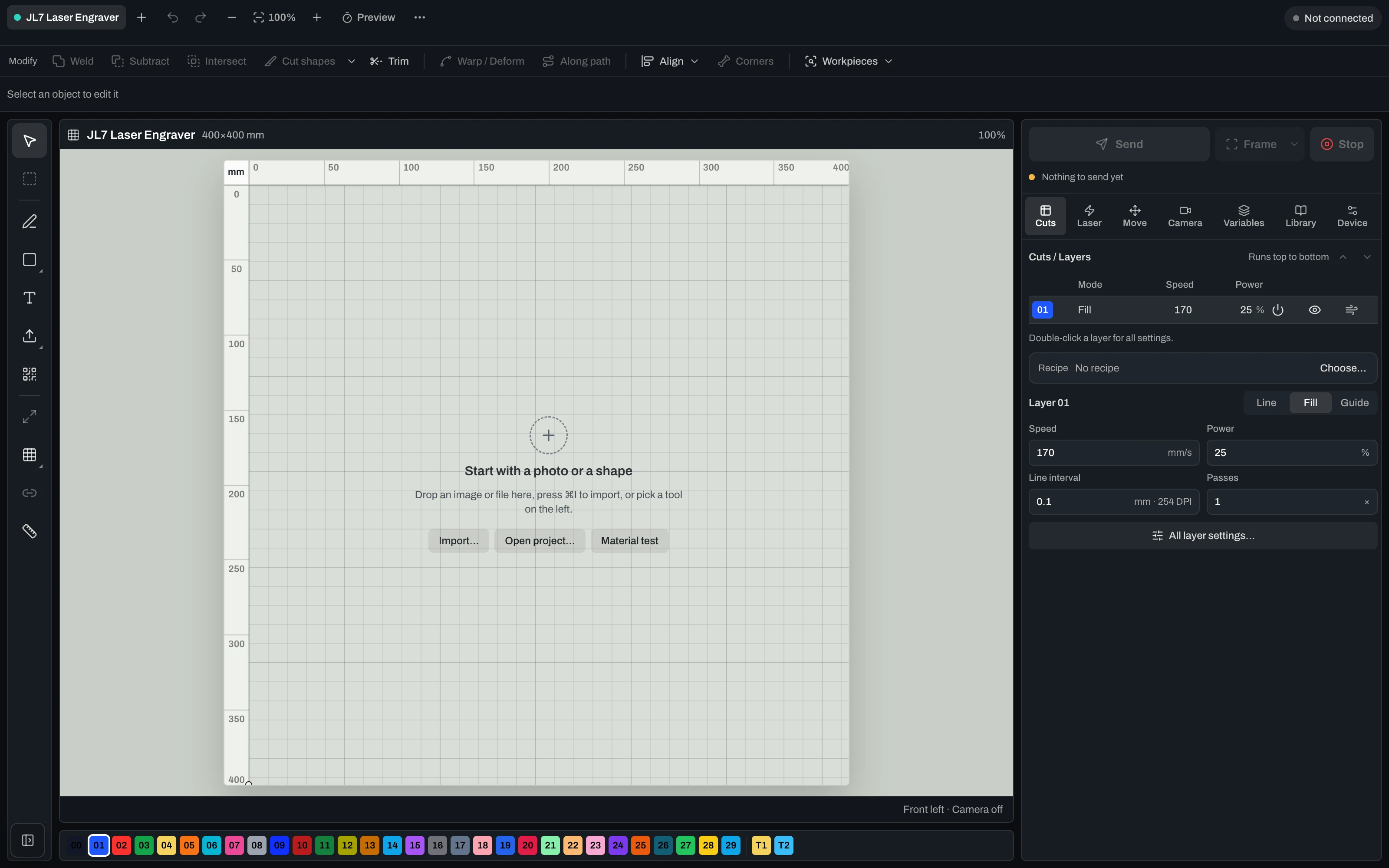
Vextrify Laser Control — the real machine control interface

“Finally, I only need one piece of software for everything.” — Ralf, Profit GmbH

Create, prepare, run — from one project. Nobody else does all three.

Vextrify is not one tool fewer, it is one more: image preparation at specialist depth, layout and vectors, 3D reliefs, contours, batch processing — and the machine runs from the same project, camera-aligned. Putting that together today means two to four programs that know nothing about each other.

Your stack today
Photo for engravingImagR · PhotoGrav
Vectors & layoutIllustrator · Inkscape
Machine controlLightBurn
3D reliefspecialised CAM
Camera alignmentmanual / add-on
Multiple licenses · export/re-import · no shared project
Vextrify
All in one

One project, one license, in the browser and on the desktop (Mac & Windows). Control, image optimization and planning work as one — no export, no re-import.

Image & artwork
Photo Studio · Photo Upgrade · Background · Contours · 3D Relief · Product Studio
File & layout
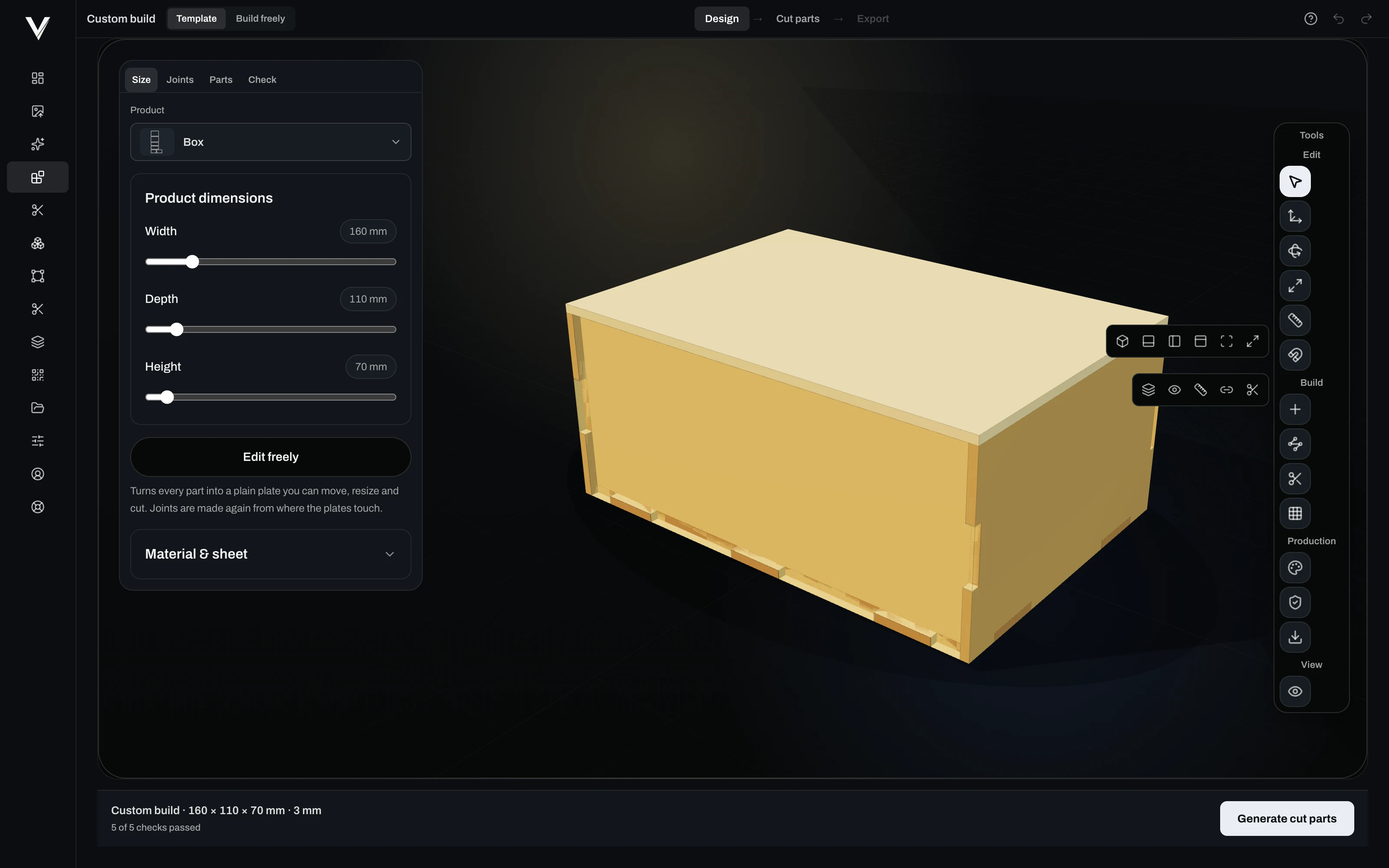
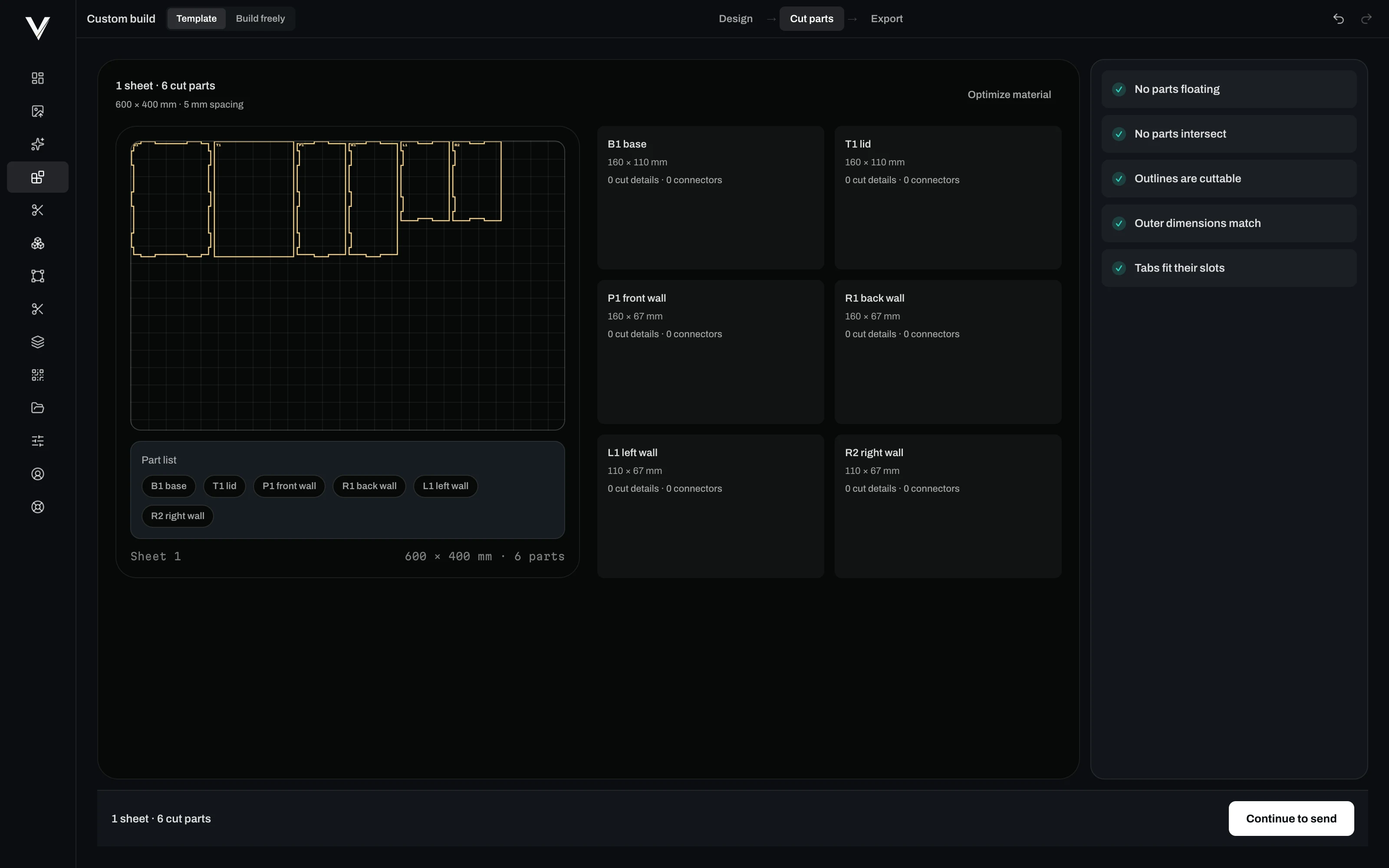
Artboard · Vectorize · Contour · QR · Batch · Profiles
Laser & control
Diode & CO2 · camera alignment · multiple lasers · material recipes

Others hand you a file. Vextrify hands you an interface.

Image preparation here is not only a window, it is an endpoint. That lets you connect what already runs in your shop — and no other laser software does that.

ZapierMaken8nGoogle SheetsAirtableNotionTrelloClickUpHubSpotStripeGmailGoogle DriveDropboxAsana
POST /v1/prepare

Image in, laser-ready file out

Your shop, your order system or a script sends the customer photo to the endpoint and gets the finished engraving file back — material profile and recipe applied, nobody sitting in front of it.

job.completed · job.failed

Your system hears about it immediately

Every job reports back to your endpoint by webhook. Failures too — an image that will not do has to reach you before your customer asks.

Zapier · Make · n8n

Connect it without a developer

If you would rather not write code, hang the endpoint off Zapier, Make or n8n and reach thousands of applications: spreadsheet, CRM, storage, notification.

Your own keys

Access you can fence in

One API key per purpose, with scope and expiry. One for the shop, one for the workshop, and neither opens more than it needs to.

Batch

200 images, one recipe

What worked once runs across the whole order — same tones, same dot pattern, same material profile.

Export

Also without Vextrify at the machine

If the laser hangs off another program, you get clean files for LightBurn, EZCAD and Ruida controllers.

Steruj swoim laserem — kamera, kalibracja, Ruida i GRBL.

Prawdziwy panel sterowania: połączenie USB, wyrównanie kamery i kalibracja obiektywu, pozycjonowanie stołu i bezpośredni wydruk dla maszyn Ruida (CO2) i GRBL.

Machines
Diode via GRBL, CO2 via Ruida
Alignment
Camera on the real workpiece, lens-corrected
Before it burns
Frame the job, dry run, free choice of origin
During the job
Start, pause, resume, stop — live
Per layer
Speed, power, passes, frequency, air assist
Limits
Speed and power limits from the device profile, plus a runtime estimate
Several lasers
One tab per machine with its own profile, calibration and job

One active machine connection at a time. Firing several lasers simultaneously is on the roadmap and not shipped.

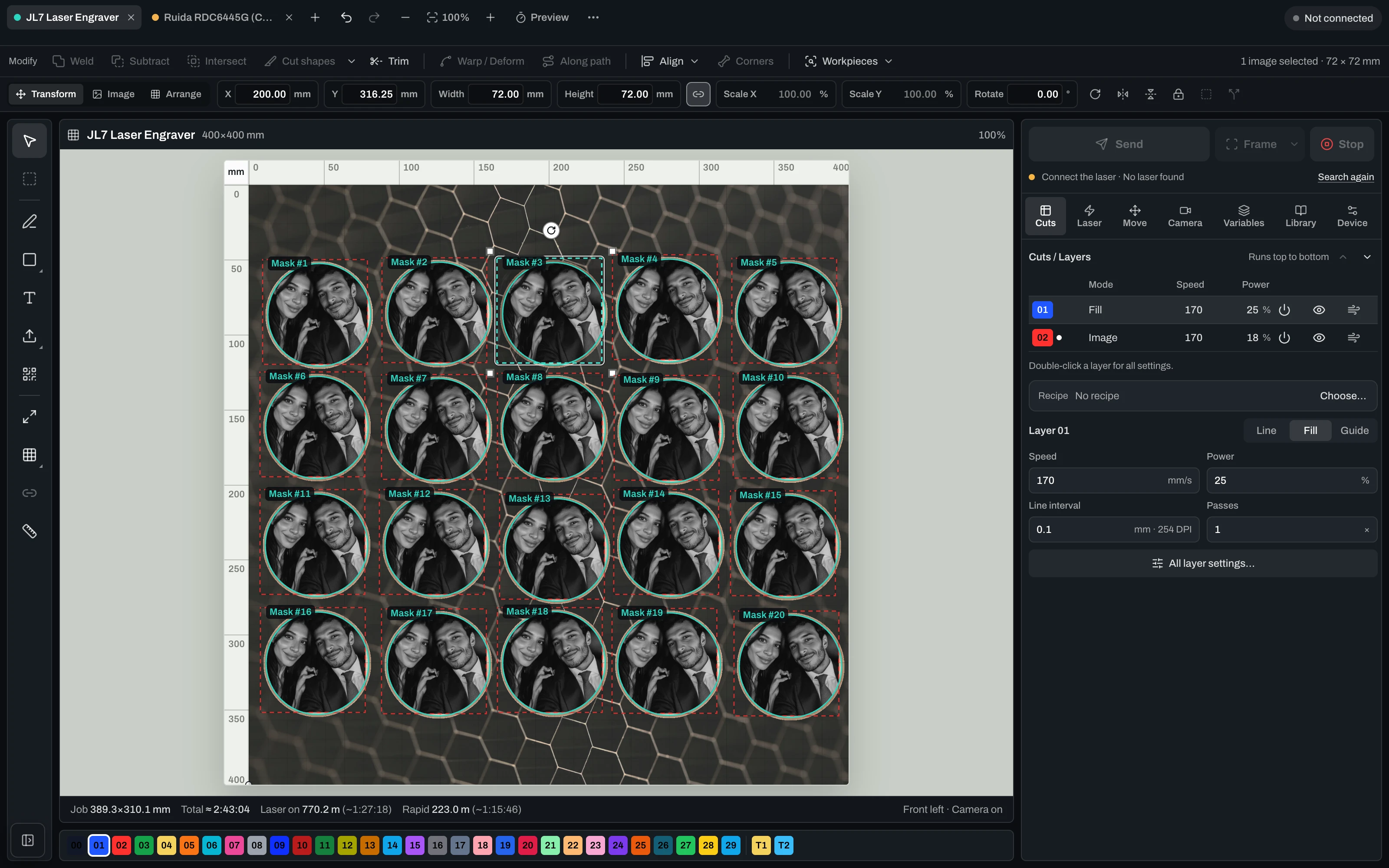
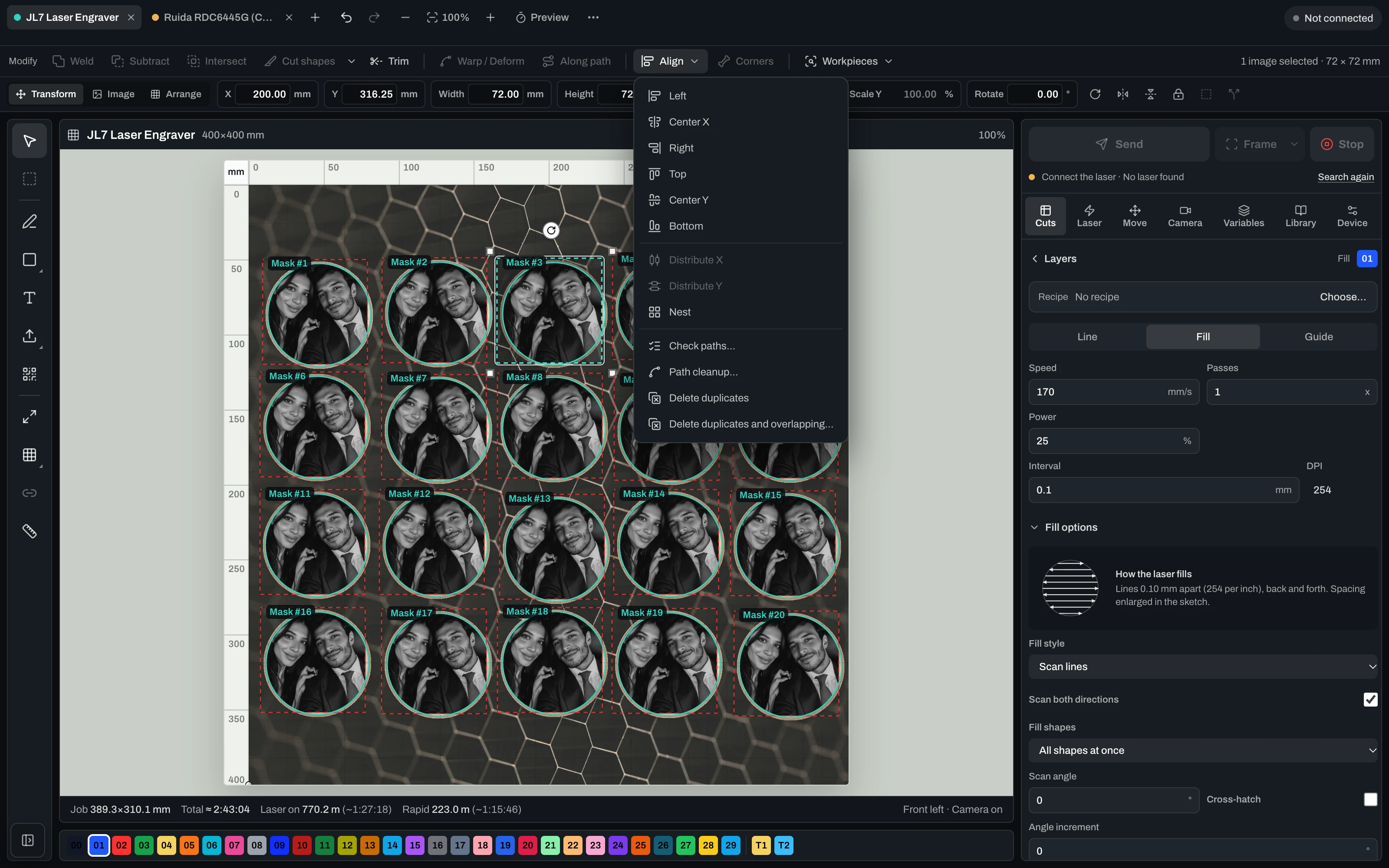
Laser control with camera alignment, layers and live job

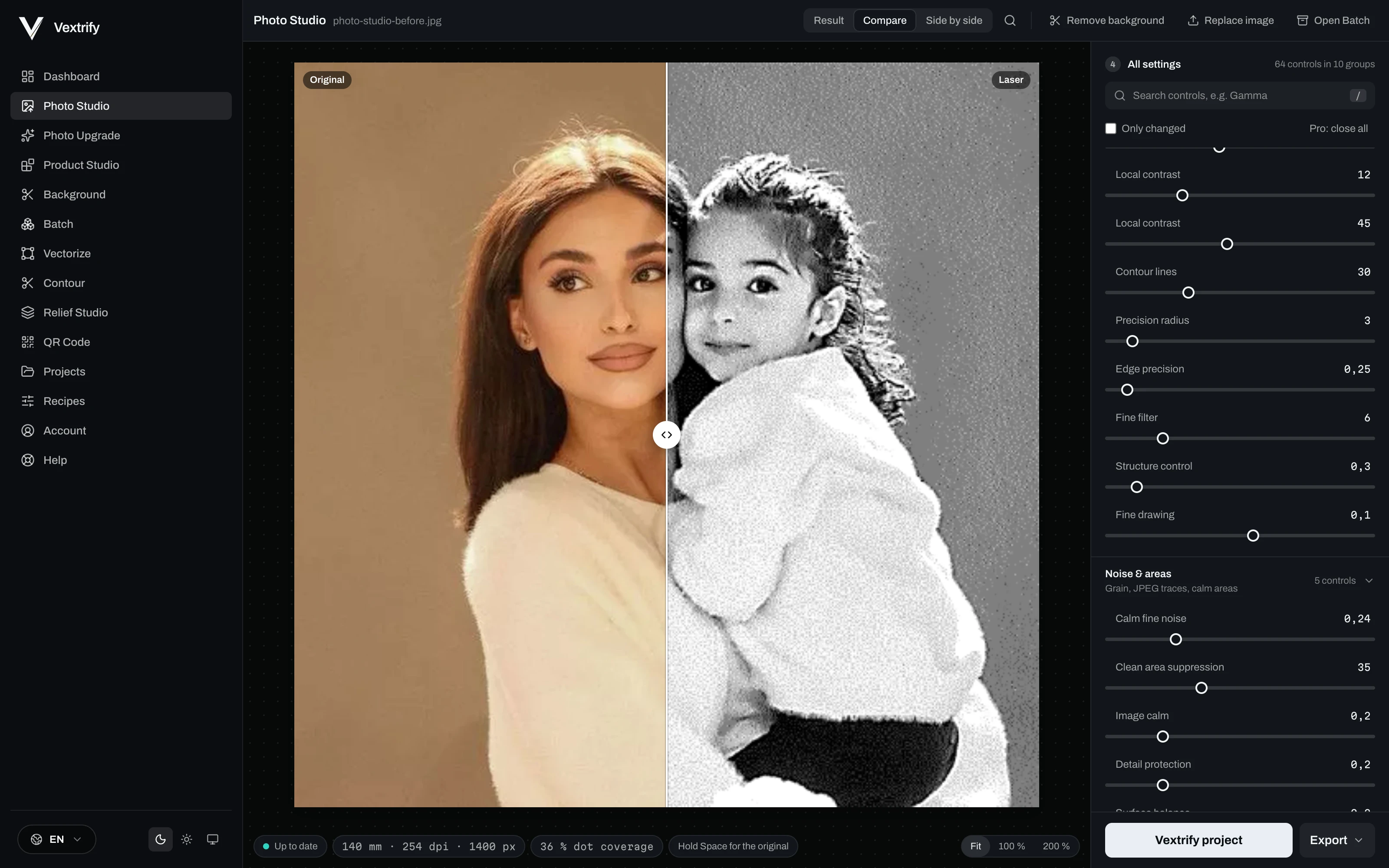
Precyzyjne przygotowanie obrazu do grawerowania, znakowania i reakcji materiału.

Wybierz materiał, typ obrazu i cel, a potem dostrój wynik wizualnie.

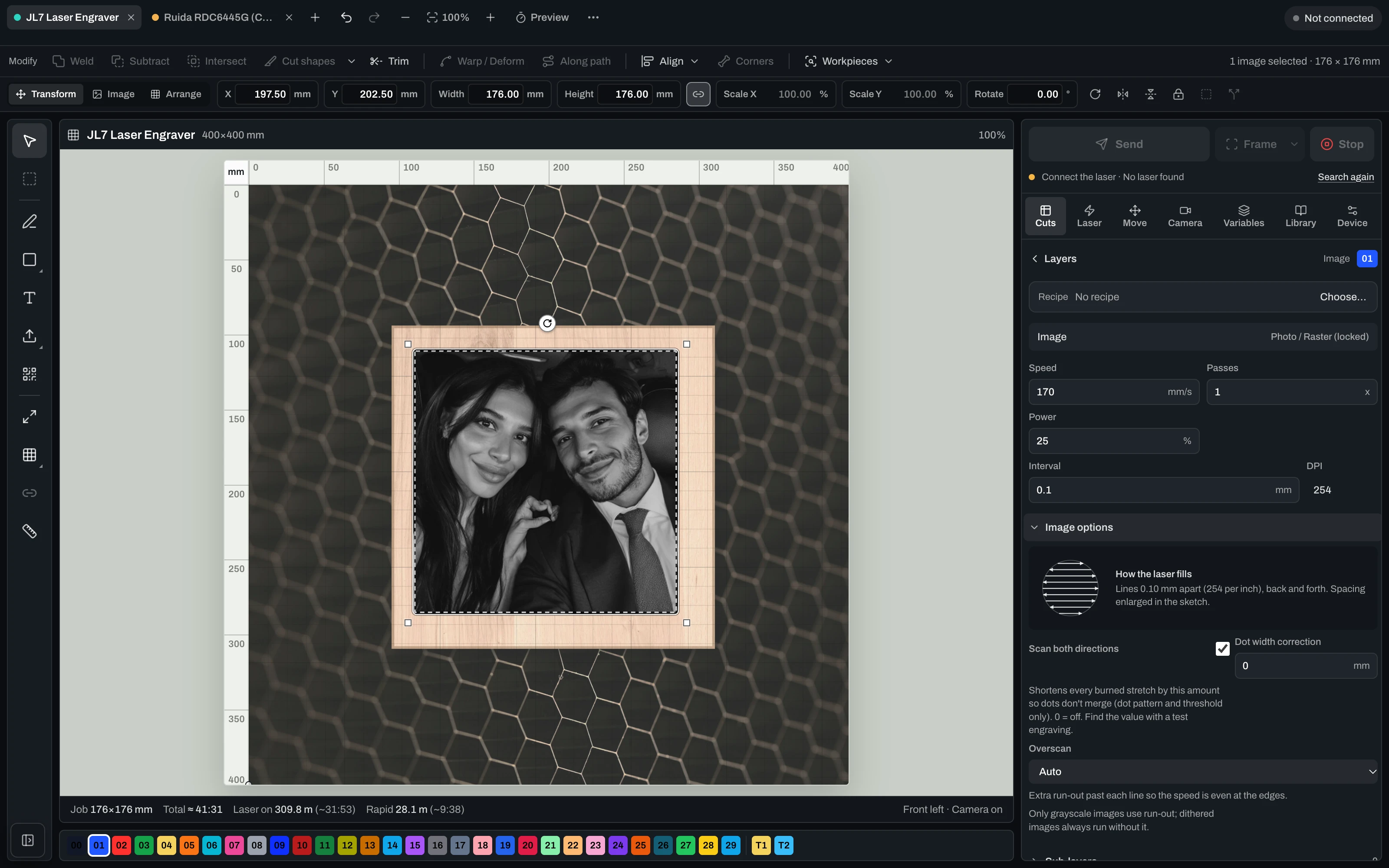
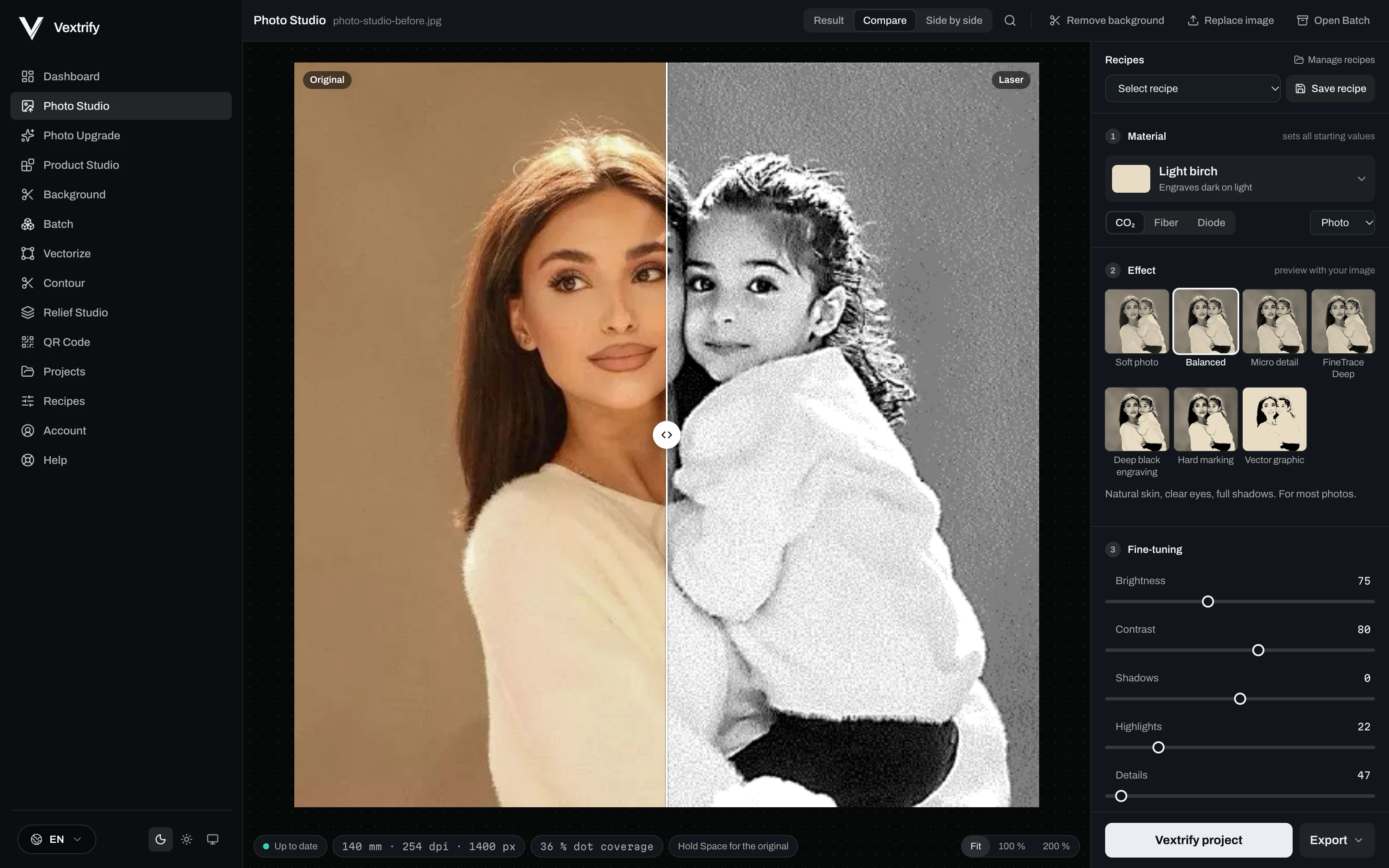
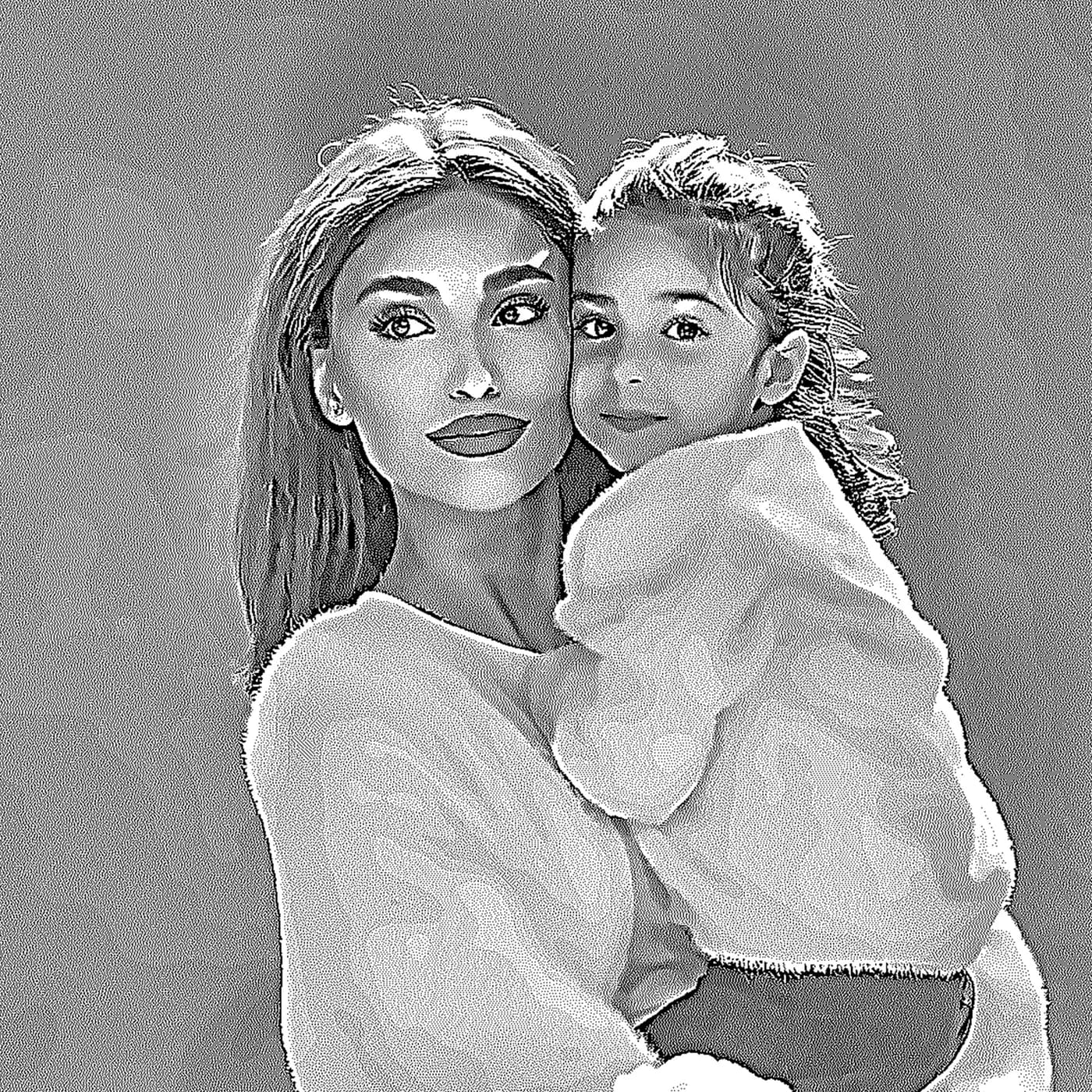
Photo Studio · the same file, before and after52%
Laser output
Original
OriginalLaser output

Kontrole profesjonalne

Te wartości są zapisywane w profilach i wpisywane do pakietów LightBurn/EZCAD.

Precyzyjne przygotowanie obrazu do grawerowania, znakowania i reakcji materiału.

Wybierz materiał, typ obrazu i cel, a potem dostrój wynik wizualnie.

Zapisuj przetwarzanie zamiast zgadywać od nowa.

Receptury zawierają materiał, cel, DPI, tony, dither, preprocessing i debug.

Powiększ

Porównaj · gotowe

Depth map wejście. Strategia głębi wyjście.

Przygotuj lokalnie relief i deep engraving.

Learn more
Depth map wejście. Strategia głębi wyjście.
Relief Studio
Kontrole profesjonalne

Photo, relief, artboard, vectorize, QR, background removal, contours and more.

Every tool has its own page with examples and an explanation — see everything Vextrify prepares before the burn.

Browse all tools

Pracuj online. Produkuj lokalnie z pełną mocą.

Vextrify nie zamyka Cię w jednym sposobie pracy. Przeglądarka i desktop działają równolegle: elastycznie na co dzień, mocno przy produkcji i bez obowiązkowej chmury dla kluczowych workflow.

Aplikacja desktop Vextrify używana w lokalnym warsztacie
View desktop app
Customer photos stay in the shop
Portraits and order files are not uploaded for preparation. If you work with pictures of people, you have to be able to explain that to your client.
Internet down, production continues
Prepare, align, engrave — all on the workshop PC. A dead line does not stop the machine.
No per-image billing
No credits, no image packs, no queue on somebody else's server. The computer that is already standing there does the work.
The machine is local anyway
The laser runs over USB. Keeping everything before that in the same place saves the detour through the cloud and back.

Profesjonalne przygotowanie laserowe, które zwraca się od pierwszego zlecenia.

Studio zawiera kompletny pakiet kreacji w przeglądarce — zdjęcia, relief 3D, wektor, artboard i więcej. Studio Pro dodaje aplikację desktop, bezpośrednie sterowanie laserem (diodowy i CO2, nawet kilka laserów jednocześnie) i generowanie obrazów AI.

Jedno narzędzie zamiast kilku subskrypcji — i oferuje więcej.

Dziś: kupione osobno
Imag-Rtylko przygotowanie obrazu119 €/rok
LightBurn Protylko sterowanie maszyną210 € jednorazowo
Razem, rok 1329 €
Dwa osobne narzędzia, brak wspólnego projektu.
Z Vextrify Studio Pro
  • Przygotowanie obrazu, relief 3D, wektor, AI
  • Bezpośrednie sterowanie maszyną (dioda i CO2)
  • Kilka laserów jednocześnie
  • Jeden projekt, brak eksportu/reimportu
Wszystko w jednym149,99 €/rok
Więcej funkcji, mniej niż połowa ceny.
Annual is the best default price. Studio includes the complete creation suite; Studio Pro adds the desktop app and laser control for diode and CO2.
Plan

Studio

8,33 €per month
jährlich 99,99 € abgerechnet
VAT incl. where applicable

Komplette Erstell-Suite im Browser — vorbereiten und bearbeiten, alles außer der Maschinensteuerung.

Complete creation suite in the browser
Photo Studio, 3D Relief, Artboard
Vectorize, Contour, QR, Batch
Background removal & photo upgrade
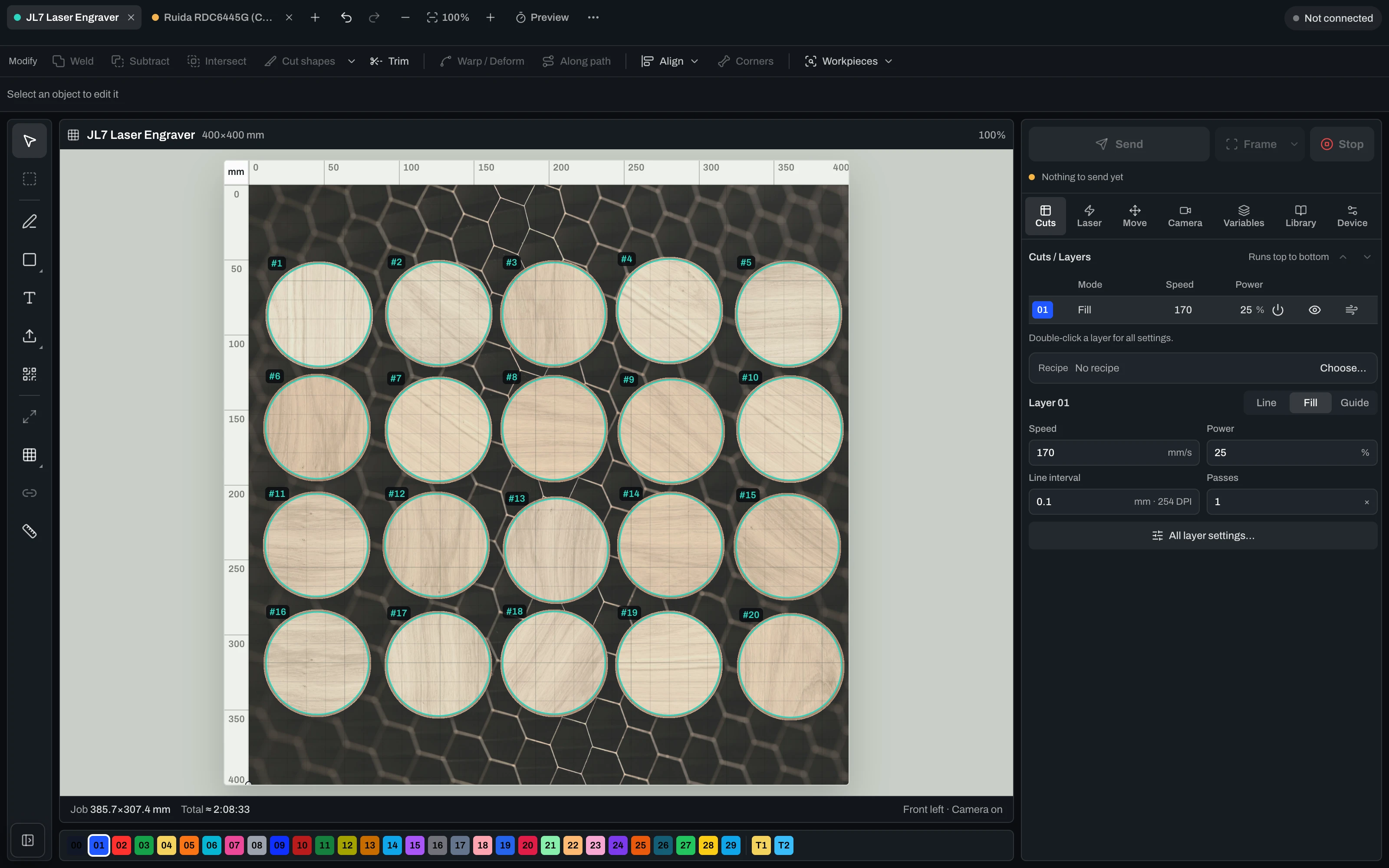
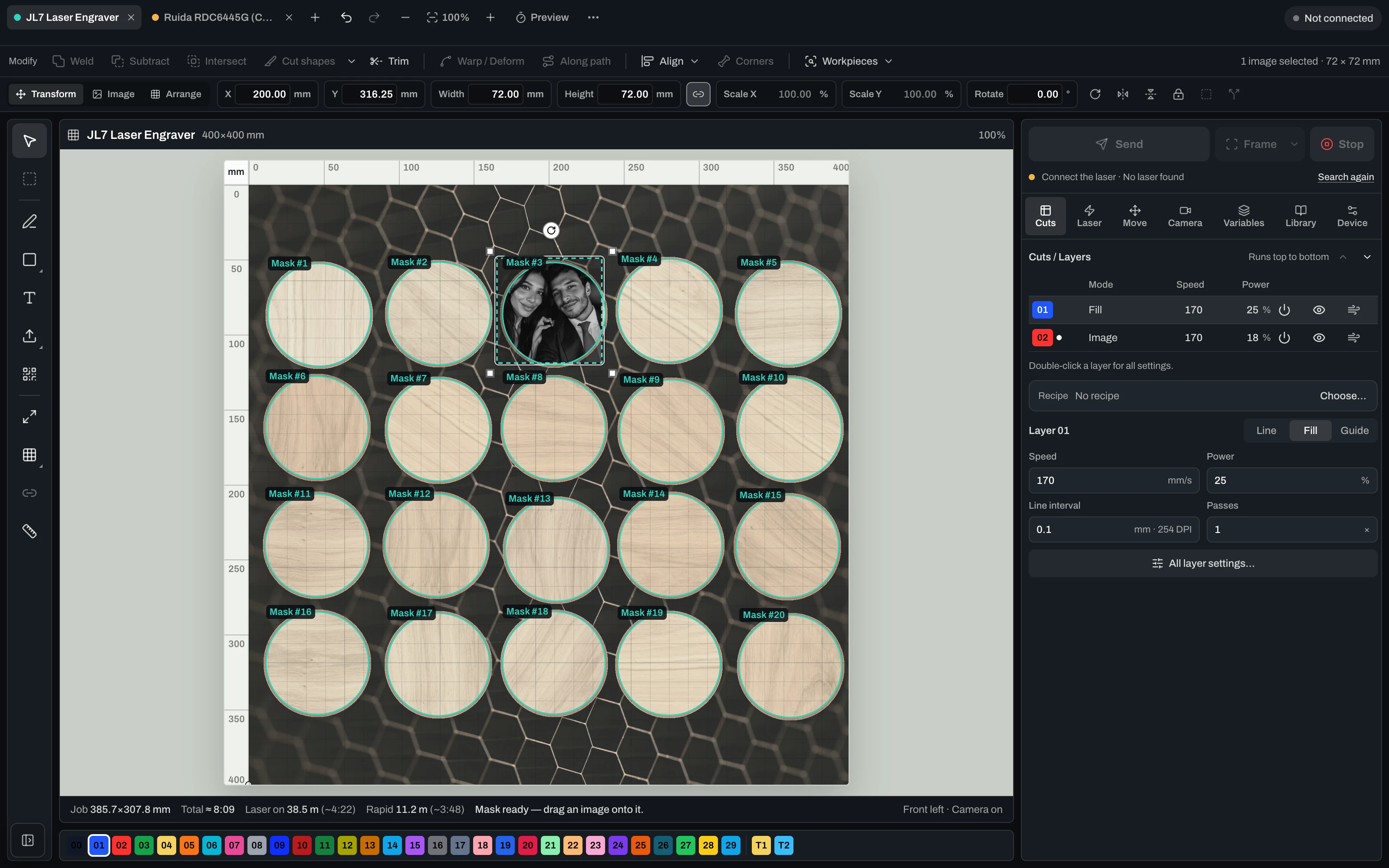
Contours & workpiece masks
No machine control
Utwórz konto
Best Value

Studio Pro

12,50 €per month
jährlich 149,99 € abgerechnet
VAT incl. where applicable

Alles aus Studio plus Desktop-App und Lasersteuerung fuer Diode und CO2 — mit Kamera-Ausrichtung, Probelauf und Live-Job.

Everything in Studio
Desktop app included
Laser control: diode & CO2, camera-aligned
Manage multiple lasers — each with its own profile, calibration and job
Dry run before you burn
Live job: start, pause, resume, stop
Utwórz konto
Plan

Lifetime Pro

One-timeno subscription
249,00 €one-time
einmalige Zahlung · 12 Monate Studio inklusive
VAT incl. where applicable

Einmal kaufen. Die Desktop-App dauerhaft lokal nutzen. Studio Online und Updates sind 12 Monate inklusive.

Buy once, keep it locally for good
Desktop app + laser control (Mac & Windows)
Laser control incl. multiple lasers
12 months Studio Online & AI included
Updates included for 12 months
No subscription — one-time payment
Utwórz konto

The questions that matter before you buy.

Czy Vextrify działa z LightBurn i EZCAD?+

Tak. Vextrify przygotowuje pliki do istniejących workflow laserowych i eksportuje je w czytelnej strukturze.

Czy mogę używać Vextrify lokalnie?+

Tak. Aplikacja desktopowa może działać lokalnie bez obowiązkowej chmury.

Co daje więcej niż proste narzędzia foto?+

Setki ustawień materiału, tonów, punktów, profili, artboardów, eksportów i reliefów.