プロ向けレーザーファイル準備

画像を生産-readyなレーザーファイルへ。

Vextrifyは写真準備、3Dレリーフ、アートボード、プロファイル、書き出しをブラウザとデスクトップの一つの流れにまとめます。

生産現場、工房、スタジオ、高品質を求めるメーカー向け
ブラウザでもローカルのデスクトップアプリでも利用可能
LightBurn、EZCAD、工房ワークフロー向けエクスポート
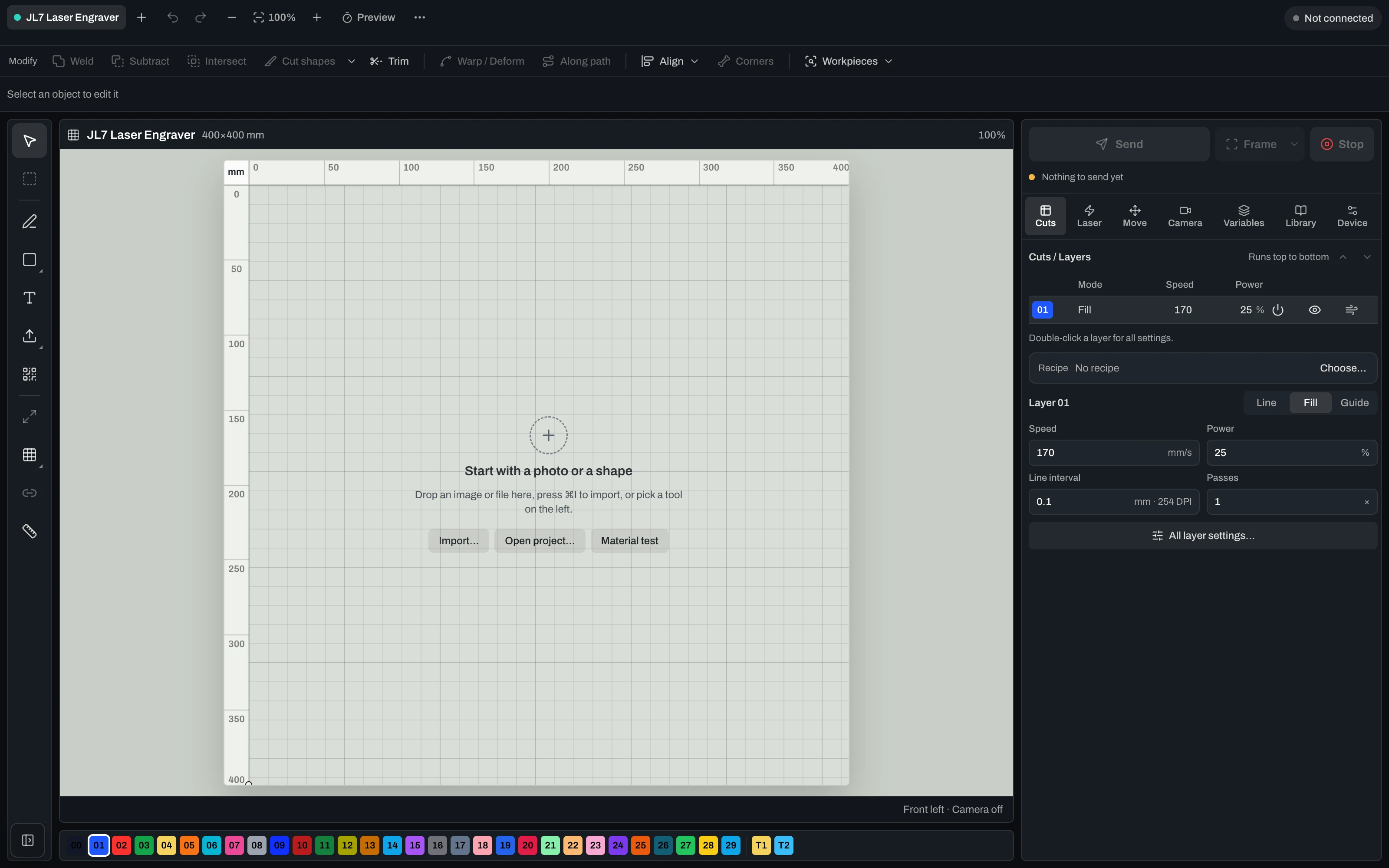
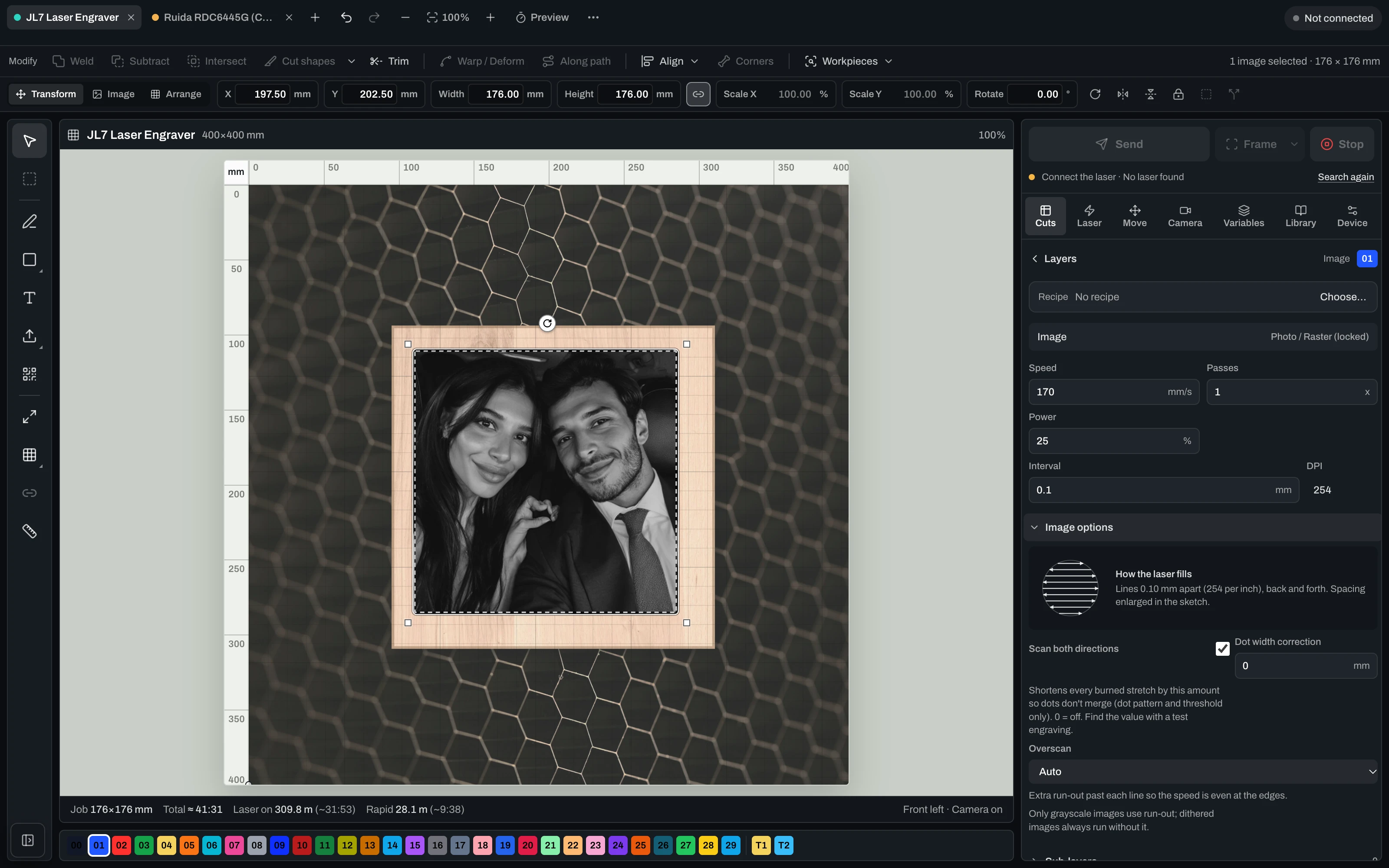
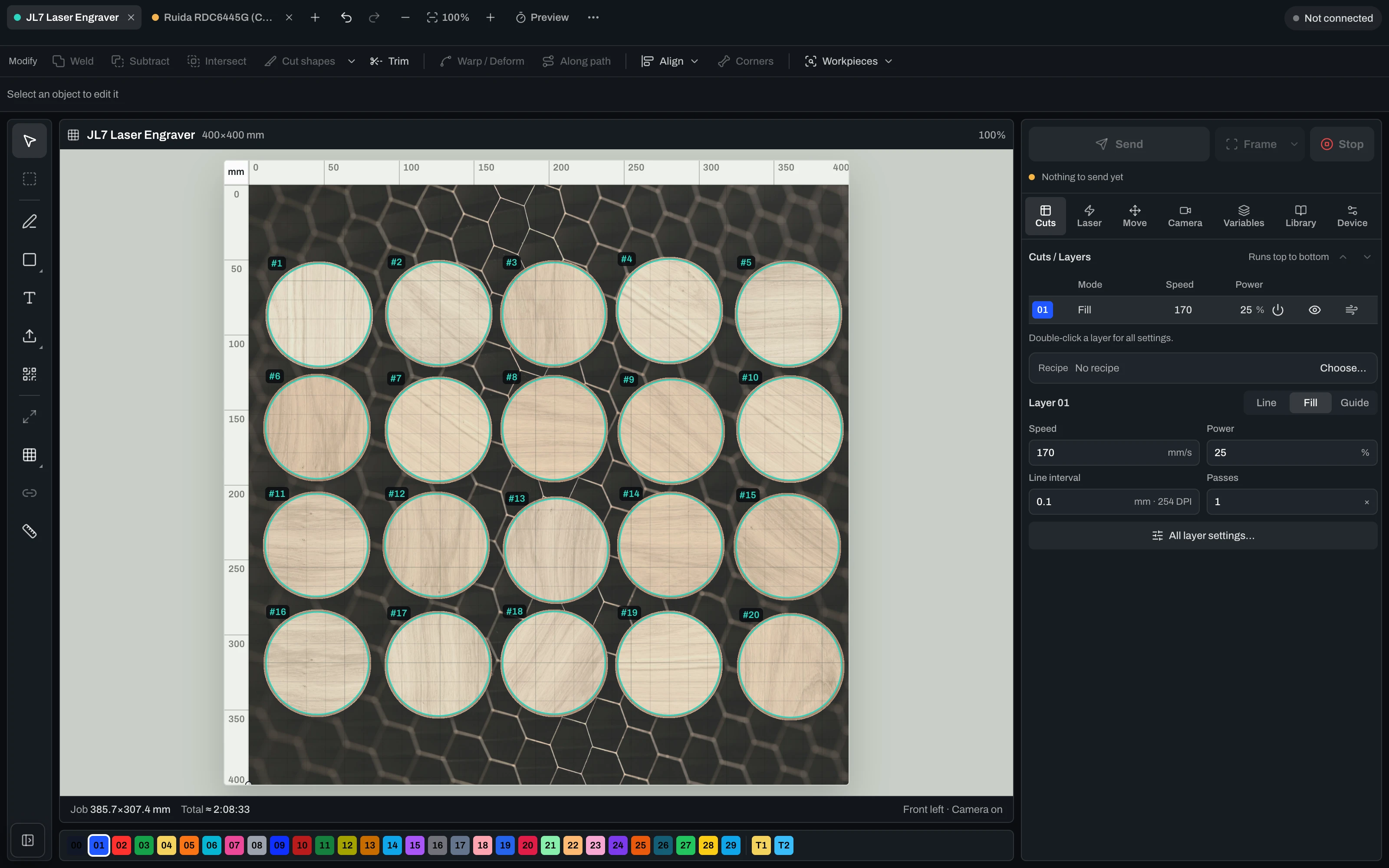
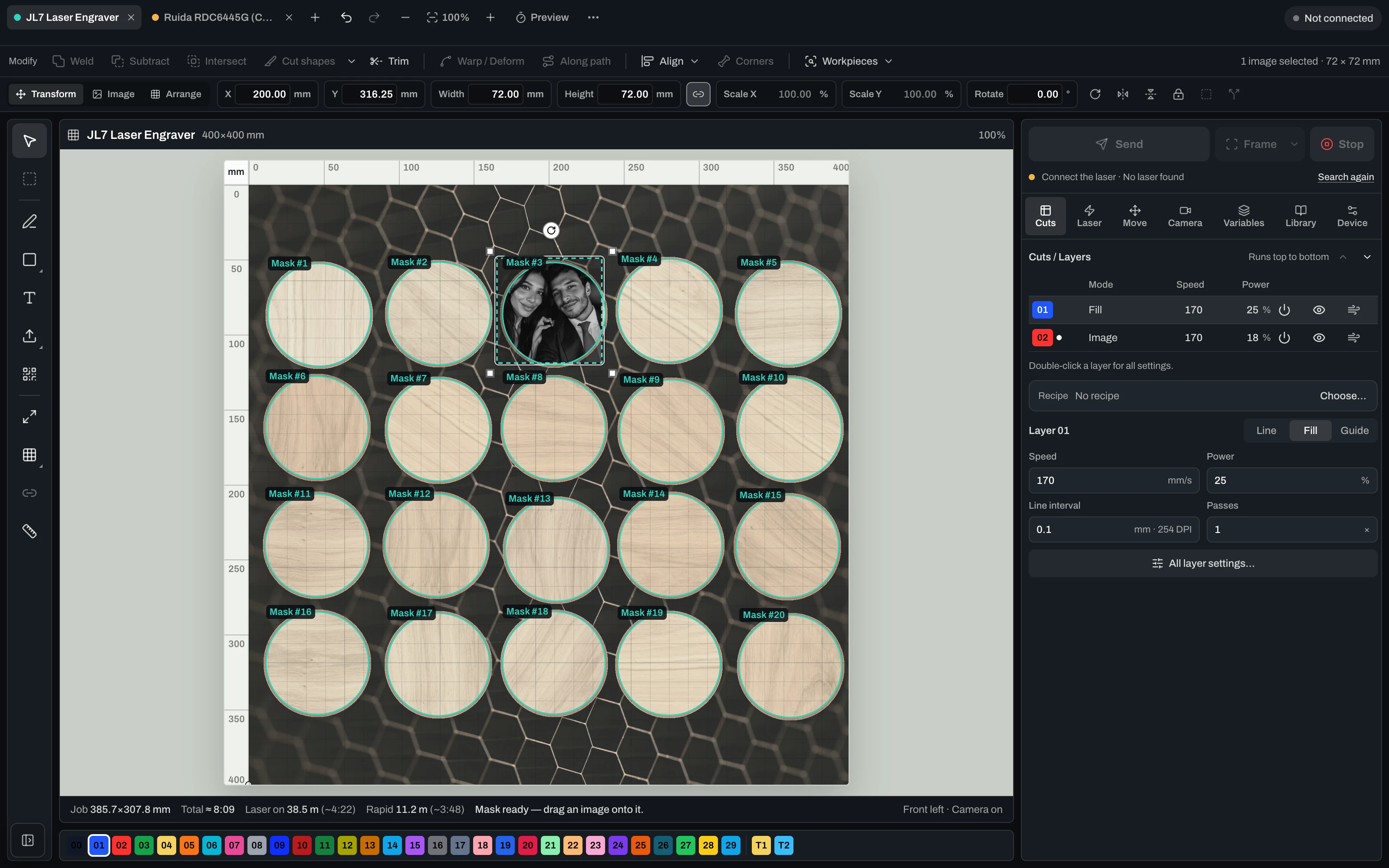
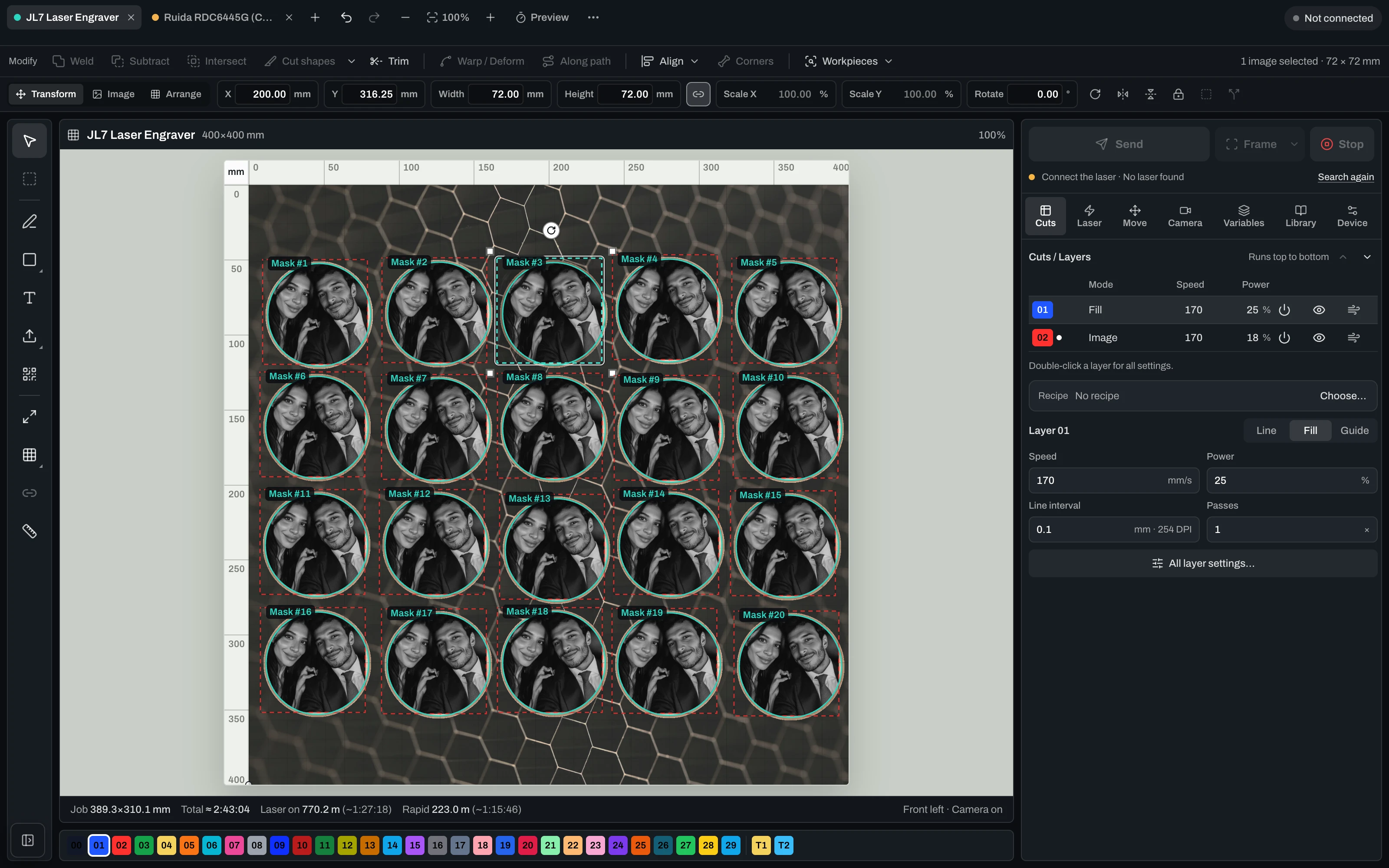
Vextrify Laser Control — the real machine control interface

“Finally, I only need one piece of software for everything.” — Ralf, Profit GmbH

The daily tool shuffle

Four programs for one engraved part. You know the drill.

Prep the photo in one tool, export it, import into the next, align it there, hand it to your laser software — and start over for every motif. Vextrify turns those steps into a single flow.

Your stack today
Photo for engravingImagR · PhotoGrav
Vectors & layoutIllustrator · Inkscape
Machine controlLightBurn
3D reliefspecialised CAM
Camera alignmentmanual / add-on
Multiple licenses · export/re-import · no shared project
Vextrify
All in one

One project, one license, in the browser and on the desktop (Mac & Windows). Control, image optimization and planning work as one — no export, no re-import.

Image & artwork
Photo Studio · AI Studio · Photo Upgrade · Background · 3D Relief · Product Studio
File & layout
Artboard · Vectorize · Contour · QR · Batch · Profiles
Laser & control
Diode & CO2 · camera alignment · multiple lasers · material recipes

アイデアから刻印済みパーツまで — 3ステップで。

Step 1

デザインを準備する

写真、ベクター、テキスト、またはAIモチーフ — 点構造、レリーフ、プロファイルで彫刻に適した形に。

Step 2

ワークピースに位置合わせ

キャリブレーション済みカメラで実際の素材の上に正確に配置し、フレーミングと空走りで確認。

Step 3

彫刻する

ダイオードまたはCO2でジョブをライブ実行 — 開始、一時停止、再開、停止。複数のレーザーを同時にも。

レーザー制御

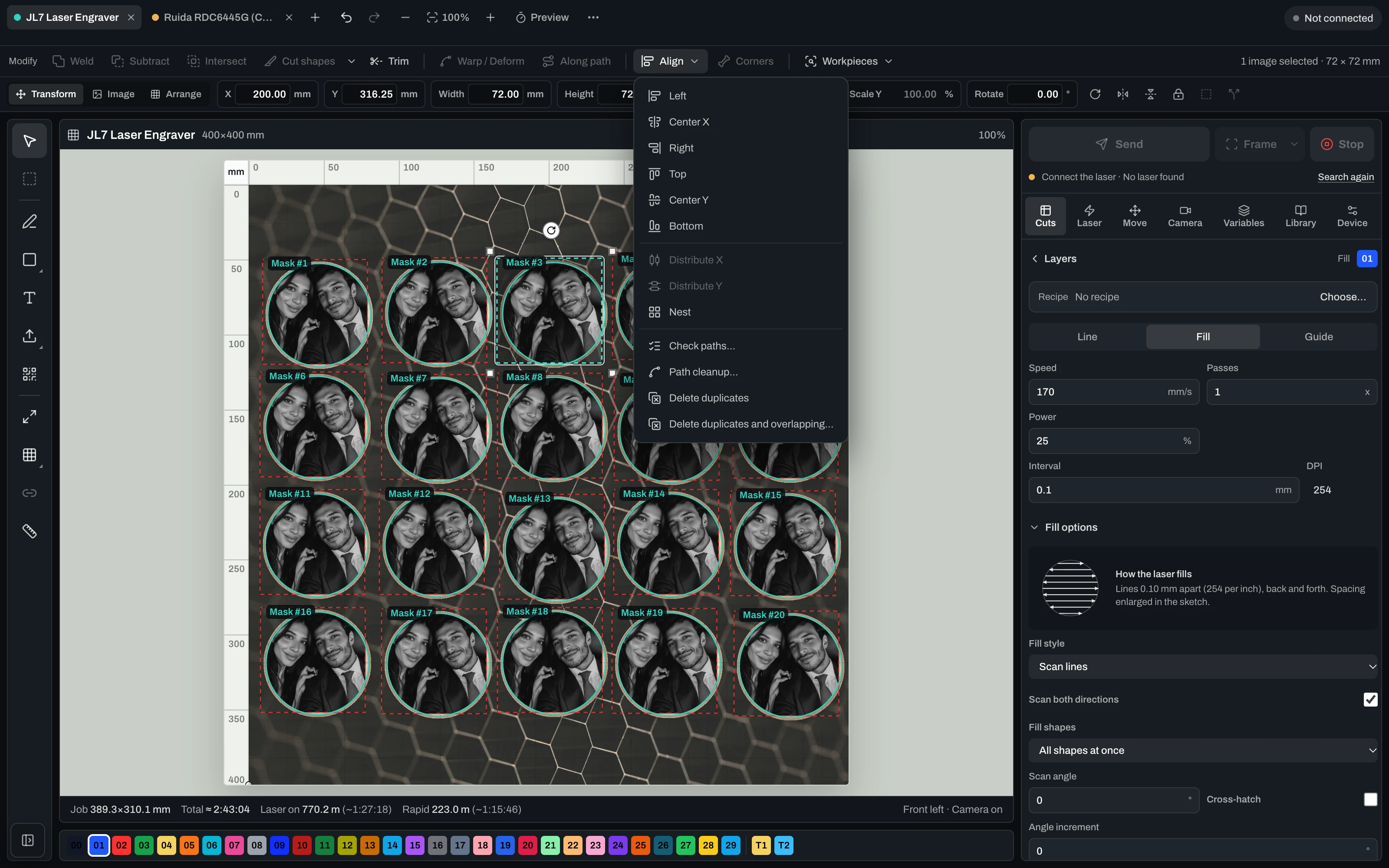
レーザーを操作 — カメラ・キャリブレーション・Ruida・GRBL 対応。

本格的なコントロール画面。USB 接続・カメラ位置合わせ・レンズキャリブレーション・ベッド位置決め・Ruida (CO2) と GRBL マシンへのダイレクト出力に対応。

Align
  • Camera alignment on the real workpiece
  • Lens-corrected overlay preview
  • Framing & dry-run before the laser fires
  • Free choice of origin & start position
Run
  • Diode & CO2 (GRBL & Ruida) directly
  • Live job: start, pause, resume, stop
  • Speed, power, passes, frequency & air assist per layer
  • Speed/power limits from the device profile + runtime estimate
Scale
  • Several lasers at once from one PC
  • Every job keeps running on its own
  • Reuse material recipes & profiles
  • Photo engraving with dithering & grayscale
Machine control runs in the desktop app for Mac & Windows.

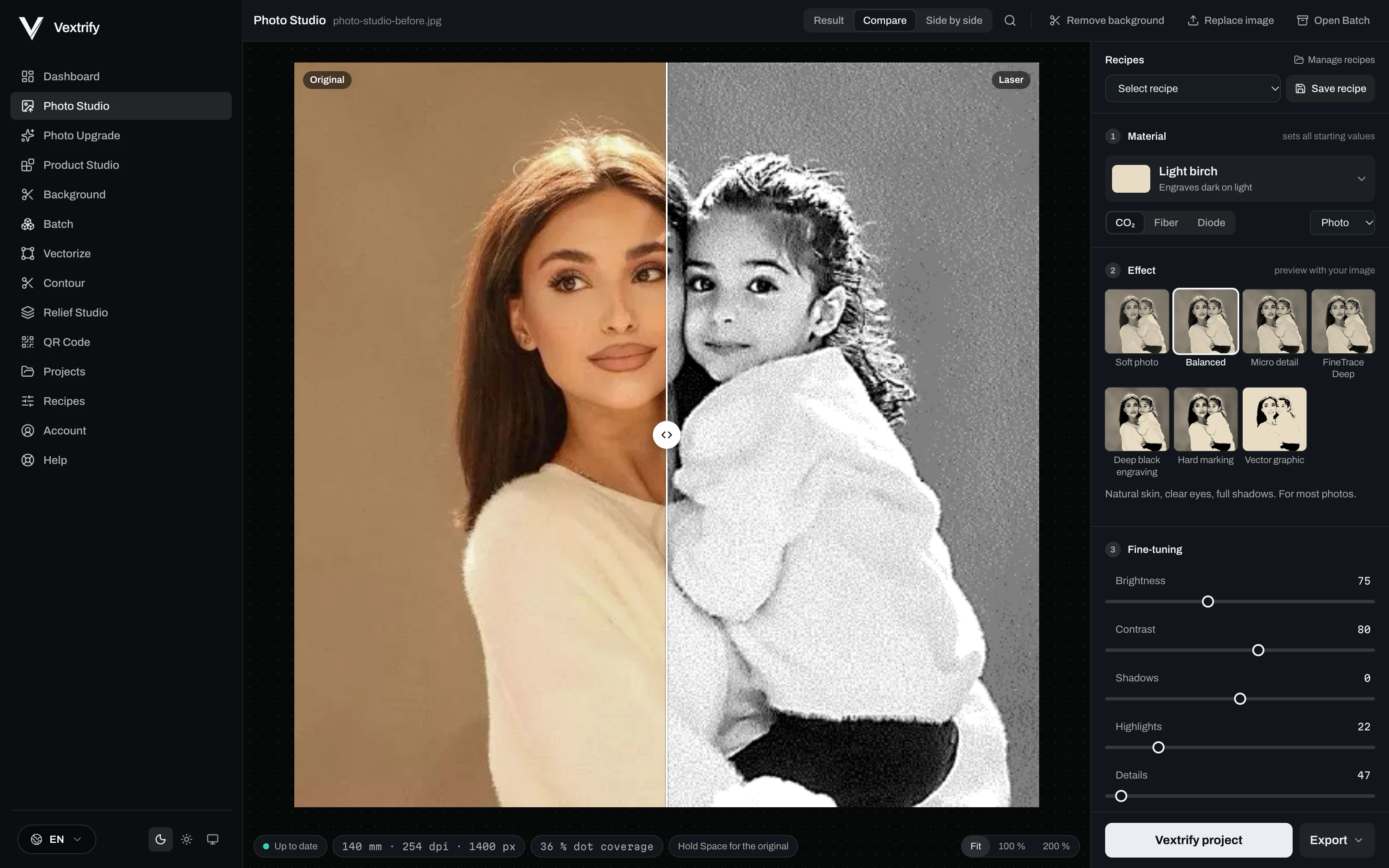
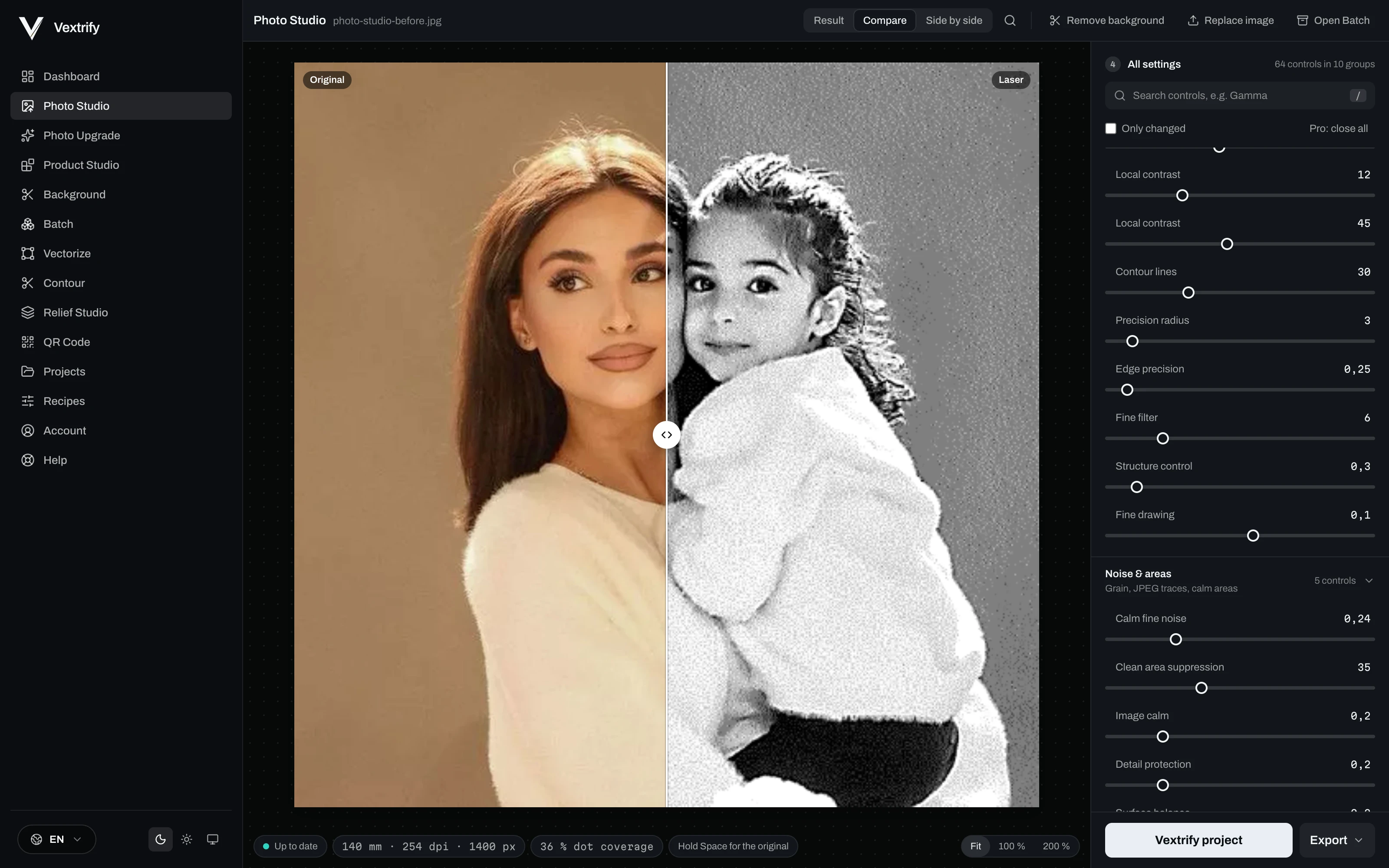
彫刻、マーキング、素材反応のための精密な画像準備。

素材、画像タイプ、目標を選び、出力を視覚的に調整します。

Original image in Photo Studio
Original
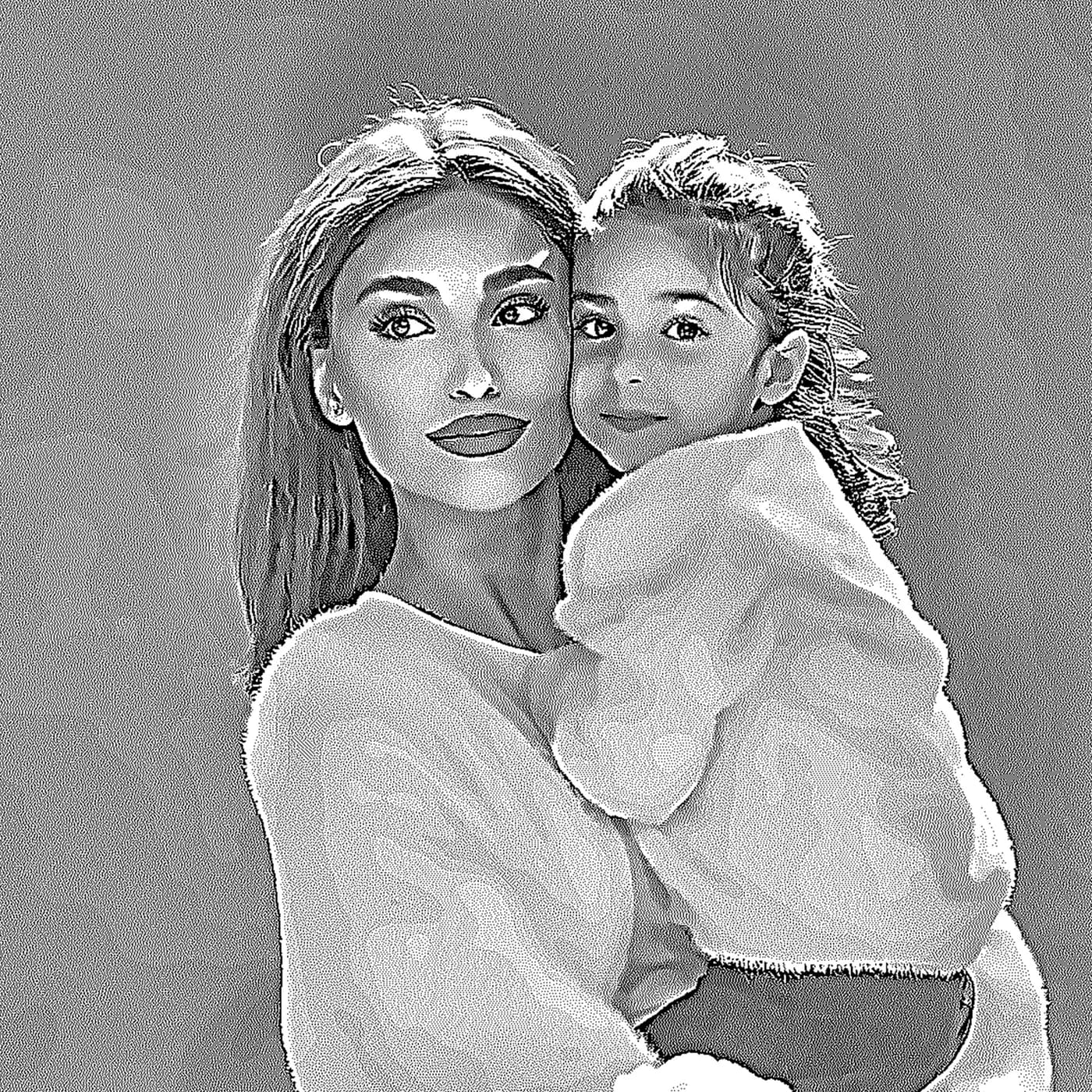
Engraving preview in Photo Studio
Laser output
Dot density

プロ用コントロール

これらの値はプロファイルに保存され、LightBurn/EZCADパッケージに書き込まれます。

彫刻、マーキング、素材反応のための精密な画像準備。

素材、画像タイプ、目標を選び、出力を視覚的に調整します。

毎回やり直さず処理を保存。

素材、目標、DPI、階調、ディザー、前処理、デバッグを保存。

拡大

比較 · 準備完了

Depth Map入力、深度戦略出力。

レリーフと深彫りをローカルで準備。

Learn more
Depth Map入力、深度戦略出力。
Relief Studio
プロ用コントロール
3D preview · drag to tilt
Production Artboard

完全なジョブの制作空間。

画像、文字、QR、SVG、正確な寸法を一つの出力面に配置。

完全なジョブの制作空間。

画像、文字、QR、SVG、正確な寸法を一つの出力面に配置。

制作データをまとめて保持。

元画像、出力、Artboard、アセット、Exportを保存します。

制作とエクスポート

これらの値はプロファイルに保存され、LightBurn/EZCADパッケージに書き込まれます。

リソース

ブラウザ、デスクトップ、機械-readyなエクスポートのためのプロ向けレーザー準備。

VX
Artboard
Production Canvas
320 × 220 mm
Artboard
Image
Text
Export
Prepared engraving image inside the Vextrify Artboard
Bella
Tune image
Contrast+18
Dot density
Sharpness+12
Objects
2
Image
Photo · 254 DPI
Stucki
Text
Fill · outline on
being added
Text parameters
ModeFill
Outlineactive
ColorBlack
Parameters on active image
Speed420 mm/s
Max Power28%
Min Power0%
Passes2
Layers
ImageBlue
TextBlack
Guideoff
LightBurn PaketSVGDXFPNG

Photo, relief, artboard, vectorize, QR, background removal, AI image and more.

Every tool has its own page with examples and an explanation — see everything Vextrify prepares before the burn.

Browse all tools

オンラインで使い、ローカルで本格生産。

Vextrifyは一つの使い方に縛られません。ブラウザとデスクトップを並行して使え、日常は柔軟に、生産現場では強力に、主要ワークフローはクラウド必須ではありません。

工房で使われているVextrifyデスクトップアプリ
View desktop app
ローカル生産モード
1クラウド必須ではない主要機能は生産ファイルをアップロードせずローカルで実行できます。
2場所に縛られないブラウザでも工房PCでも、オフラインでも作業できます。
3ローカルでフル機能Photo Studio、プロファイル、Artboard、Batch、Exportを生産現場で使えます。
4市場で独自VextrifyはWebの快適さと本物のローカル生産環境を組み合わせます。

複数のサブスクの代わりに1つのツール — しかもより多くの機能。

今日: 別々に購入
Imag-R画像準備のみ119 €/
LightBurn Proマシン制御のみ210 € 買い切り
合計、初年度329 €
2つの別々のツール、共有プロジェクトなし。
Vextrify Studio Pro で
  • 画像準備、3Dレリーフ、ベクター、AI
  • 直接マシン制御(ダイオードとCO2)
  • 複数のレーザーを同時に
  • 1つのプロジェクト、エクスポート/再インポートなし
オールインワン149,99 €/
より多くの機能、半額以下。

最初の案件から価値を出すプロ向けレーザー準備。

Studio はブラウザで使えるクリエイション機能一式を含みます — 写真、3Dレリーフ、ベクター、アートボードなど。Studio Pro はデスクトップアプリ、直接レーザー制御(ダイオードとCO2、複数台同時対応)、AI画像生成を追加します。

Annual is the best default price. Studio includes the complete creation suite; Studio Pro adds the desktop app, laser control (incl. multiple lasers) and AI image generation.
Plan

Studio

8,33 €per month
jährlich 99,99 € abgerechnet
VAT incl. where applicable

Komplette Erstell-Suite im Browser — vorbereiten und bearbeiten, alles außer der Maschinensteuerung.

Complete creation suite in the browser
Photo Studio, 3D Relief, Artboard
Vectorize, Contour, QR, Batch
Background removal & photo upgrade
AI Studio visible, usage by upgrade
No machine control
アカウント作成
Best Value

Studio Pro

12,50 €per month
jährlich 149,99 € abgerechnet
VAT incl. where applicable

Alles aus Studio plus Desktop-App, Lasersteuerung (Diode & CO2, auch mehrere Laser gleichzeitig) und 2.000 KI-Credits pro Monat.

Everything in Studio
Desktop app included
Laser control: diode & CO2, camera-aligned
Multiple lasers at once from one PC
AI image generation · 2,000 credits/mo
Live job: start, pause, resume, stop
アカウント作成
Plan

Lifetime Pro

One-timeno subscription
249,00 €one-time
einmalige Zahlung · 12 Monate Studio inklusive
VAT incl. where applicable

Einmal kaufen. Die Desktop-App dauerhaft lokal nutzen. Studio Online, KI-Tools und Updates sind 12 Monate inklusive.

Buy once, keep it locally for good
Desktop app + laser control (Mac & Windows)
Laser control incl. multiple lasers
12 months Studio Online & AI included
Updates included for 12 months
No subscription — one-time payment
アカウント作成

What you want to know before starting.

LightBurnやEZCADで使えますか?+

はい。既存のレーザーワークフローで使いやすいエクスポート構造を用意します。

ローカルで使えますか?+

はい。デスクトップアプリは主要機能をクラウド必須にせずローカルで動かせます。

普通の写真ツールより何が強いですか?+

素材、階調、点構造、プロファイル、アートボード、エクスポート、レリーフに数百の設定があります。