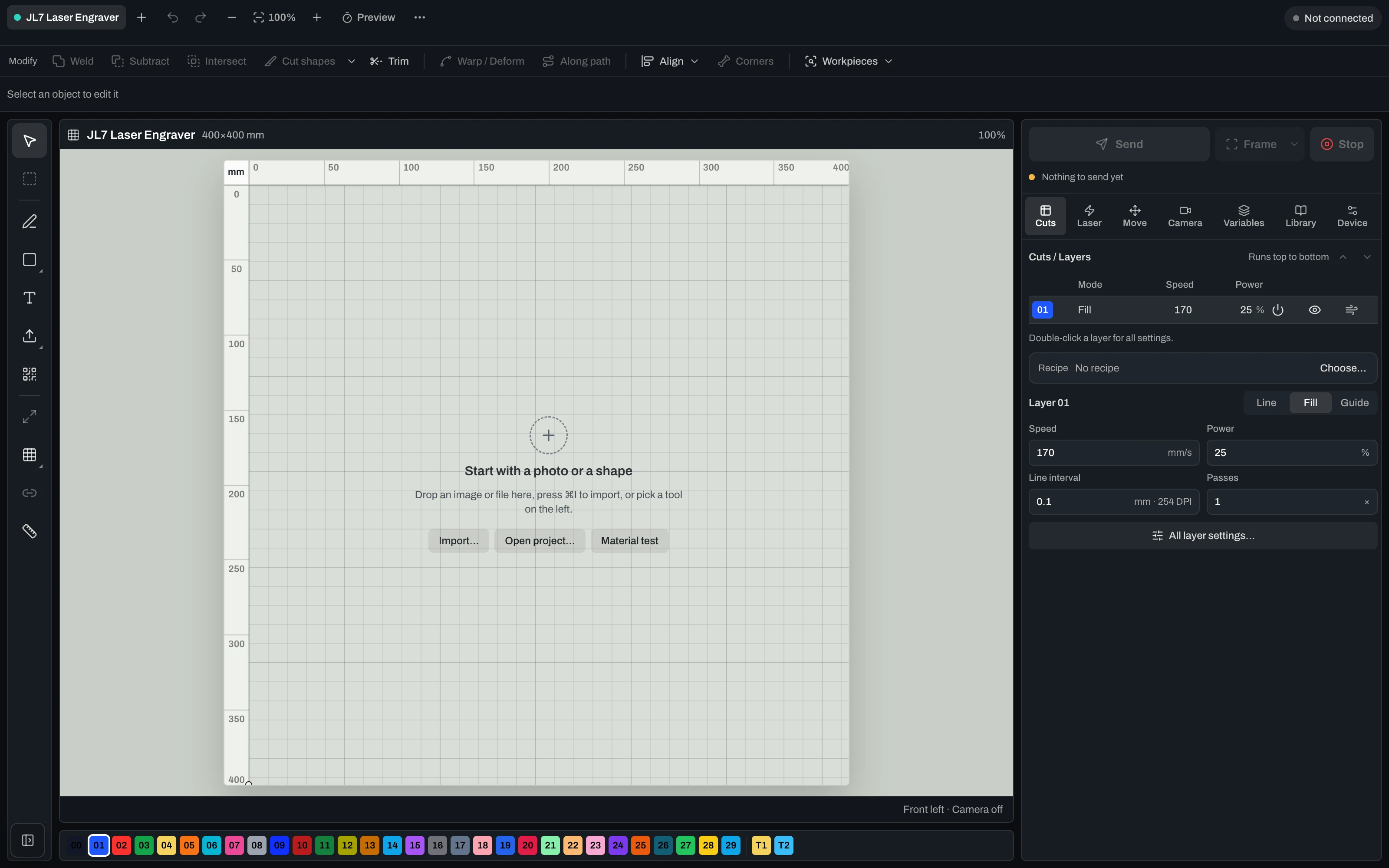
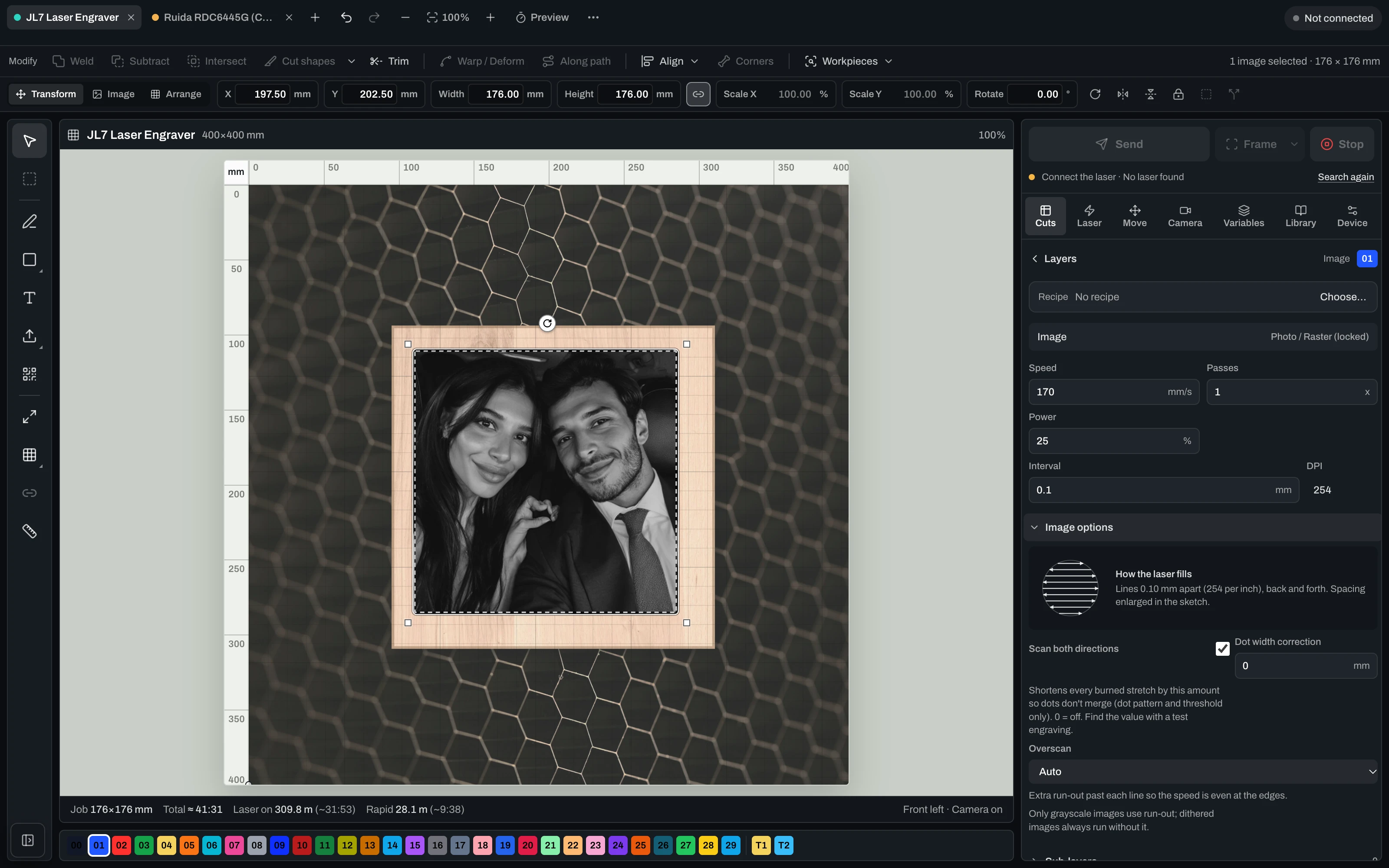
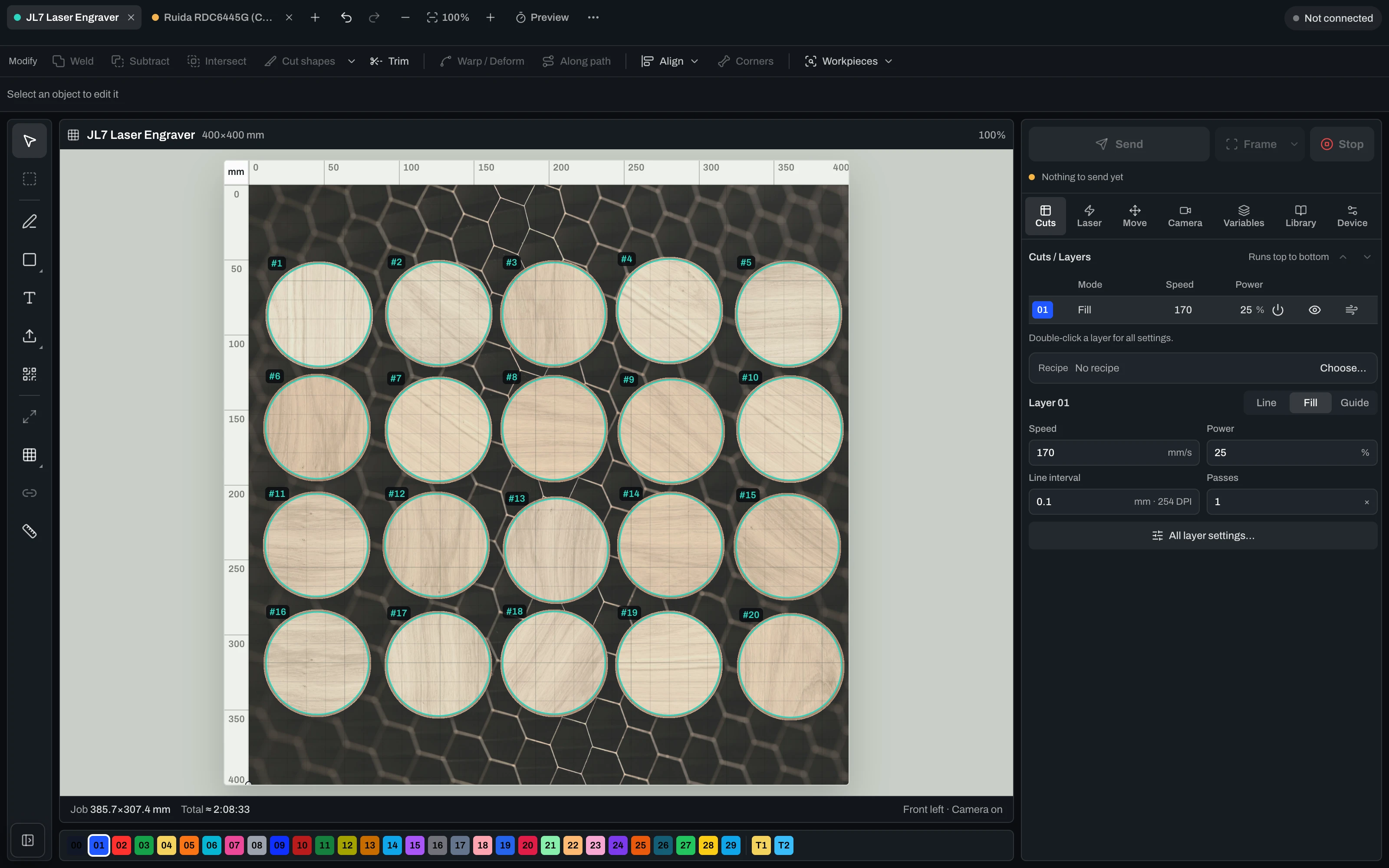
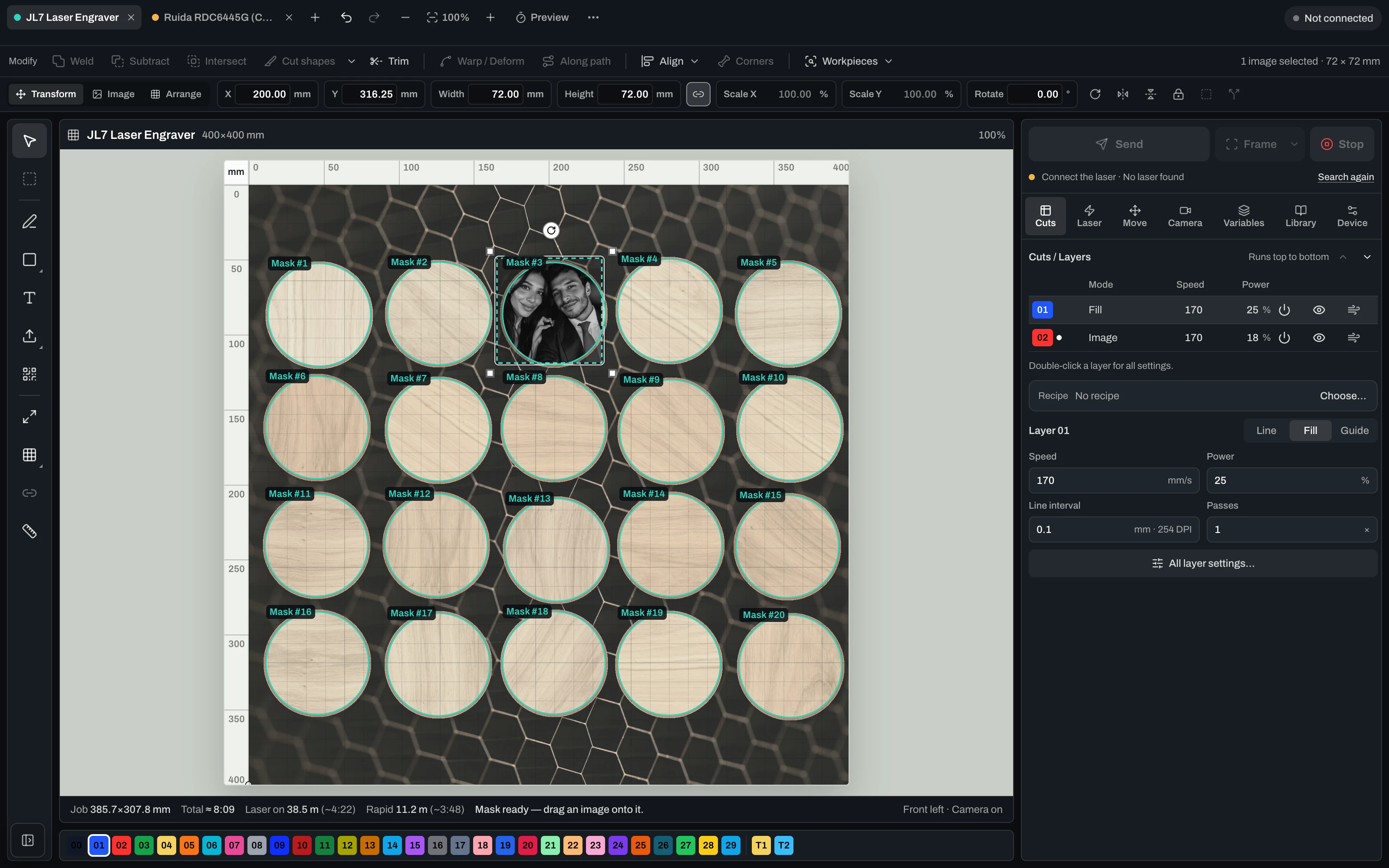
Convierte imágenes en archivos láser listos para producción.
Vextrify une preparación fotográfica, relieve 3D, artboard, perfiles y exportación en un flujo para navegador y escritorio.

“Finally, I only need one piece of software for everything.” — Ralf, Profit GmbH
Create, prepare, run — from one project. Nobody else does all three.
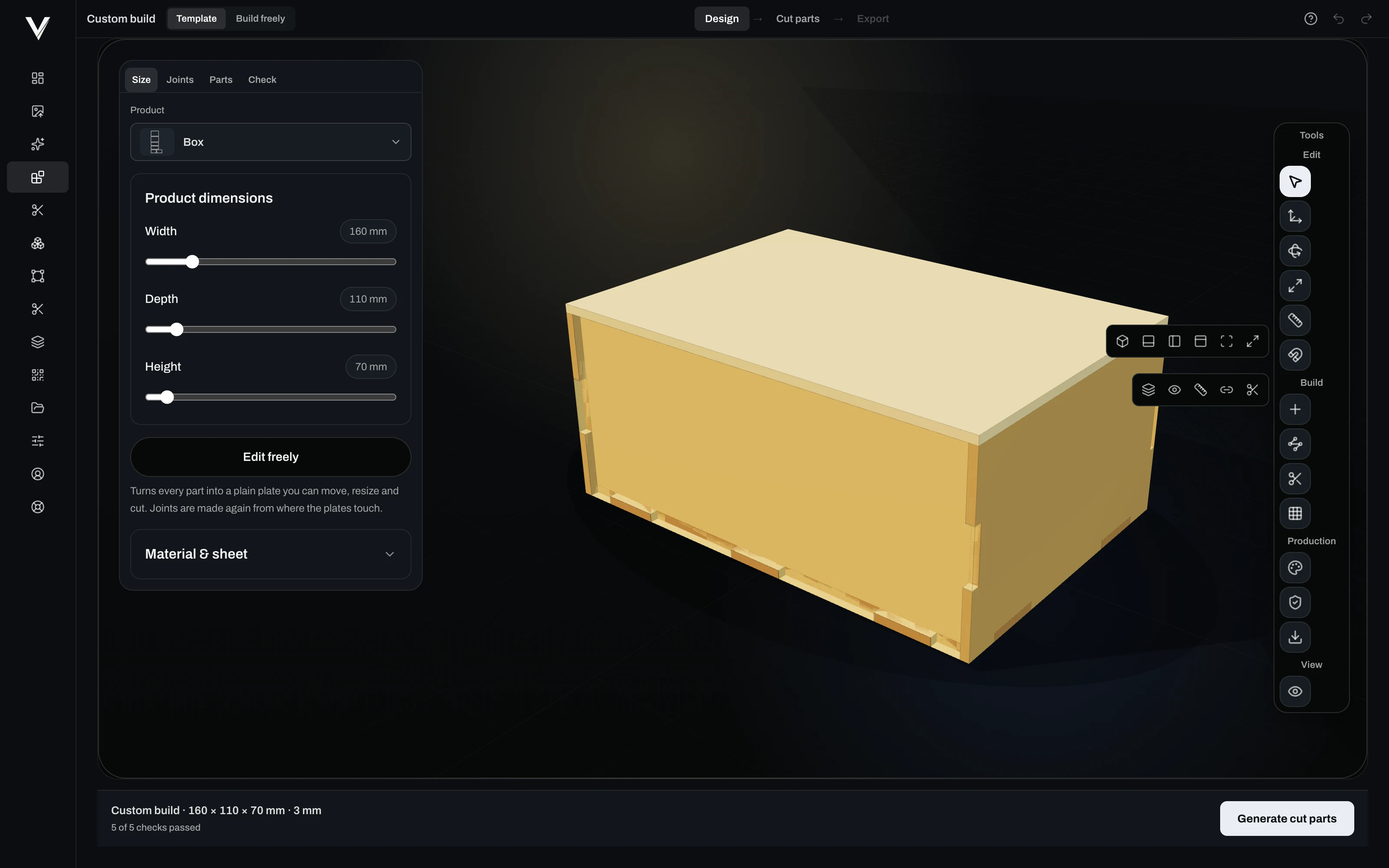
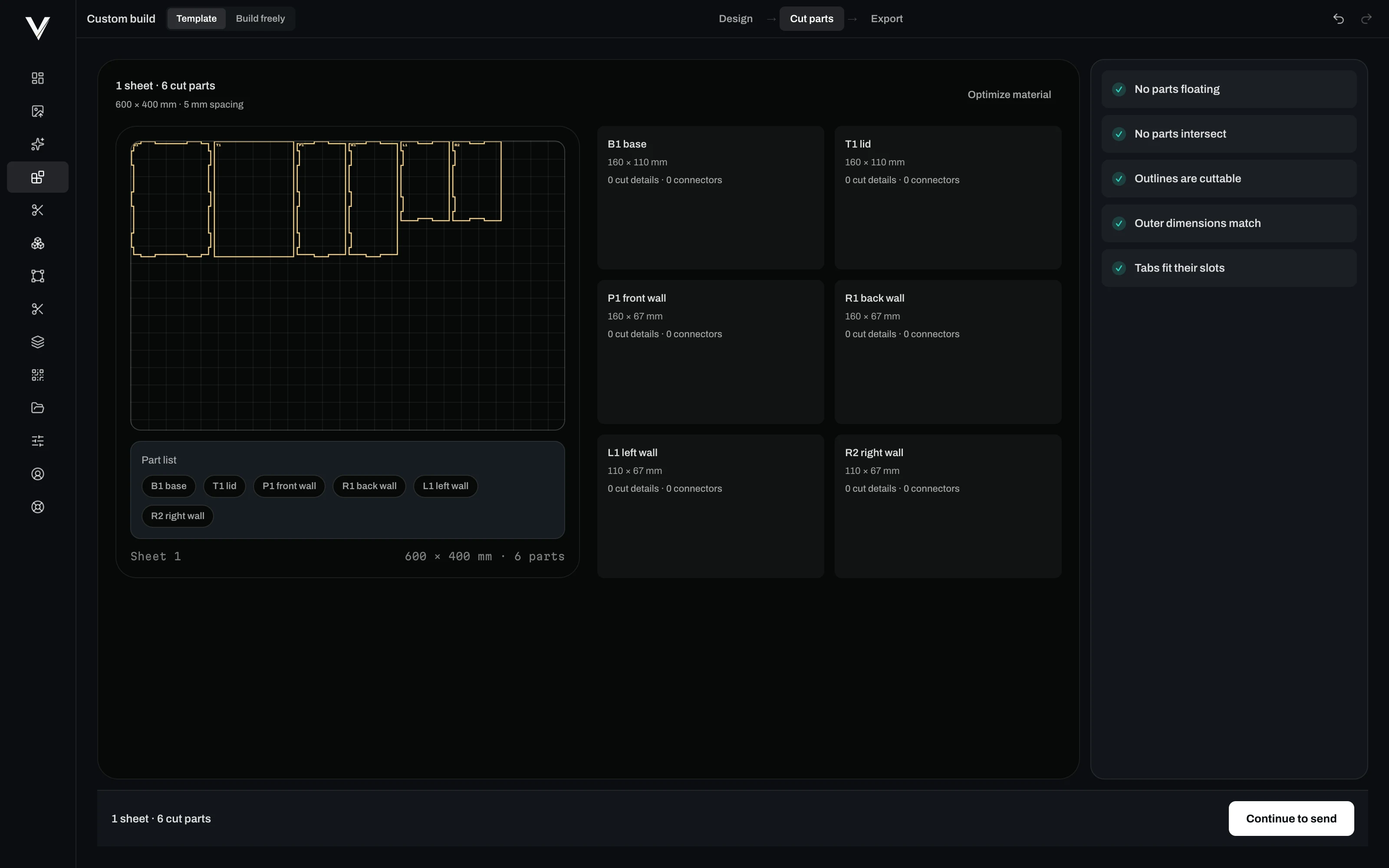
Vextrify is not one tool fewer, it is one more: image preparation at specialist depth, layout and vectors, 3D reliefs, contours, batch processing — and the machine runs from the same project, camera-aligned. Putting that together today means two to four programs that know nothing about each other.
One project, one license, in the browser and on the desktop (Mac & Windows). Control, image optimization and planning work as one — no export, no re-import.
Others hand you a file. Vextrify hands you an interface.
Image preparation here is not only a window, it is an endpoint. That lets you connect what already runs in your shop — and no other laser software does that.
Image in, laser-ready file out
Your shop, your order system or a script sends the customer photo to the endpoint and gets the finished engraving file back — material profile and recipe applied, nobody sitting in front of it.
Your system hears about it immediately
Every job reports back to your endpoint by webhook. Failures too — an image that will not do has to reach you before your customer asks.
Connect it without a developer
If you would rather not write code, hang the endpoint off Zapier, Make or n8n and reach thousands of applications: spreadsheet, CRM, storage, notification.
Access you can fence in
One API key per purpose, with scope and expiry. One for the shop, one for the workshop, and neither opens more than it needs to.
200 images, one recipe
What worked once runs across the whole order — same tones, same dot pattern, same material profile.
Also without Vextrify at the machine
If the laser hangs off another program, you get clean files for LightBurn, EZCAD and Ruida controllers.
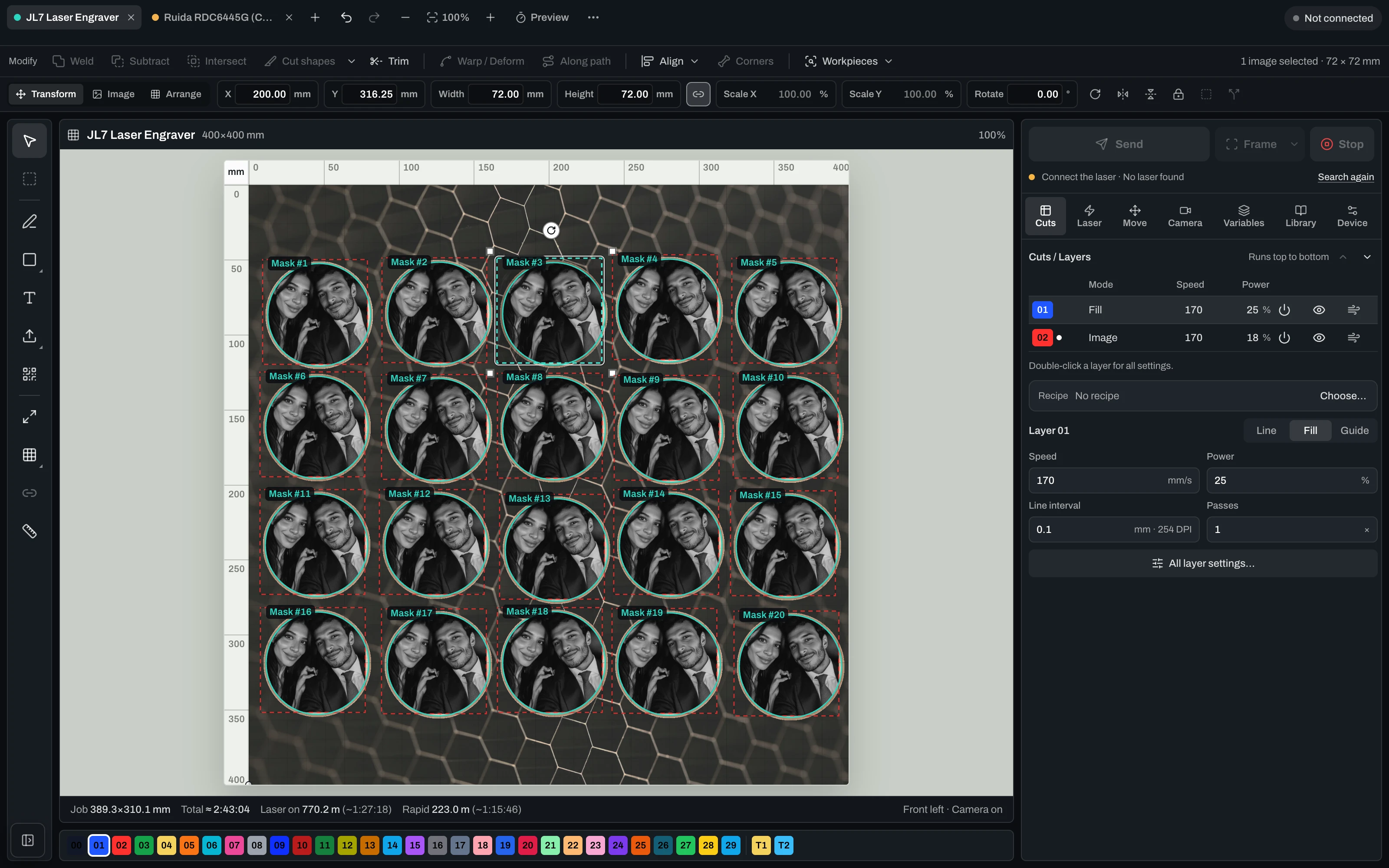
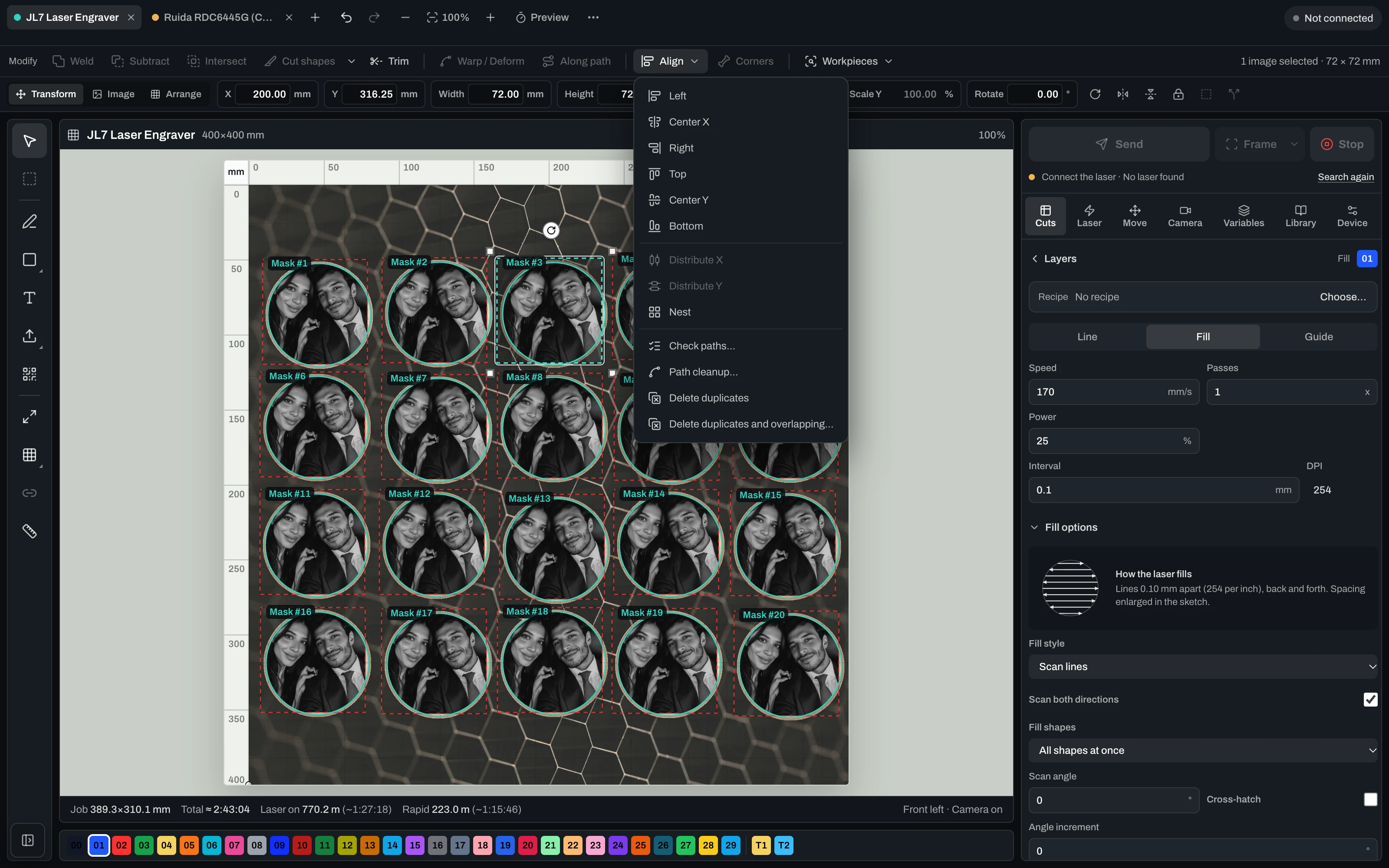
Controla tu láser — cámara, calibración, Ruida y GRBL.
Una superficie de control real: conexión USB, alineación con cámara y calibración de lente, posicionamiento de cama y salida directa para máquinas Ruida (CO2) y GRBL.
- Machines
- Diode via GRBL, CO2 via Ruida
- Alignment
- Camera on the real workpiece, lens-corrected
- Before it burns
- Frame the job, dry run, free choice of origin
- During the job
- Start, pause, resume, stop — live
- Per layer
- Speed, power, passes, frequency, air assist
- Limits
- Speed and power limits from the device profile, plus a runtime estimate
- Several lasers
- One tab per machine with its own profile, calibration and job
One active machine connection at a time. Firing several lasers simultaneously is on the roadmap and not shipped.

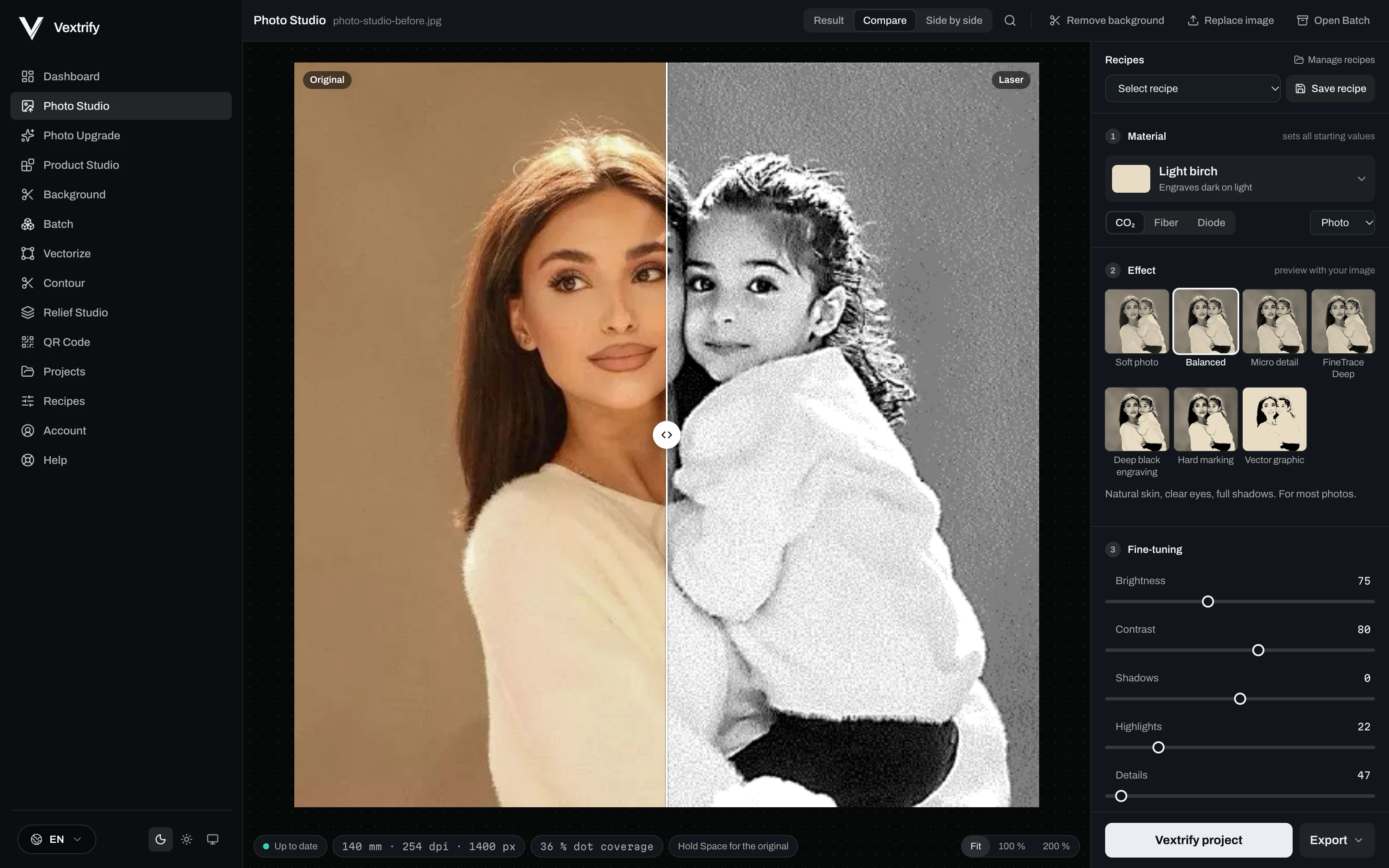
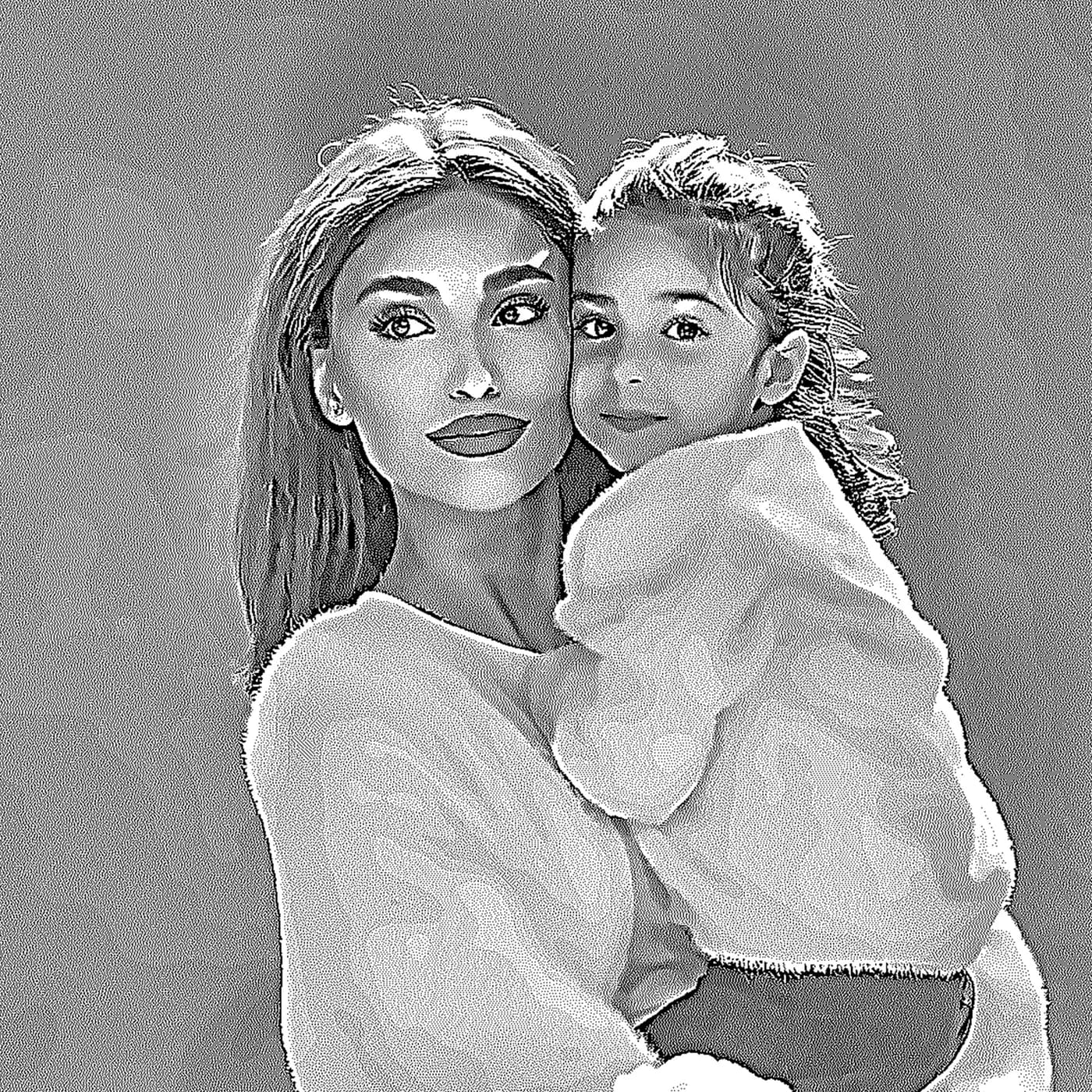
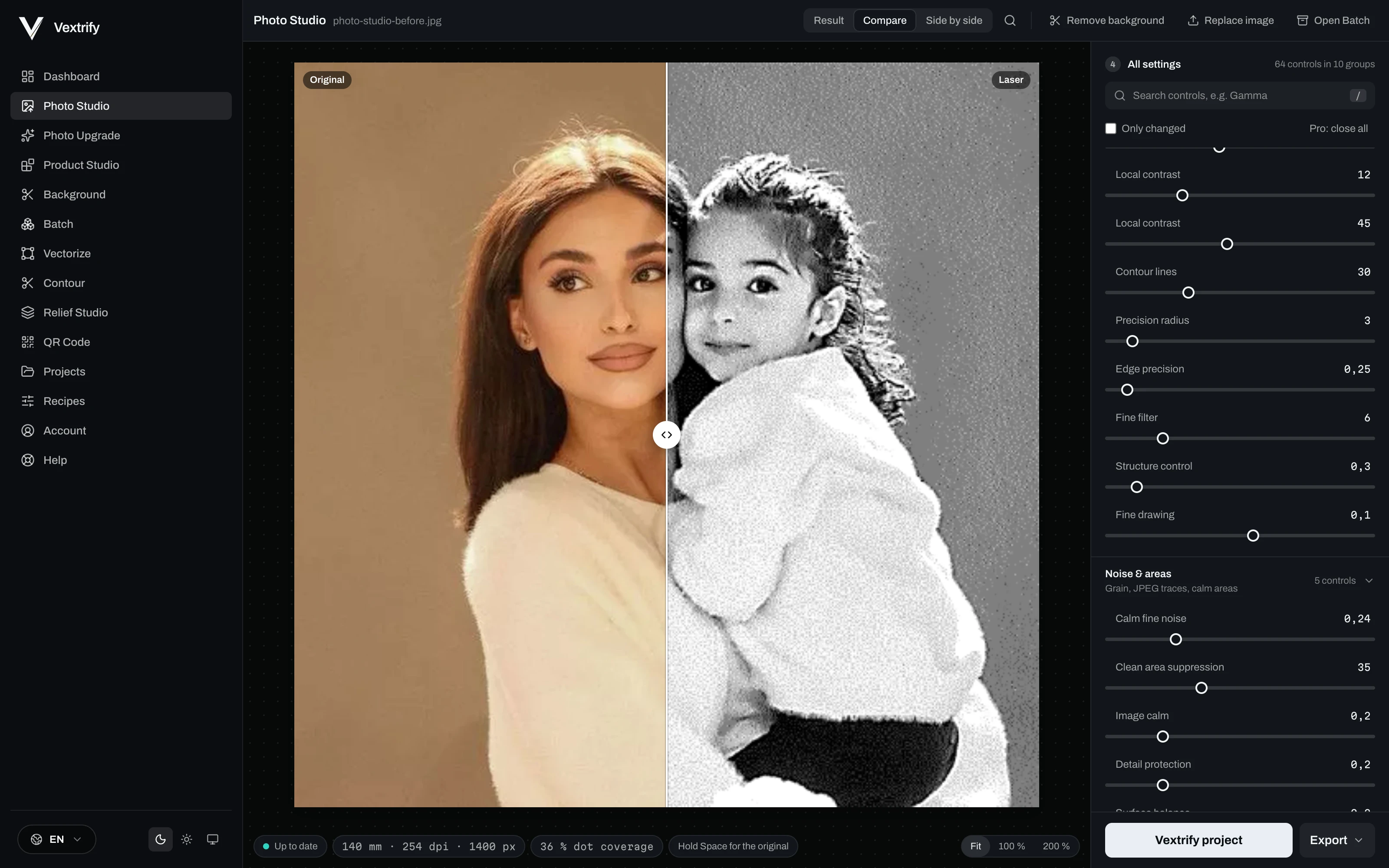
Preparación precisa de imágenes para grabado, marcado y reacción del material.
Elige material, tipo de imagen y objetivo, y ajusta la salida visualmente.


Controles profesionales
Estos valores se guardan en perfiles y se escriben en paquetes LightBurn/EZCAD.
Preparación precisa de imágenes para grabado, marcado y reacción del material.
Elige material, tipo de imagen y objetivo, y ajusta la salida visualmente.
Guarda procesamiento en vez de adivinar de nuevo.
Las recetas contienen material, objetivo, DPI, tonos, dither, preprocessing y debug.
Ampliar
Comparar · listo
Depth map entra. Estrategia de profundidad sale.
Prepara trabajos de relieve y deep engraving localmente.
Learn morePhoto, relief, artboard, vectorize, QR, background removal, contours and more.
Every tool has its own page with examples and an explanation — see everything Vextrify prepares before the burn.
Úsalo online. Produce localmente con toda la potencia.
Vextrify no te obliga a una sola forma de trabajo. Navegador y escritorio conviven: flexible para el día a día, potente en producción y sin obligación de nube en los flujos centrales.

- Customer photos stay in the shop
- Portraits and order files are not uploaded for preparation. If you work with pictures of people, you have to be able to explain that to your client.
- Internet down, production continues
- Prepare, align, engrave — all on the workshop PC. A dead line does not stop the machine.
- No per-image billing
- No credits, no image packs, no queue on somebody else's server. The computer that is already standing there does the work.
- The machine is local anyway
- The laser runs over USB. Keeping everything before that in the same place saves the detour through the cloud and back.
Preparación láser profesional que se amortiza desde el primer trabajo.
Studio incluye la suite completa de creación en el navegador — foto, relieve 3D, vector, artboard y más. Studio Pro añade la app de escritorio, control directo del láser (diodo y CO2, incluso varios láseres a la vez) y generación de imágenes con IA.
Una herramienta en lugar de varias suscripciones — y hace más.
- Preparación de imagen, relieve 3D, vector, IA
- Control directo de máquina (diodo y CO2)
- Varios láseres a la vez
- Un proyecto, sin exportar/reimportar
Studio
Komplette Erstell-Suite im Browser — vorbereiten und bearbeiten, alles außer der Maschinensteuerung.
Studio Pro
Alles aus Studio plus Desktop-App und Lasersteuerung fuer Diode und CO2 — mit Kamera-Ausrichtung, Probelauf und Live-Job.
Lifetime Pro
Einmal kaufen. Die Desktop-App dauerhaft lokal nutzen. Studio Online und Updates sind 12 Monate inklusive.
The questions that matter before you buy.
¿Funciona Vextrify con LightBurn y EZCAD?+
Sí. Vextrify prepara archivos para flujos láser existentes. Los paquetes se estructuran para reutilizarse limpiamente en LightBurn, EZCAD y entornos similares.
¿Puedo usar Vextrify localmente?+
Sí. Además del navegador, Vextrify está preparado como app local de escritorio para ejecutar funciones clave sin obligación de nube.
¿Qué lo hace mejor que un editor fotográfico simple?+
Vextrify no es un filtro: ofrece cientos de ajustes para material, tono, puntos, perfiles, artboards, exportaciones y relieves.
¿Puedo guardar perfiles propios?+
Sí. Los ajustes exitosos pueden guardarse como perfiles para reutilizar materiales, máquinas y trabajos.
¿Solo sirve para fotos?+
No. También cubre layouts, texto, QR, vectores, batch, formas de pieza y relieves 3D.
¿Para quién está hecho?+
Para talleres de grabado, producción, marcado industrial, estudios creativos, makers exigentes y cualquiera que prepare archivos láser profesionalmente.
¿Funciona Vextrify con LightBurn y EZCAD?
Sí. Vextrify prepara archivos para flujos láser existentes. Los paquetes se estructuran para reutilizarse limpiamente en LightBurn, EZCAD y entornos similares.
¿Puedo usar Vextrify localmente?
Sí. Además del navegador, Vextrify está preparado como app local de escritorio para ejecutar funciones clave sin obligación de nube.
¿Qué lo hace mejor que un editor fotográfico simple?
Vextrify no es un filtro: ofrece cientos de ajustes para material, tono, puntos, perfiles, artboards, exportaciones y relieves.
¿Puedo guardar perfiles propios?
Sí. Los ajustes exitosos pueden guardarse como perfiles para reutilizar materiales, máquinas y trabajos.
¿Solo sirve para fotos?
No. También cubre layouts, texto, QR, vectores, batch, formas de pieza y relieves 3D.
¿Para quién está hecho?
Para talleres de grabado, producción, marcado industrial, estudios creativos, makers exigentes y cualquiera que prepare archivos láser profesionalmente.