Compare

CO2 laser software for macOS

RDWorks is Windows only. These are the ways to drive a CO2 laser from a Mac — and what changes for photo work.

Try Vextrify free

The short answer

Ruida is the controller in most affordable CO2 lasers. Its vendor software, RDWorks, runs on Windows only and feels its age. On macOS the practical options are LightBurn's paid build or Vextrify, which speaks Ruida and GRBL from one signed macOS app and brings camera alignment and image preparation with it.

RDWorks: Windows only
LightBurn: paid macOS build, broad Ruida support
Vextrify: signed macOS app, Ruida and GRBL, preparation included

CO2 and photo engraving

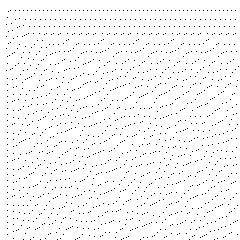
CO2 lasers on wood and slate are where photo engraving gets interesting — and where most disappointment happens. The usual cause is not the machine but the file: light areas that still burn leave a grey haze over the whole picture. Vextrify keeps white areas of the source untouched; measured across 168 material and goal combinations, zero burned dots in those areas.

Material profiles for wood, slate, acrylic, anodised aluminium and more
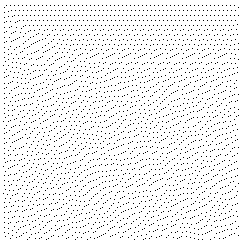
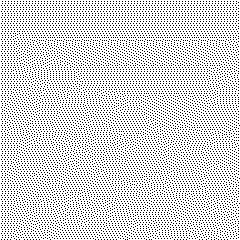
Ten dot patterns plus greyscale power modulation
White in the source stays unengraved
Why engravings look muddy

What CO2 does well, and where it fights you

A CO2 laser marks wood, slate, leather, acrylic, glass and coated metals — a far wider range than a diode machine, and with more power in reserve. That range is also the difficulty: each material answers differently to the same file. Light woods give the widest tonal range and are the safest place to start; dark and strongly grained woods compress the picture and need more separation in preparation; slate works as a negative, because the laser lightens the stone instead of darkening it; glass frosts rather than burns, so the tonal ladder behaves differently again. None of this is a machine setting you can copy from a chart — it is a material profile, and it belongs in the file before the job starts.

Light wood: widest tonal range, safest starting point
Dark or figured wood: less contrast, needs more separation
Slate: engraved areas are the light ones, so the image is inverted
Glass and coated metal: frosting and marking, not burning
Run a material test grid

What you get with Vextrify

The same project prepares the image and runs the machine: camera alignment on the real workpiece, a framing pass and dry run before anything burns, live job control. Several machines can be managed, each in its own tab with its own profile and job; one is actively connected at a time. And if your shop keeps RDWorks or LightBurn at the machine, Vextrify exports clean files for them.

Camera alignment and dry run on CO2
Recipes per material, reusable across a series
Exports for LightBurn, EZCAD and Ruida controllers
See Laser Control

FAQ

Does RDWorks run on macOS?

No. RDWorks is Windows only. On a Mac you need LightBurn's paid build or Vextrify, both of which speak the Ruida protocol.

Can I run a CO2 laser from a Mac?

Yes. LightBurn and Vextrify both drive CO2 machines with Ruida controllers from macOS. Vextrify additionally aligns the job with a camera on the workpiece and prepares the image in the same project.

Why do my CO2 photo engravings look washed out?

Usually the file, not the machine: light areas that are not truly white still burn and lay a grey haze over the picture. Preparation that forces those areas to true white fixes it.